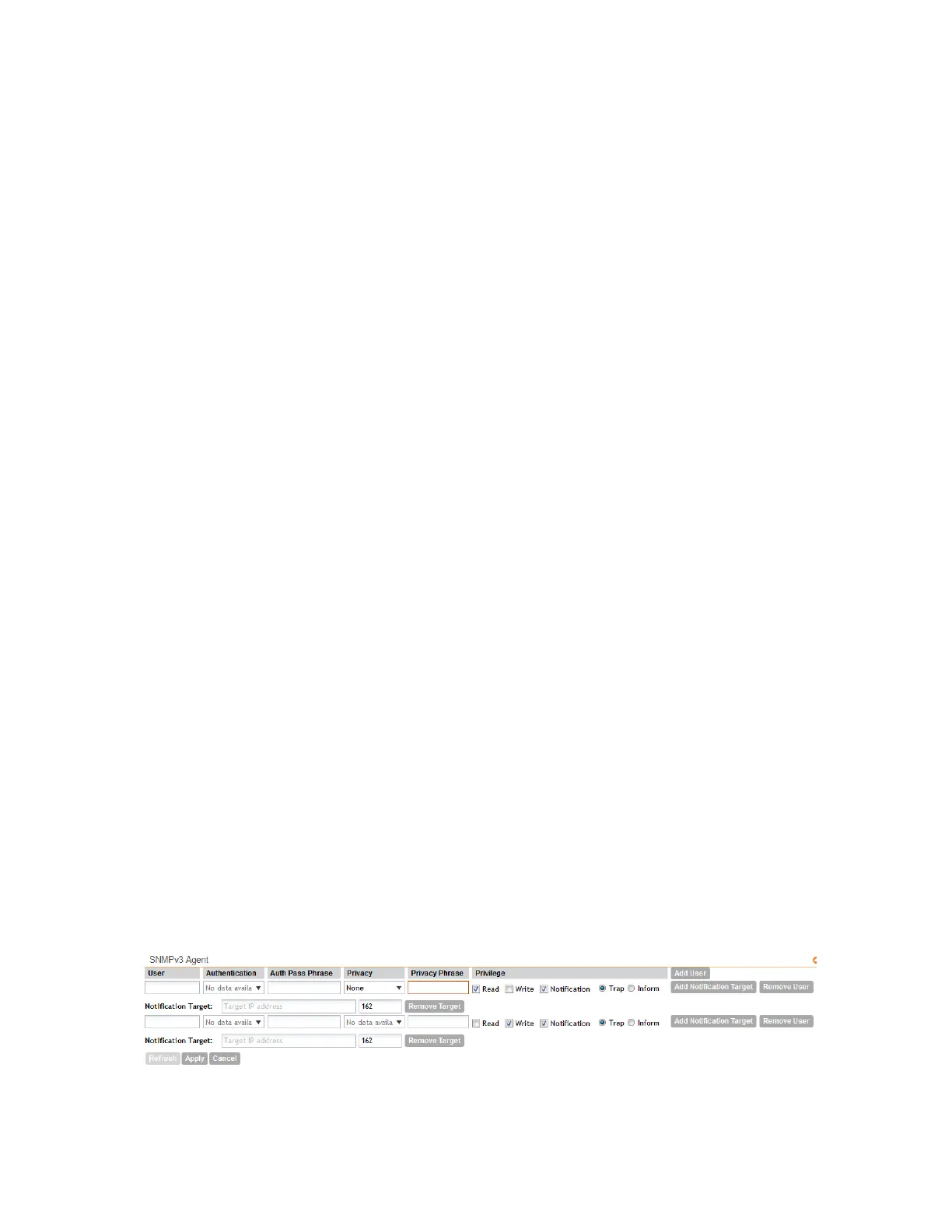
1. In the SNMPv3 Agent section, click Add User.
Options for adding a user appear.
2. Under User, type a user name between 1 and 31 characters.
3. Under Authentication, select one of the following authentication methods:
• None: Use no authentication.
• MD5: Message-Digest algorithm 5, message hash function with 128-bit output.
• SHA: Secure Hash Algorithm, message hash function with 160-bit output.
4. Under Auth Pass Phrase, type a pass phrase between 8 and 32 characters in length.
5. Under Privacy, select one of the following privacy methods:
• None: Use no privacy method.
• DES: Data Encryption Standard, data block cipher.
• AES: Advanced Encryption Standard, data block cipher.
6. Under Privacy Phrase (active only if you selected either DES or AES above), enter a privacy
phrase between 8 and 32 characters in length.
7. Under Privilege, select the check boxes for the privileges that you want to grant to this
community.
A read-only community is typically granted the Read privilege, whereas a read-write community
is granted the Read and Write privileges. Available privileges include:
• Read
• Write
• Notification
• Trap: Select this privilege if you want to send SNMP trap notifications for this community.
When this check box is selected, the Add Notification Target button becomes active.
Click Add Notification Target, and then configure the following settings (required):
• Notification Target: Type the IP address and server port of the SNMP trap server on
the network.
• Inform: Select this option if you want to send SNMP notifications for this community.
To add a trap target, click Add Notification Target, and then configure the options.
8. Repeat the steps above to create as many SNMPv3 agent users are you require.
9. Click Apply.
You have completed configuring the SNMPv3 agent settings.
Figure 122: SNMPv3 Agent section
SmartCell Gateway 200/Virtual SmartZone High-Scale for Release 3.4.1 Administrator Guide
235
Configuring the System Settings
Configuring Network Management



 To Next Page