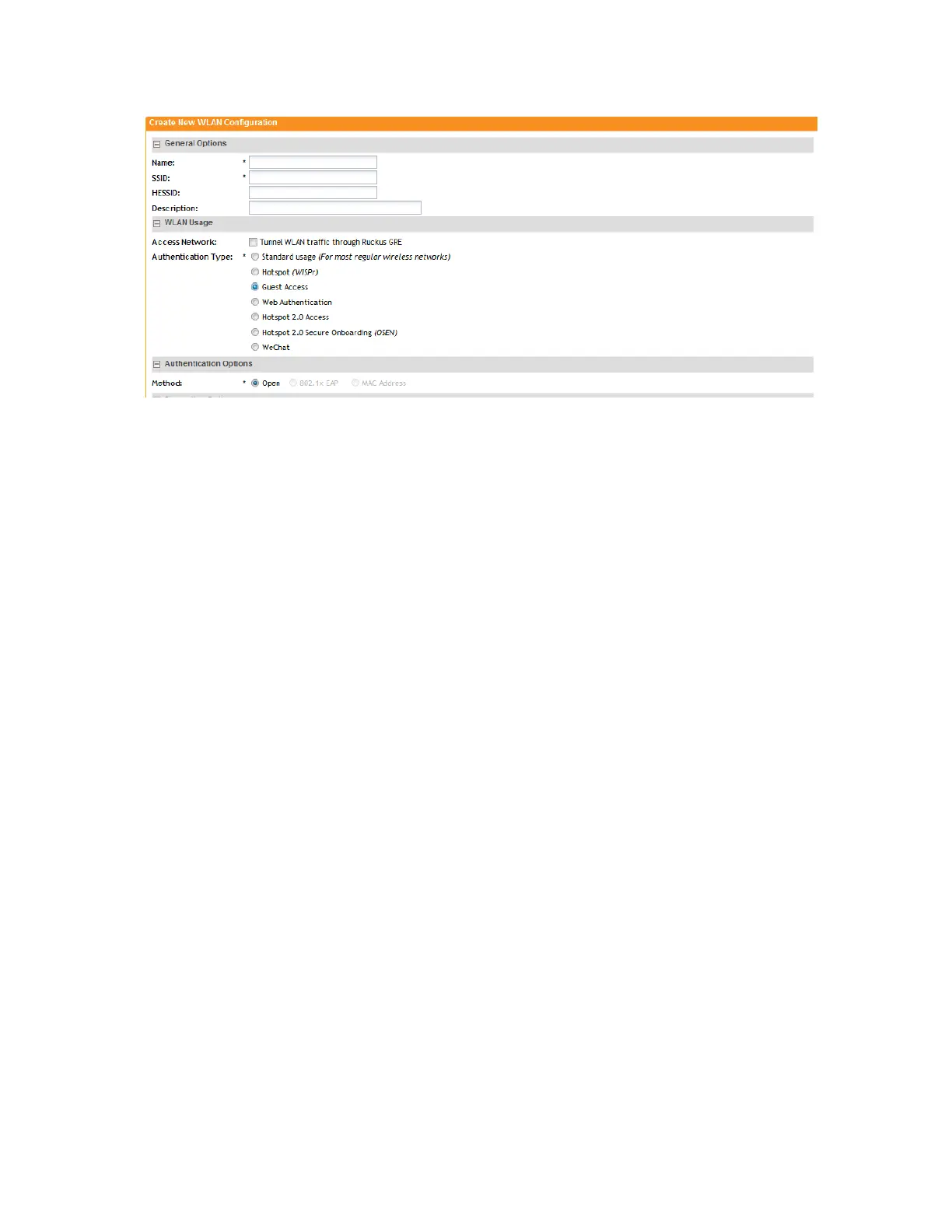
Figure 26: Top half of the Create New WLAN Configuration form
Channel Mode
Channel mode is a method of statistically picking the most potent channel for an AP.
Some countries restrict certain 5GHz channels to indoor use only. For instance, Germany restricts
channels in the 5.15GHz to 5.25GHz band to indoor use. When ZoneFlex Outdoor APs and
Bridges with 5GHz radios (ZoneFlex 7762, 7762-S, 7762-T, 7761-CM and 7731) are set to a
country code where these restrictions apply, the AP or Bridge can no longer be set to an
indoor-only channel and will no longer select from amongst a channel set that includes these
indoor-only channels when SmartSelect or Auto Channel selection is used, unless the
administrator configures the AP to allow use of these channels.
For instance, if the AP is installed in a challenging indoor environment (such as a warehouse),
the administrator may want to allow the AP to use an indoor-only channel. These channels can
be enabled for use through the AP CLI or the controller web interface.
Client Load Balancing
Enabling load balancing can improve WLAN performance by helping to spread the wireless client
load between nearby access points, so that one AP does not get overloaded while another sits
idle. The load balancing feature can be controlled from within the controller web interface to
balance the number of clients per radio on adjacent APs.
“Adjacent APs” are determined by the controller at startup by measuring the RSSI during channel
scans. After startup, the controller uses subsequent scans to update the list of adjacent radios
periodically and when a new AP sends its first scan report. When an AP leaves, the controller
immediately updates the list of adjacent radios and refreshes the client limits at each affected
AP.
Once the controller is aware of which APs are adjacent to each other, it begins managing the
client load by sending the configured client limits to the APs. These limits are “soft values” that
can be exceeded in several scenarios, including:
1. When a client’s signal is so weak that it may not be able to support a link with another AP
2. When a client’s signal is so strong that it really belongs on this AP.
SmartCell Gateway 200/Virtual SmartZone High-Scale for Release 3.4.1 Administrator Guide
76
Managing Ruckus Wireless AP Zones
Working with WLANs and WLAN Groups



 To Next Page