After import a Registration object is created. The Registration window opens
automatically to inspect the auto-aligned Scans and Groups.
Generate Scan Thumbnails
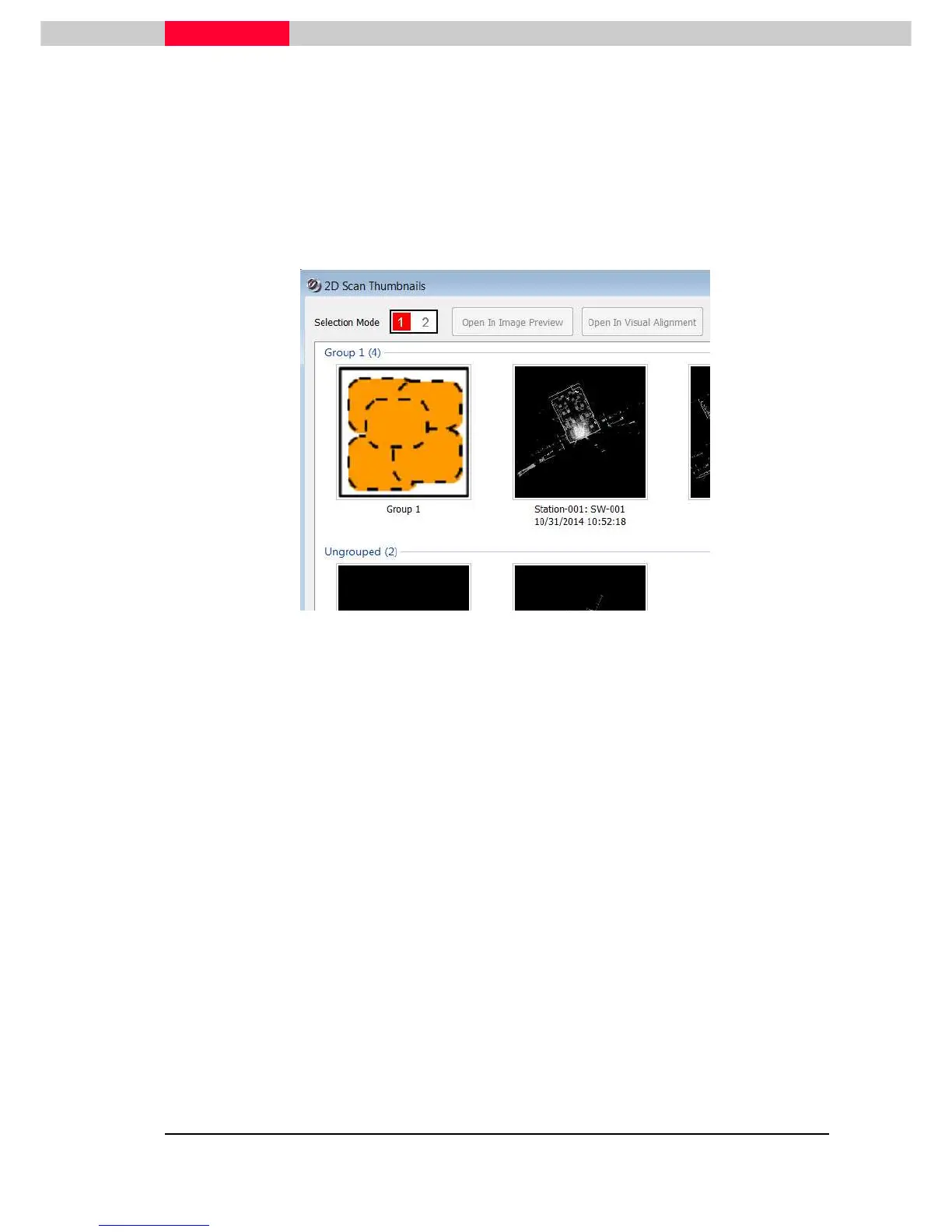
2D Scan Thumbnails provide a top-down specialized view of each ScanWorld and are one
of the key elements of the Visual registration tools.
After the import process the
2D Scan Thumbnails
window opens up automatically.
Figure 10
This window can also be opened from the Registration window menu
Visual Registration | 2D Scan Thumbnails
Please see Module 3.0 - Basic Registration for further information and details on
Thumbnail options
Map Color
Leica ScanStations can take images of the same scene. If this checkmark is set, these
MultiImages are automatically mapped/ burnt onto the clouds, so that the point cloud
can be viewed with true color information taken from these pictures.
The same command can be executed after import on the data. To do this right-
click on a MultiImage and select Apply MultiImage.
Estimate Normals
Selecting
Estimate Normals
will calculate point normals during import. This is generally
recommended.
A point normal is a line segment that is perpendicular to a surface at a particular
location. Within Cyclone a normal is estimated for each point.
They are required for various functions within Cyclone, including alignment to a scanner
position, rendering or shading functions, cloud-to-cloud registration, basic and complex
mesh as well as steel fitting.



 To Next Page