27 - 28
4 Creating a Uniform Sample Grid Pattern
Cyclone creates irregular triangulations. This means the triangles are not uniform in shape and
size. Some processing packages however require regular triangulations.
Therefore Cyclone offers the opportunity to create uniform grid pattern deliverables based on
TIN meshings.
The deliverables can be displayed in various formats, including a regular mesh, vertices,
pointclouds and an output table.
The reference plane is used to identify the orientation of the desired grid.
•
Select the TIN mesh to be sampled.
To create a Sample Grid within a specific boundary, create a polyline enclosing
the area to be sampled, then multi-select the polyline or polygon object and the
TIN mesh.
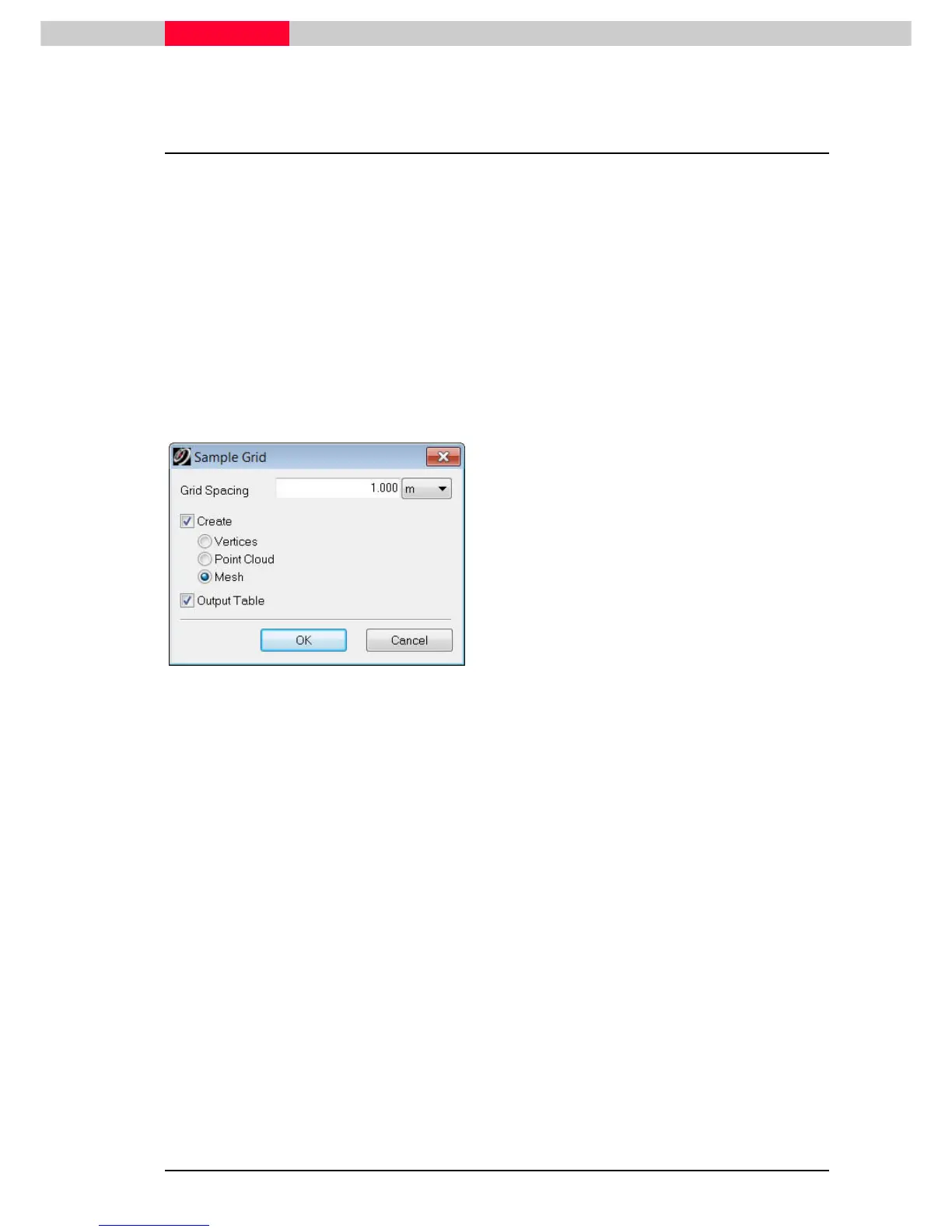
Figure 31
•
In the upcoming interface (Figure 31), change
the grid spacing to 1m. The sample will be
taken on the reference plane with this
spacing.
•
Checkmark Mesh
MeshMesh
Mesh.
•
Additionally checkmark Output Table
Output TableOutput Table
Output Table
.
Selecting Vertices or Point Cloud
will create these items instead of
a mesh object.
This will result in a new mesh object created on top of the existing one.
In addition the output table appears containing a listing of the created sample points. These
x,y,,z values can then be exported to any other application via
Copy to Cipboard
.



 To Next Page