Please continue with section
1.2 Inspecting Results of Groups
, if the scans
were newly imported like in this scenario
Regenerate ScanWorld Groups
A dataset that was earlier imported with the Auto Align Scans option enabled can also be used
to regenerate ScanWorld Groups from Alignment in a (new) Registration
without re-importing
scans:
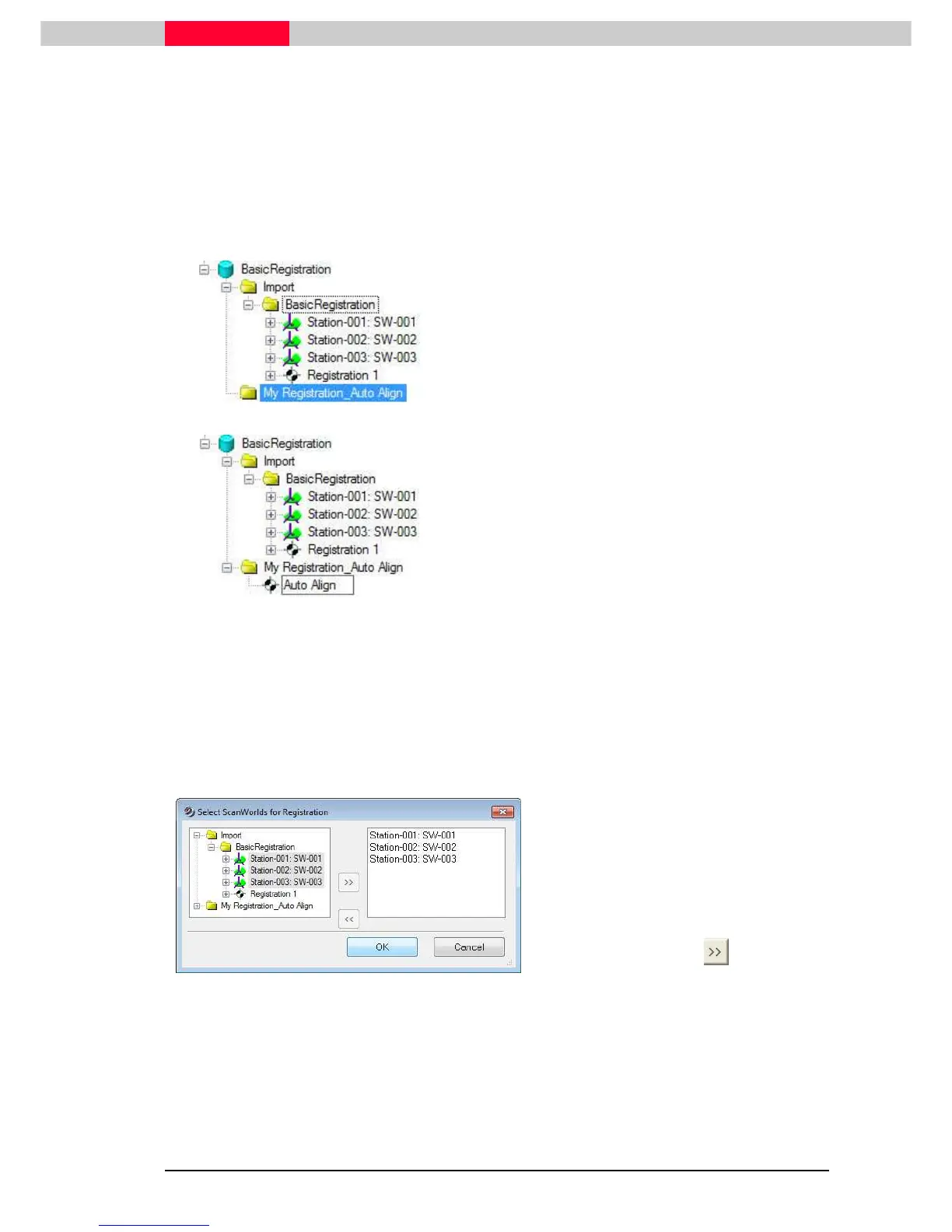
Figure 3
•
Configure the database
BasicRegistration
•
In the Navigator, select the database named
BasicRegistration
•
In the menu, click
Create | Project
.
•
Name the project folder “
My Registration_Auto
Align
”.
Figure 4
•
Select the project folder named “
My
Registration_Auto Align
”
•
click
Create | Registration
from the top menu
•
Name the newly created registration “
Auto Align
”.
Note that the newly created registration object, “Auto Align”, is represented with a black and
white icon in front of it.
Double-click the new registration object to launch the
Registration
window
Add ScanWorld
•
Click
ScanWorld | Add ScanWorld
Figure 5
•
In the
Select ScanWorlds for
Registration
dialog, expand the Scans
folder to reveal ScanWorld 1, 2 and 3.
•
Highlight all ScanWorlds using the
Control button on the keyboard to multi-
select.
•
Click the arrow button in the middle
of the
Select ScanWorlds for
Registration
dialog to move the



 To Next Page