6 - 22 Module 2.0 – Navigator & Navigator’s Objects Introduction to Cyclone
2.1 Create a new, empty Database and add to the Server
All data which is imported into Cyclone e.g. scans, georeferencing data or CAD drawings has to
be stored into a Database. Execute the following steps to create a new, empty database from
within
Cyclone Navigator
.
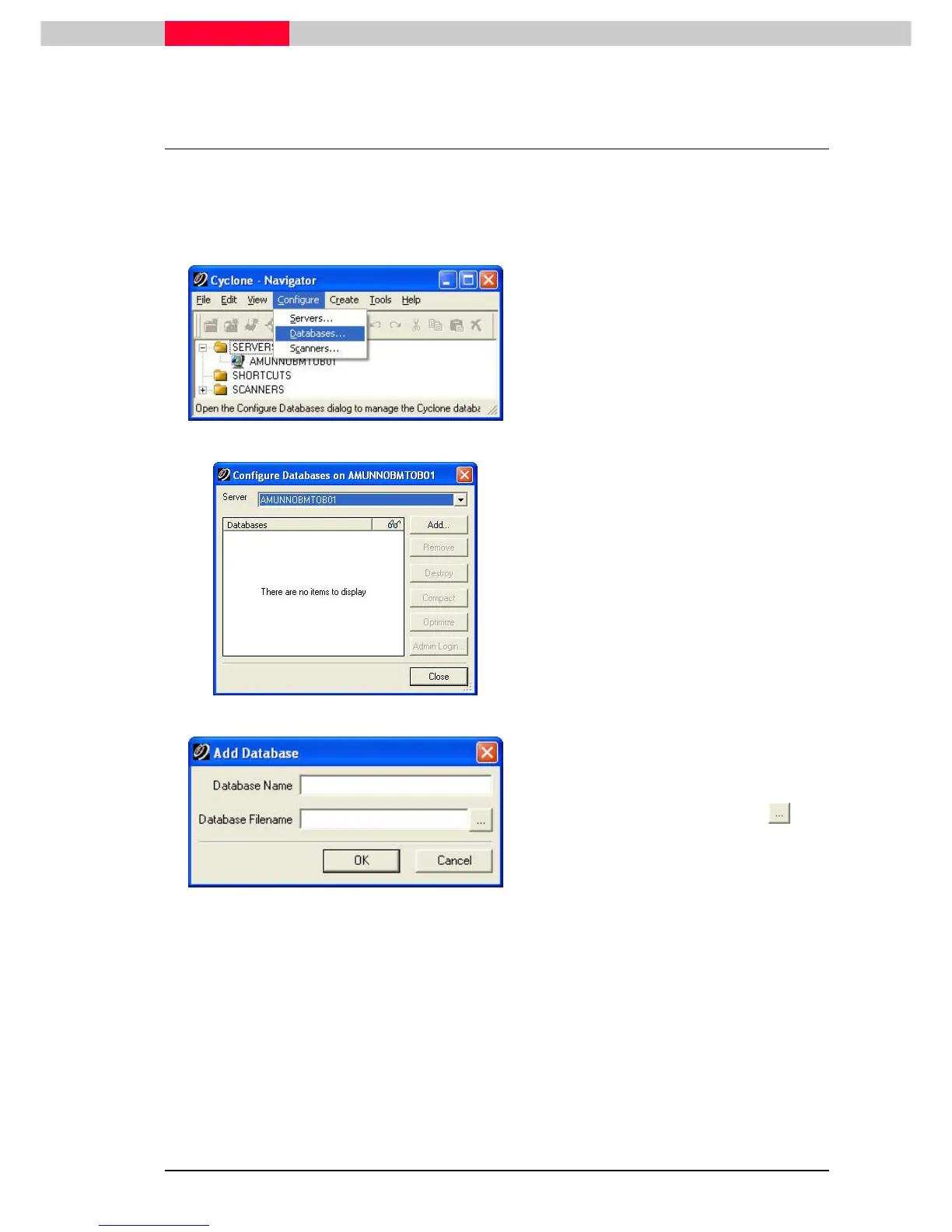
Figure 4
From the Configure
ConfigureConfigure
Configure menu select Databases
DatabasesDatabases
Databases
and the
Configure Databases
(
Figure 5
).
Figure 5
Select the local server (the name of your
computer) to which you want to add a
database.
Click Add
AddAdd
Add to open the Add Databases dialog.



 To Next Page