5.2 Remote Control with Apple devices
Prerequisite to remote control via Apple devices:
•
Leica ScanStation P30 with FW 1.20.295 or higher installed.
•
Apple iPad running on iOS 5 or iOS 6 and with free app
RDP Lite
installed.
•
No additional external hardware is needed.
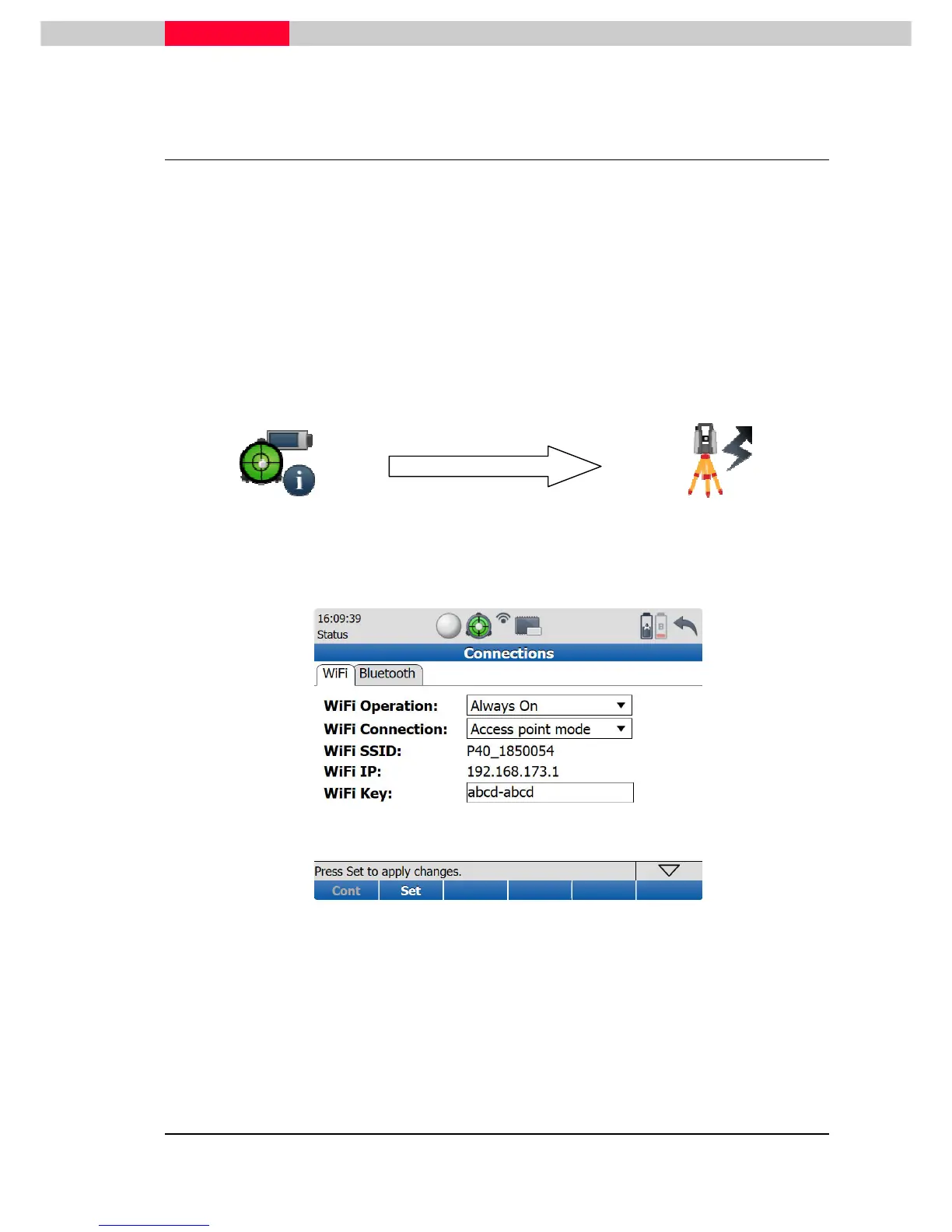
Settings on the ScanStation P30
•
Select
Status
|
Connections
.
•
Switch
WiFi Operation
to
Always On
.
•
In
WiFi Connection
choose
Access point mode
.
Figure 51
•
Press
Set
to confirm these settings. Wait for the information line to change
from
Enabling WiFi…
to
Ready
.
•
Check that the WiFi icon in the status bar changed from off to on.
•
Press
Cont
to return to the
Status Menu
.



 To Next Page