3 - 34
1 ScanWorld Explorer
The
ScanWorld Explorer
is an interface which enables the user to manage the point clouds which
are originally obtained in a ScanWorld. You can retrieve original scan clouds and selectively
switch them on or off (load/unload in ModelSpace). You can also make visible graphic
representations of the field of view of each individual scan.
Work with the ScanWorld Explorer
•
Ad
AdAd
Add
d d
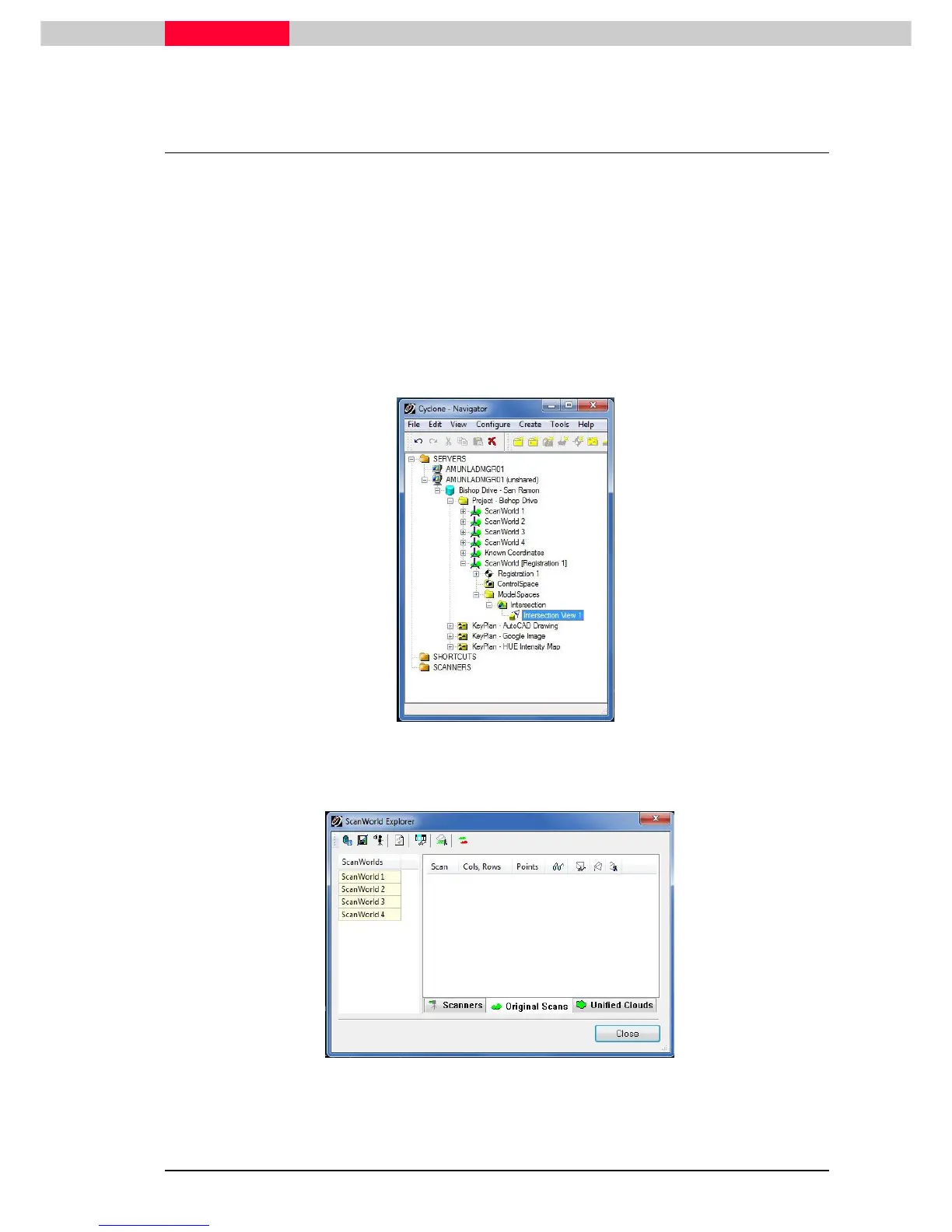
d the "Bishop Drive – San Ramon.imp" database to your
Cyclone Navigator
.
•
Open
OpenOpen
Open the
ModelSpace View
from ModelSpace Intersection in
ScanWorld (Registration 1)
Figure 1
•
In the
ModelSpace View
window go to Tools | Scanner | ScanWorld Explorer
Tools | Scanner | ScanWorld ExplorerTools | Scanner | ScanWorld Explorer
Tools | Scanner | ScanWorld Explorer and the
ScanWorld Explorer
window is coming up (Figure 2).
Figure 2
•
Select
SelectSelect
Select ScanWorld 1 in the ScanWorld’s column and the associated scans will be listed in the
Scans list on the right hand side of the box.



 To Next Page