Remove Intensity Overloaded Pixels
Scan points measured from highly reflective surfaces (retro-reflective) can be removed
by setting this check box. As such points are often range distorted, this filter is engaged
by default.
Remove Mixed Pixels
As the laser beam crosses edges and other discontinuities, the laser is reflected from
different surfaces at the same time, resulting in a measured range which is a mixture of
the observed ranges. Scan points with such add-mixture ranges, called mixed pixels, can
be removed by setting this filter.
You may adjust to how many mixed pixels are removed by setting the
Mixed Pixel Filter
Slider either to
Low
(small rate of removal),
Medium
(default) or
High
(high rate of
mixed pixel removal)
Depending on the circumstances and user preferences, retaining more (or fewer) mixed
pixels can help resolve the geometry of some objects, particularly edges. (see also
Cyclone Online Help)
Do Tone Mapping
With this setting enabled, images are converted to cube mapped HDR and tone mapped.
The default setting is
Medium
which will result in 2k x 2k images, while setting to High
will result in 4k x 4k images.
Setting this to high, requires approximately four times the memory required for
Medium. So if your system lacks sufficient memory (lower than 32 GB) selecting
this setting can take very long to process.
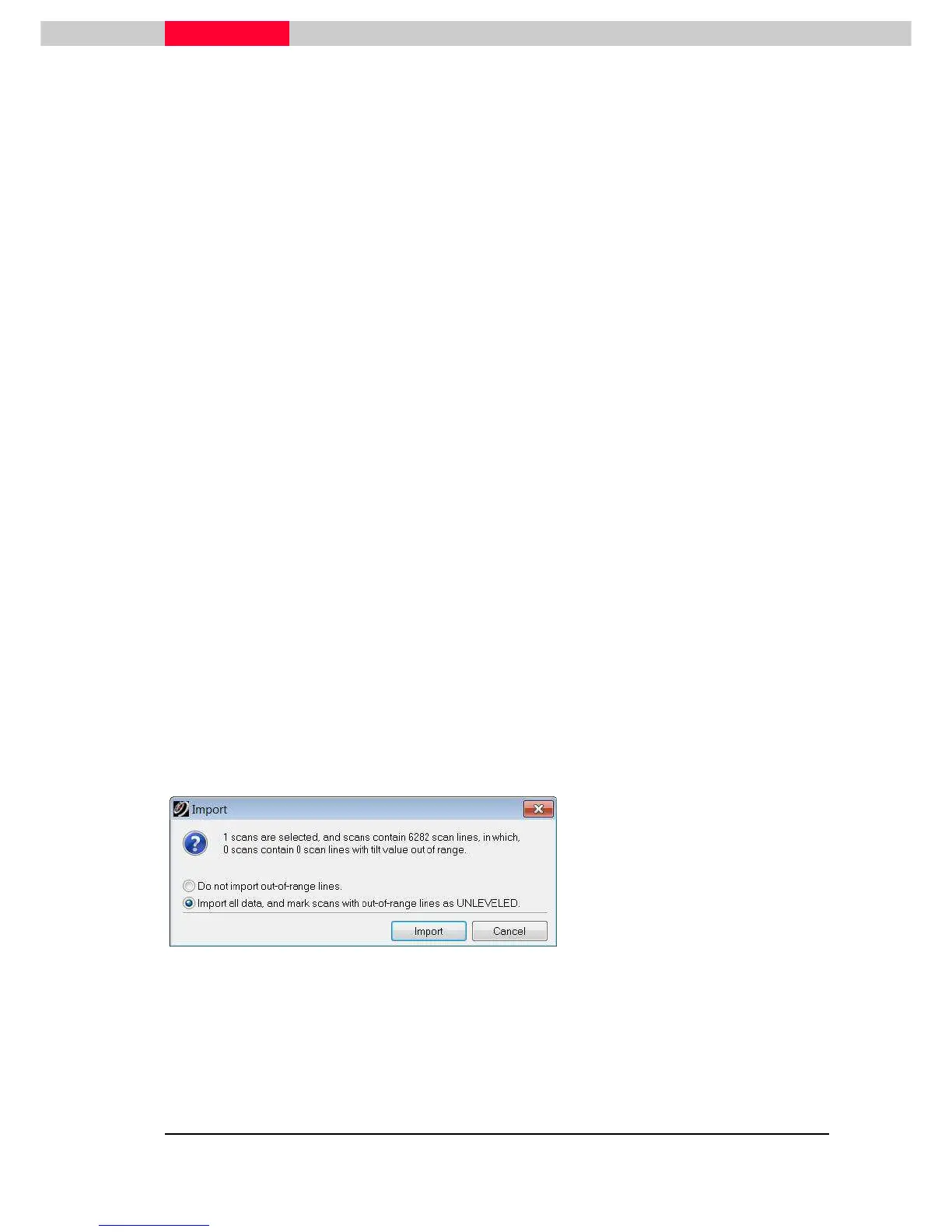
Compensator out of range (only if scanner movement detected)
By default the Leica ScanStations are operated with an activated dual-axis compensator. If a
movement of the scanner is detected during scanning which is outside the compensator’s range,
this is being flagged in the raw data. When importing into Cyclone, the user is required to decide
how to treat this data.
Figure 12
•
Select
Do not import
if this data
should not be used at all.
•
Select
Import all data
– but mark
any ScanWorld containing out-of
range lines as unlevelled. This is an
indicator for Cyclone, that no
compensator was active (for
registration purpose).



 To Next Page