19 - 32
Region Grow: Cylinder
4) Click Create Object | Region Grow | Cylinder…
Create Object | Region Grow | Cylinder…Create Object | Region Grow | Cylinder…
Create Object | Region Grow | Cylinder…
5) Click OK in the Region Grow Cylinder dialog. (Refer to the Cyclone Help files for more on
region growing)
The pipe is fit to the points highlighted in white.
6) Delete the remaining point cloud pieces, and close the window.
Merge and Delete
7) In the Closing ModelSpace Viewer dialog, check Merge into Original ModelSpace and Delete
After Close, and then click Close.
The ModelSpace contents (cylinder) is merged back into the ModelSpace it was launched from.
Quality Assurance
Using region growing and other fitting methods, model the rest of the support structure. The
following are hints for further modeling:
•
Visually check how cylinders are fit by clicking Create Object | Insert Copy of
Create Object | Insert Copy of Create Object | Insert Copy of
Create Object | Insert Copy of
Object’s Points
Object’s PointsObject’s Points
Object’s Points with the cylinder selected. Inspect how the surface matches
the points by looking down the “barrel” of the pipe in orthographic mode.
•
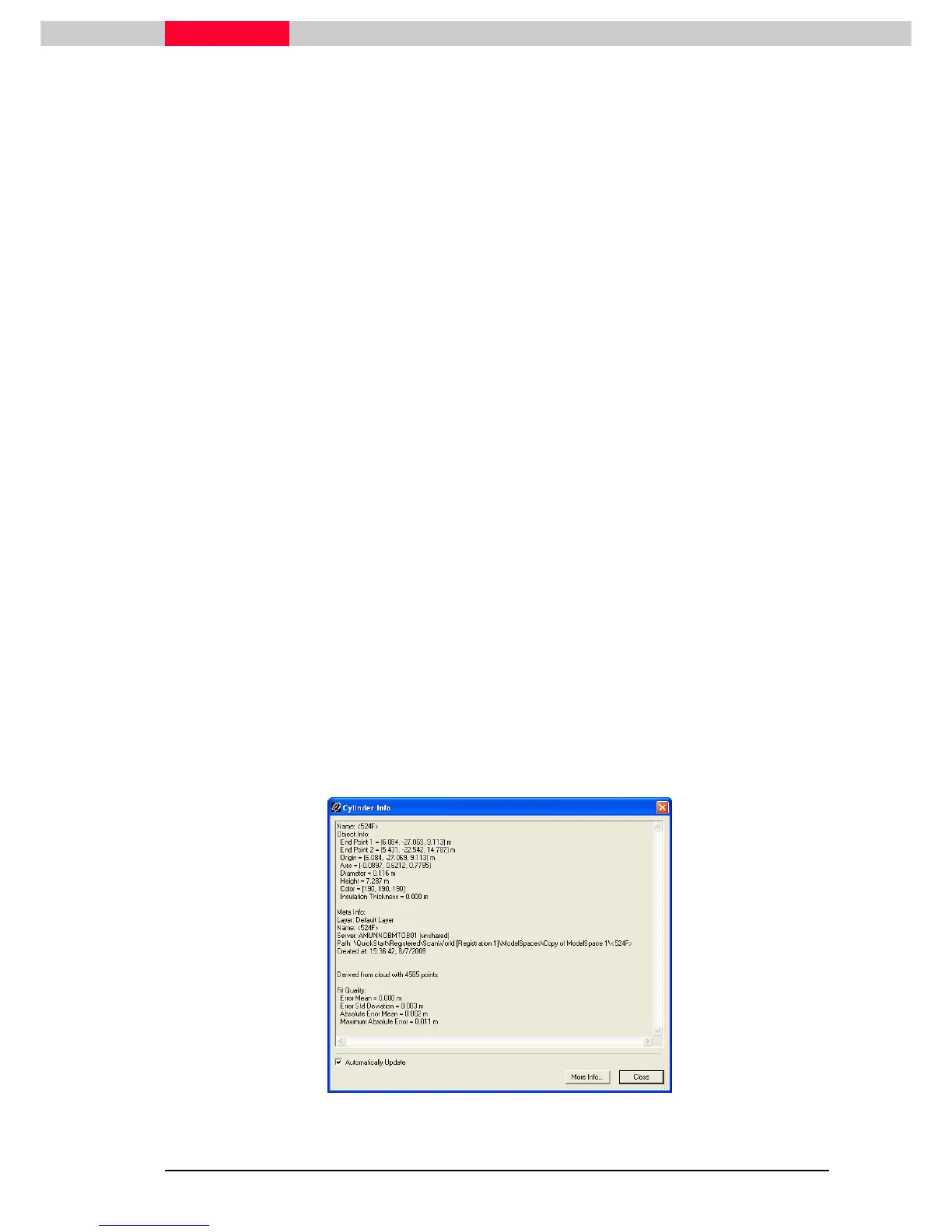
Numerically check how cylinders are fit by selecting the cylinder then clicking
Tools | Info | Object Info
Tools | Info | Object InfoTools | Info | Object Info
Tools | Info | Object Info. Inspect the Fit Quality errors at the bottom of the
Cylinder Info dialog.
•
Every point that is used to fit the object is considered in determining the fit
errors. The error mean is the sum of each point’s error divided by the number
of points used in the fit. The error standard deviation is the root mean square
deviation of the values from the error mean, and should be about 3mm or
less. The absolute error mean is the mean of all of the absolute values of the
errors. The maximum absolute error is the largest absolute error of all the
points used in the fit.
Figure 26



 To Next Page