6.2 Data Transfer via Data Copy Tool
Pxx Data Copy is a stand-alone tool and provides direct data download from the ScanStation P30
to a computer without the need to copy to USB. It offers the possibility to download several
projects in one step or just a subset of a project from the ScanStation P30 to a computer.
The data stored on the scanner can easily be reviewed with the integrated MMI-style viewer. The
already transferred data which is stored on your local drive can also be reviewed.
Additionally, log files can be transferred to a computer.
•
Set your computer’s internet protocol (TCP/IP) properties to
“Obtain an IP address automatically”.
•
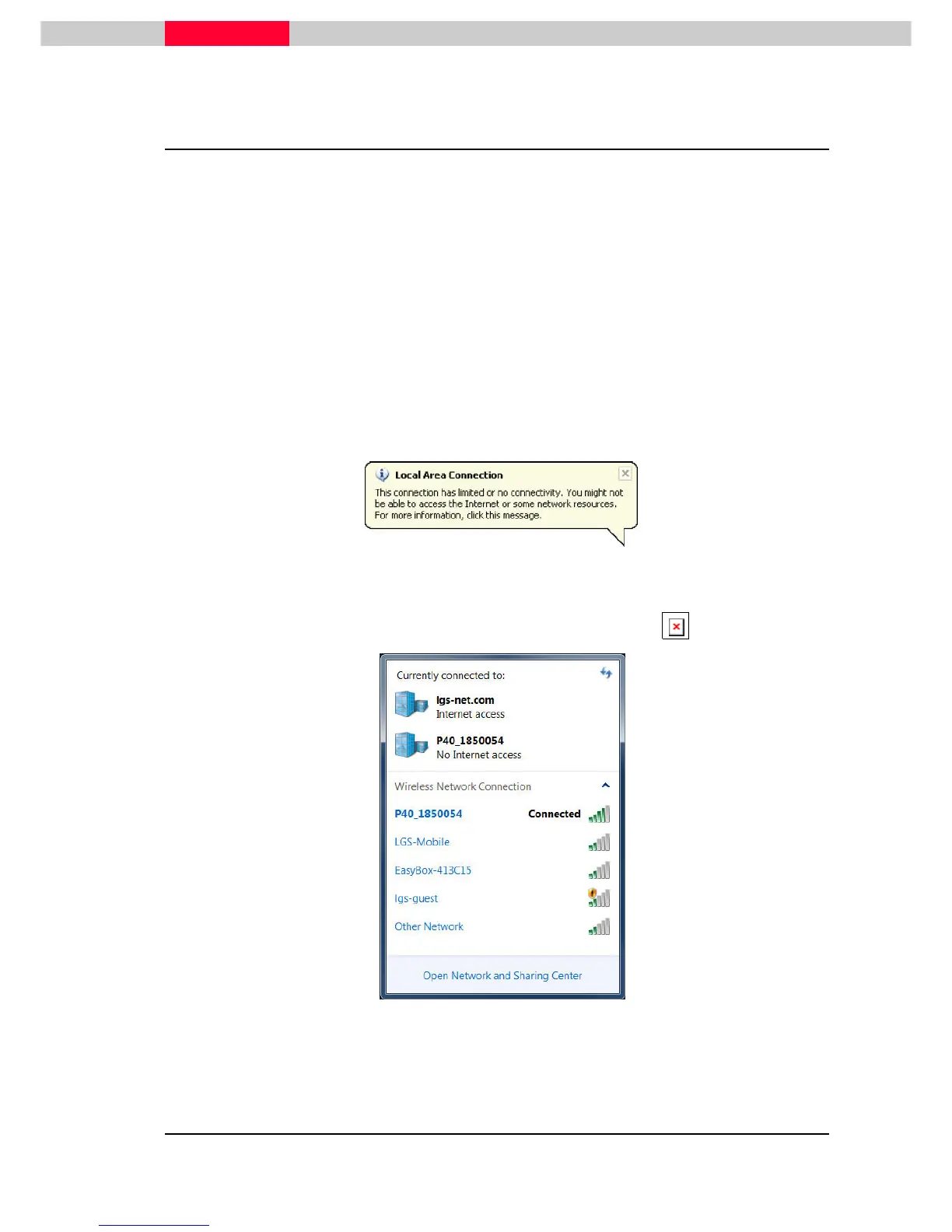
Boot up the ScanStation P30 and make sure the scanner is connected via data transfer cable
(recommended) or via WiFi connection (exeptional). The direct connection may take some
seconds to be established and your computer will indicate a local area connection with limited
connectivity.
Figure 54
•
For WiFi: Connect with the P30 from Wireless Network Connection list in Windows.
Figure 55
•
For enabling WiFi at the scanner, see Chapter 3.3 Onboard Controls.
The
link
ed
ima
ge
can
not
be
disp
laye
d.
T…



 To Next Page