4.3 Auto-Add Constraints
This function searches through the ScanWorlds` Controlspaces for possible tie point pairings. It
searches for matching Registration labels and also for geometrically consistent objects that can
be used in registration constraints.
The search only looks through objects in the ScanWorld`s subordinate
ControlSpace corresponding to the Registration.
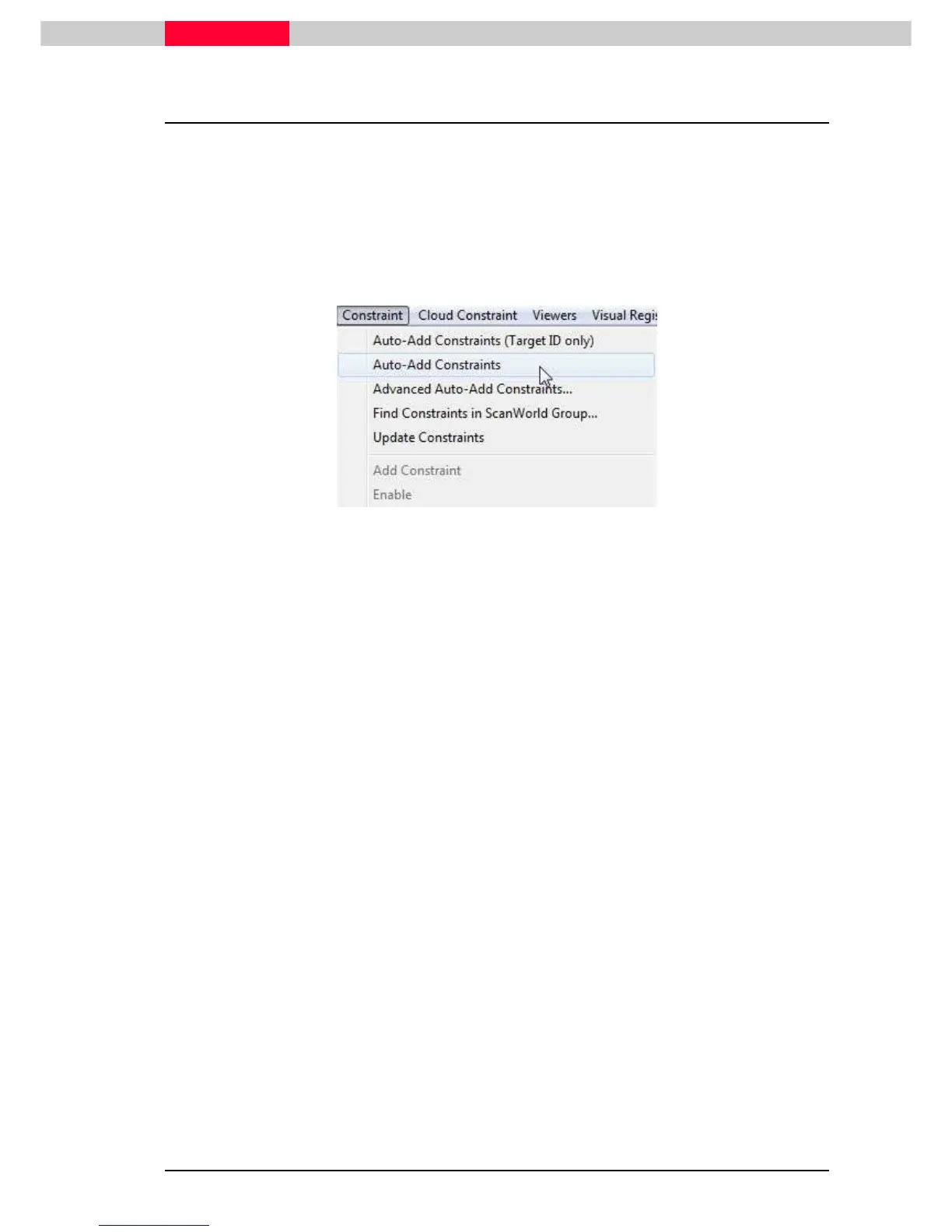
Three commands for
Auto-Add Constraints
are available in the Registration window top menu
Constraint :
Figure 54
Auto-Add Constraints (TargetID only)
This command considers only targets with matching Registration labels.
Since this process relies on accurately labeled Target IDs, any incorrectly labeled
Targets will be excluded from the registration process.
Auto-Add Constraint
This command adds constraints between user-specified ScanWorlds by matching registration
labels and geometric shapes.
It uses currently existing constraints, if any, then searches the ControlSpaces for
objects with matching registration labels. Next it attempts to infer additional
constraints from matching pairs of geometry in the involved ControlSpaces that
are mutually consistent.
Advanced Auto-Add Constraints
This command adds constraints by matching targets vertices and then registration labels.
It only uses target vertices as constraints, unlike the basic Auto-Add Constraints
command which can also include geometric entities, lines, cylinders,…etc.



 To Next Page