3 - 28
1 Mesh Creation and Editing
Cyclone knows three different kinds of meshes.
Basic Mes
Basic MesBasic Mes
Basic Meshing
hing hing
hing creates a basic mesh consisting of triangles drawn by using trios of adjacent
points as triangle vertices.
Complex Mesh
Complex MeshComplex Mesh
Complex Meshing
ing ing
ing creates a mesh consisting of triangles drawn by using trios of adjacent points
that are likely to lie in the same plane.
TIN Mesh
TIN MeshTIN Mesh
TIN Meshing
ing ing
ing creates a mesh wherein no two vertices share the same horizontal coordinates; the
current coordinate system determines the “up” direction for a TIN mesh.
Basic Meshing and Complex Meshing cannot be done with more than one point cloud. When
there are multiple point clouds selected, only the TIN Meshing option is available.
1.1 Create a TIN Mesh
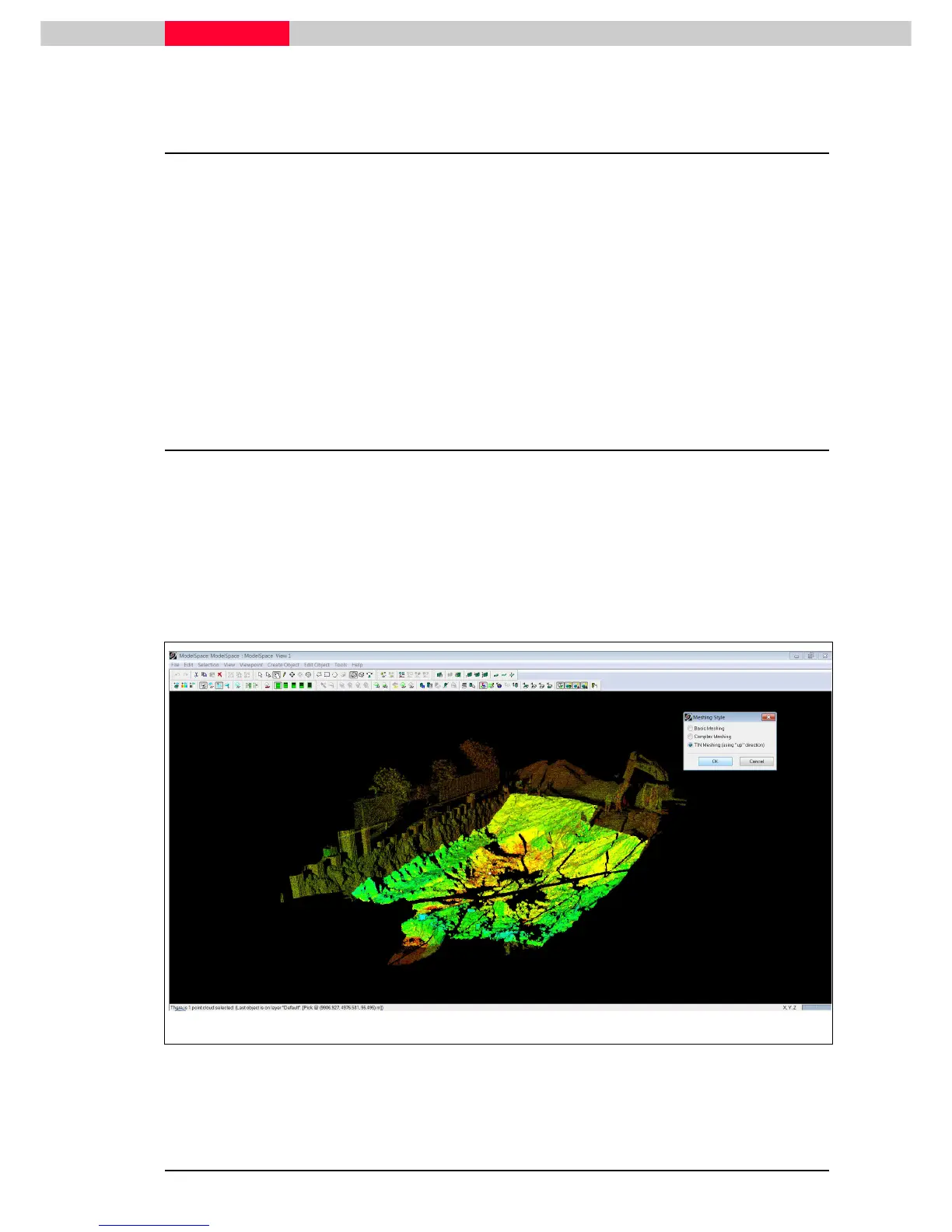
In the database “Construction Pit.imp” open up the ModelSpace View under the registered
ScanWorld.
Select a point at the inner part of the scan as shown in below.
The inner part was already segmented manually from the main cloud.
With the inner point cloud selected go to Tools | Mesh | Create Mesh
Tools | Mesh | Create MeshTools | Mesh | Create Mesh
Tools | Mesh | Create Mesh and choose TI
TITI
TIN Mesh
N MeshN Mesh
N Meshing
ing ing
ing
(using “up” direction)
(using “up” direction)(using “up” direction)
(using “up” direction) in the upcoming dialog. The TIN mesh will be computed.
Figure 1



 To Next Page