4.3 Acquiring Targets
It is also possible to acquire targets with the on-board controls.
In the Scan menu press the
Target
soft key.
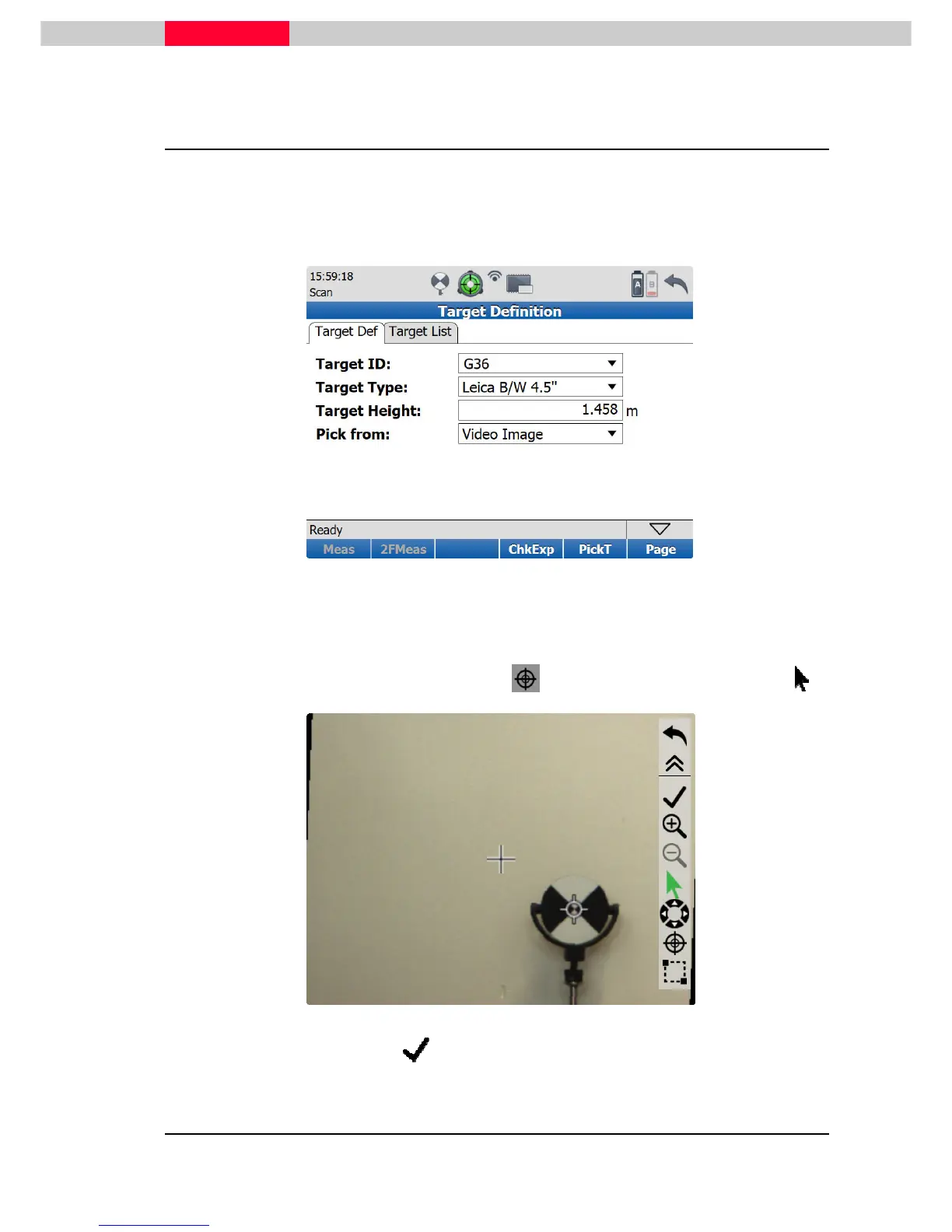
Enter the Target ID, if necessary the target height and choose the Target Type from the pull
down list.
Figure 45
Make sure you select the correct target type from the list.
Go to the
PickT
soft key. In the opened real-time video image use the zoom and seek
functionality to navigate to the target.
Set the crosshair to the center of the target using or set a marking at the target using .
Figure 46
When done pick the return button and then the
Meas
(1 Face measurement) or
2FMeas
(2 Face measurement) soft key from the
Target Definition
window.



 To Next Page