6 - 10 Module 4.2 – Cyclone Keyplan Organization/Visualization Pointcloud
1.2 Create a KeyPlan from a ModelSpace
Creating a KeyPlan from a ModelSpace automatically places the icons on the KeyPlan and it is the
easiest way to create a KeyPlan.
In the Cyclone Navigator browse to a ModelSpace View from a single ScanWorld or a registered
ScanWorld and open it by double click.
In ModelSpace View go to File | Create KeyPlan
File | Create KeyPlanFile | Create KeyPlan
File | Create KeyPlan.
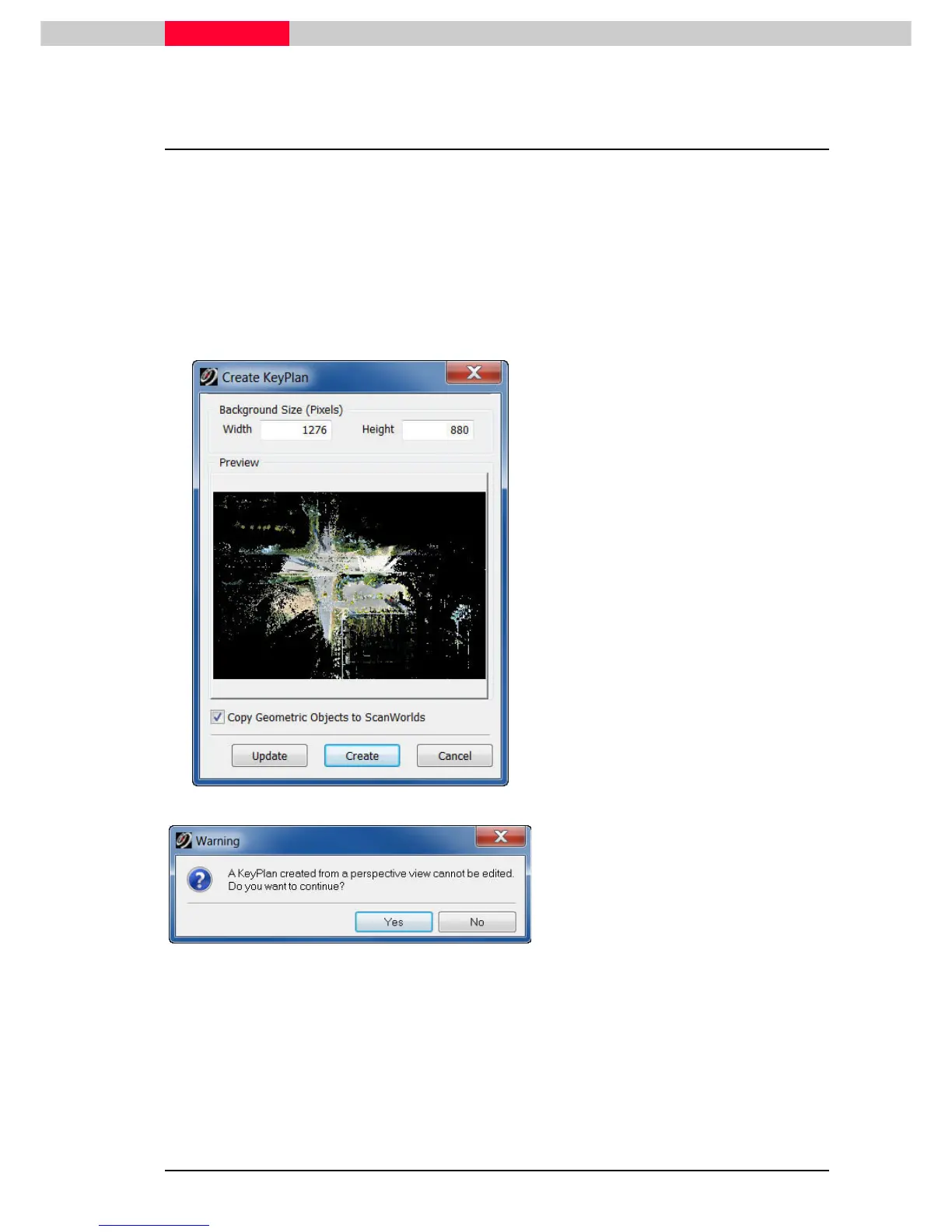
The Create Key Plan
Create Key PlanCreate Key Plan
Create Key Plan dialog comes up. Readjust the ModelSpace View and click the Update
UpdateUpdate
Update button
to change the KeyPlan image. Adjust the size of the KeyPlan by changing the Width and Height
numbers.
Figure 6
When done click the Create
CreateCreate
Create button.
Figure 7
After clicking the Create button the following
dialog may come up
Note: If a KeyPlan from a perspective view was created, the location of the
ScanWorld icons can not be changed later on. Most of the time this is no problem
as the icons are placed correctly and automatically.



 To Next Page