7 - 14
2.2 Synchronize ModelSpace and TruSpace
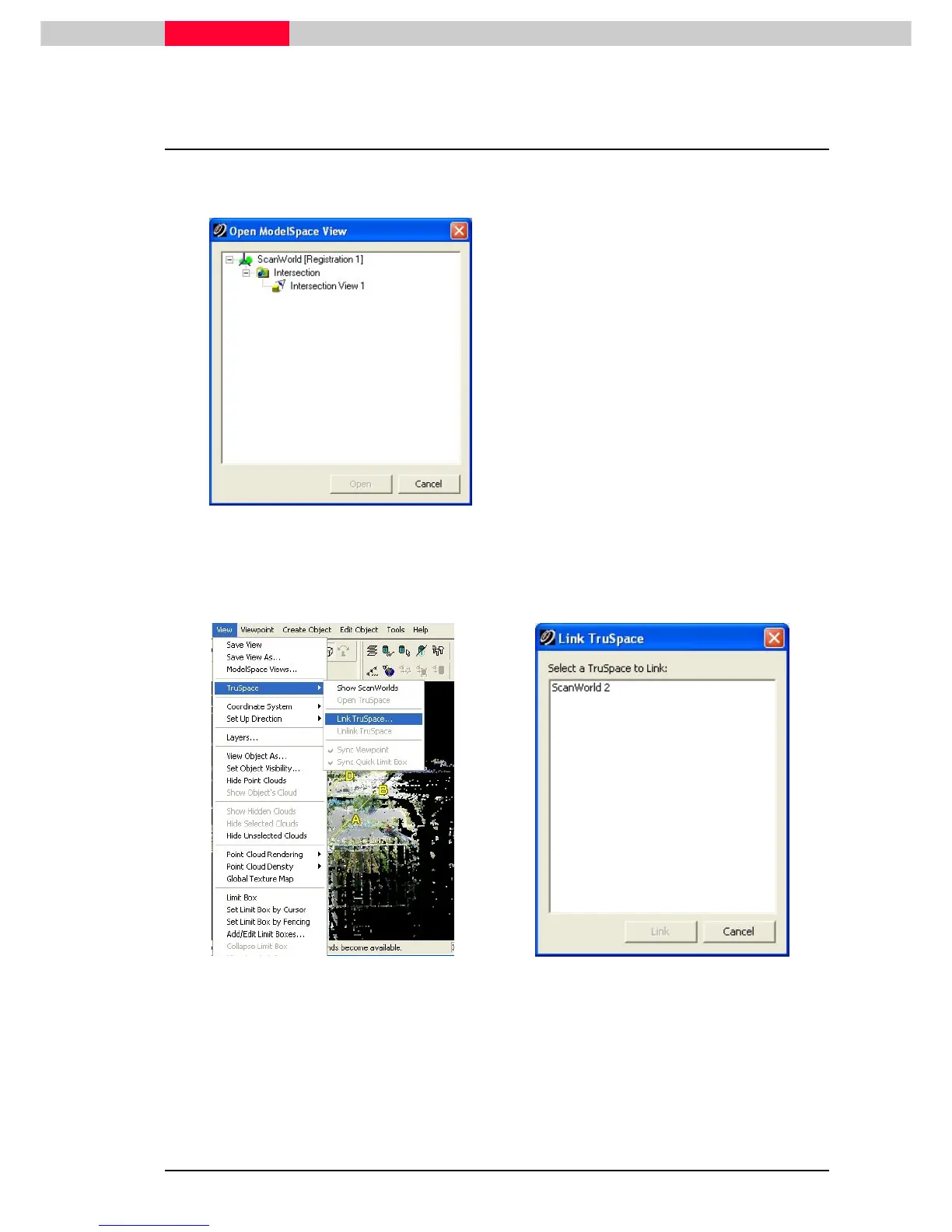
From a TruSpace you can open a ModelSpace and have the view synchronized from TruSpace to
ModelSpace, but not the other way.
Figure 7
•
Open a TruSpace
•
From the TruSpace got to menu File |
File | File |
File |
Open ModelSpace View
Open ModelSpace ViewOpen ModelSpace View
Open ModelSpace View.
•
From the Open ModelSpace View dialog,
select the ModelSpace view to open.
•
From the newly opened ModelSpace go to View | TruSpace | Li
View | TruSpace | LiView | TruSpace | Li
View | TruSpace | Link TruSpace…
nk TruSpace…nk TruSpace…
nk TruSpace… and select the
TruSpace to Link
Figure 8
Figure 9
•
Next go to View | TruSpace | Sync Viewpoint
View | TruSpace | Sync ViewpointView | TruSpace | Sync Viewpoint
View | TruSpace | Sync Viewpoint
•
Going back to TruSpace and rotate the view. Note the synchronized view of the ModelSpace
depending on the view in TruSpace.



 To Next Page