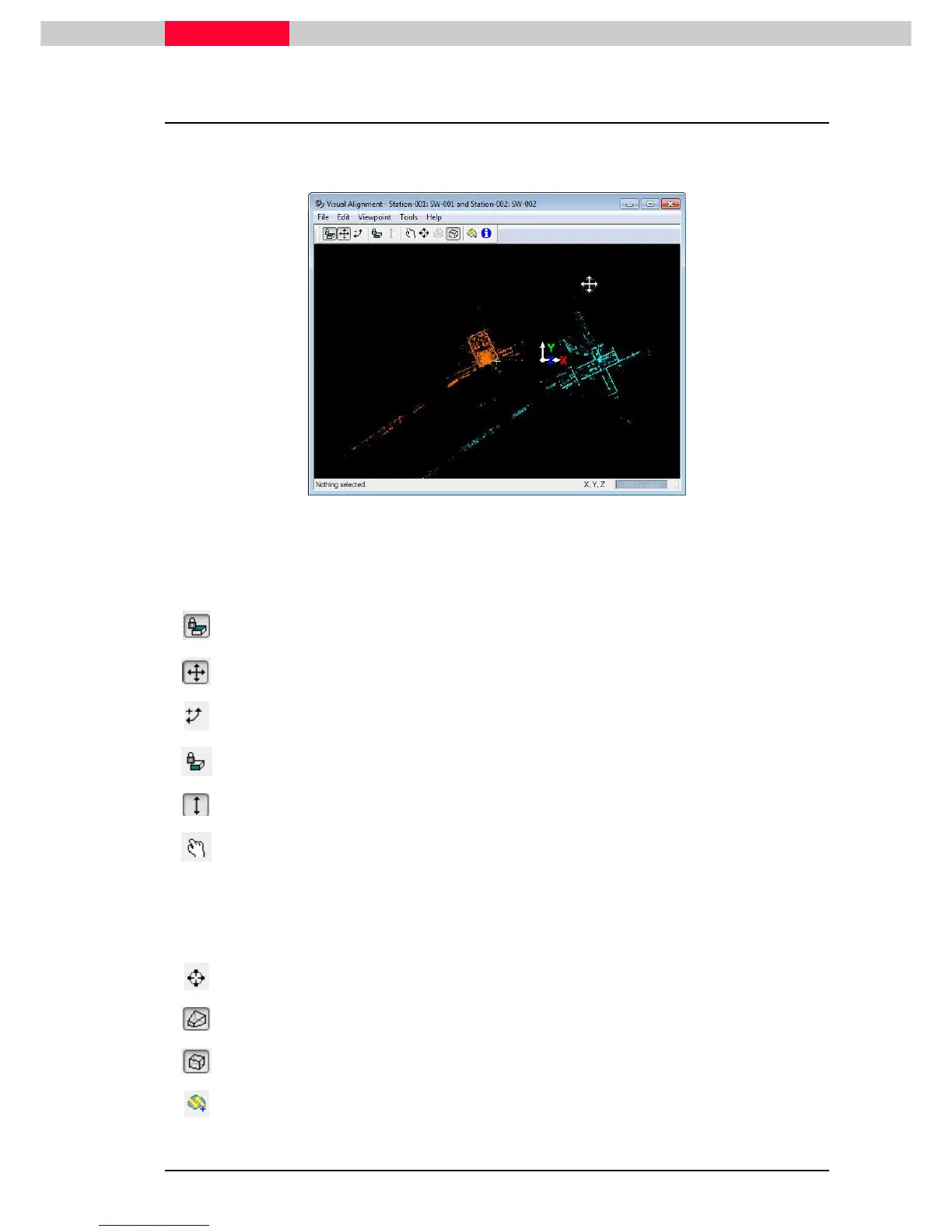
2.2 Visual Alignment
This brings up a viewer which allows for pairs of scans to visually match and align with one
another by using Cloud-to-Cloud registration.
Figure 35
Scans start out viewed in plain view. Only the blue scan can be moved and rotated. The orange
one is fixed.
Various tools are available in this window :
Top View
– allows movement in XY plane
Move Point Cloud
- only active when Top View enabled
Rotate Point Cloud
- only active when Top View enabled
Elevation View
– allows movement in Z plane-
Move Point Cloud in Z
- only active when Elevation View enabled
View Mode
– manually adjust the Viewpoint
•
In XY plane when Top View enabled
•
In XY plane when Elevation View enabled
•
In 3D when Top and Elevation View disabled
Seek mode
– reset focal point on the picked surface
Perspective Mode
– can only be activated with Top and Elevation View disabled
Ortho Mode
– default mode
Optimize Constraint – to further adjust a constraint between a pair of scans that have
been visually aligned



 To Next Page