7 - 32
For convenience, images can be imported into the database from this dialog by
pushing the Import button, then select one or more image files.
•
Tick
TickTick
Tick the Perspective type
•
Click OK
OKOK
OK
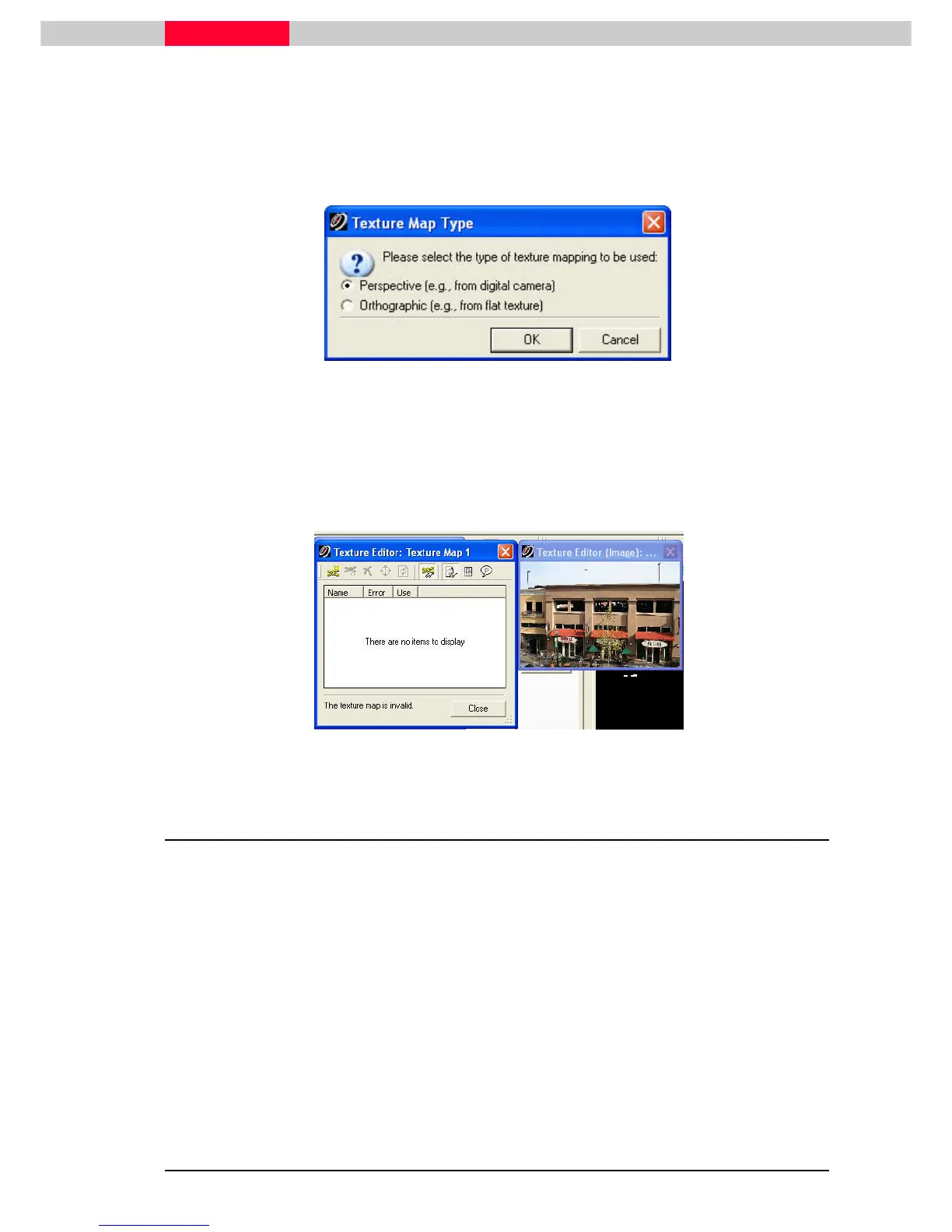
Figure 10
In the
Texture Map Type dialog
, indicate the type of the image. Most images will
be Perspective. Orthographic images include posters, wallpaper, or other flat
images.
This will invoke the
Texture Editor
which consists of
Texture Editor Dialog
and
Texture Editor
(Image)
Figure 11
1.4 Adding constraint by selecting points
Texture maps are defined by correspondences (or constraints) between points in 3D with pixels
on the image.
•
Orthographic images need at least three constraints.
•
Perspective images need at least six constraints, plus one for confidence, for a minimum of
seven constraints.
The
Texture Editor dialogs
provide access to constraint creation and management. There needs
to be 7 matching picks (or constraints) between the point cloud and the image.



 To Next Page