+ drag up/down
Zooms in/out to focal point.
As you can see in the Description column above every action is dependent to the
focal point, located at the center of the screen.
•
Practice viewpoint manipulation and examine several scans from both
ScanWorld 1 and ScanWorld 2. Close the
Scan viewers
when finished.
The Scans folder contains all scans taken from one scan position, or ScanWorld. The scan objects
serve as an archive of the scans acquired and cannot be modified, only viewed. They can,
however, via the
Navigator
, be renamed or deleted. We will see in a next section how we can
reference the scan data and modify it as well.
6.3 ModelSpaces
So far, we have been able to view the images and scans taken from our scanner positions,
ScanWorld 1 and ScanWorld 2. But how do we modify and query the data we have acquired?
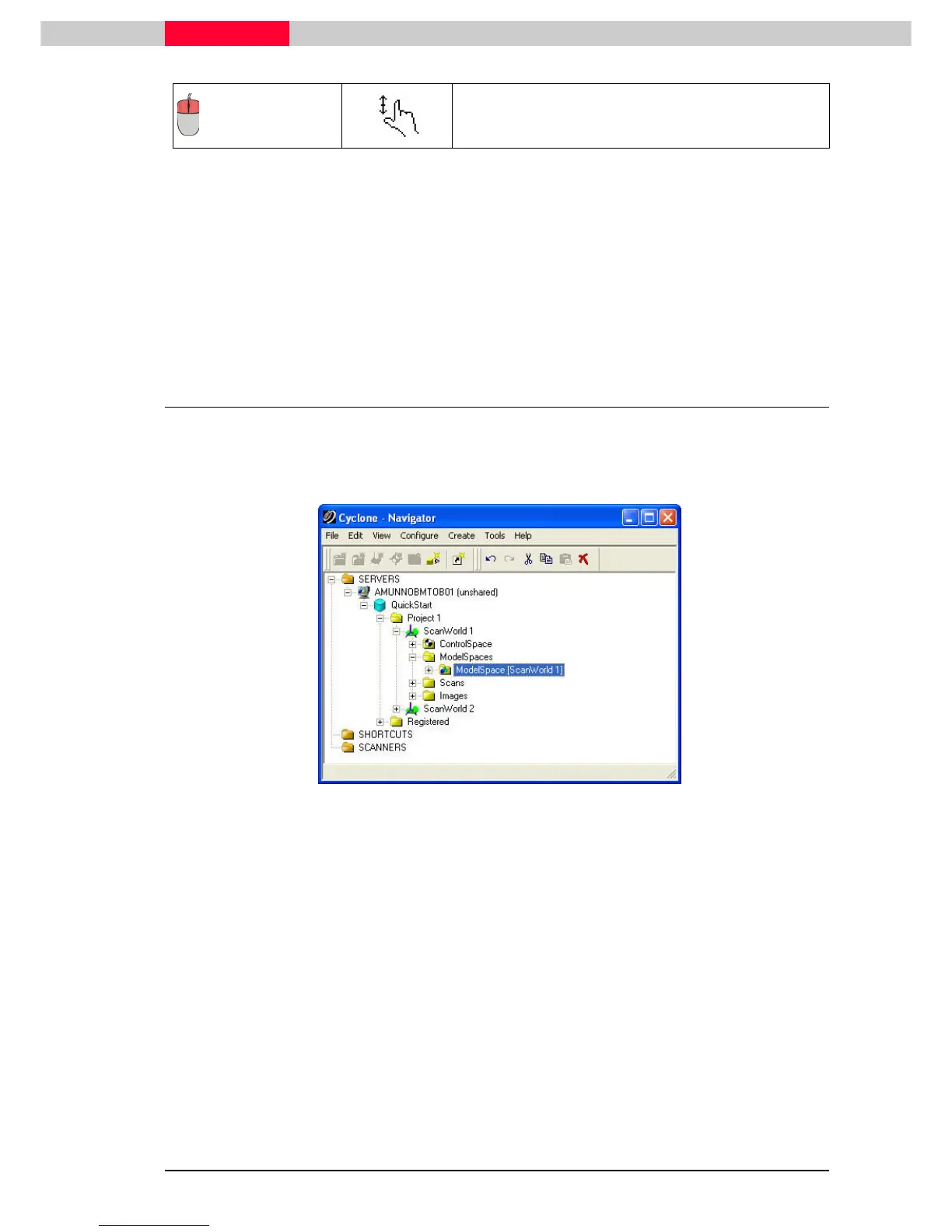
We are able to view, modify, model, and query data in ModelSpaces.
Figure 26
ModelSpaces can be opened and modified via
ModelSpace Views
.
ModelSpace Views
are where
all of the modelling work is done. Note that
ModelSpace Views
are below the parent ModelSpace
in the Navigator hierarchy.
ModelSpace Views
are simply a means by which we can edit, model, and query the scan data,
and save certain viewing settings. The settings that can be saved in a
ModelSpace View
can
include but is not limited to layers, object visibility, user coordinate systems, and saved
viewpoints. When a
ModelSpace View
is modified and then closed, all modifications are saved
automatically.



 To Next Page