5 - 28
1.2 Mesh Editing/ Cleaning
In order to clean the mesh and to get better results in the following applications remove some
of the spikes from the mesh. For a better overview first copy the mesh to a temporary
ModelSpace.
•
Select the mesh. In the Infobar appears “There is 1 mesh selected”.
•
With the mesh selected click on File
File File
File | Lauch | Copy Selectio
| Lauch | Copy Selectio| Lauch | Copy Selectio
| Lauch | Copy Selection to New ModelSpace
n to New ModelSpacen to New ModelSpace
n to New ModelSpace to transfer it
to its own ModelSpace.
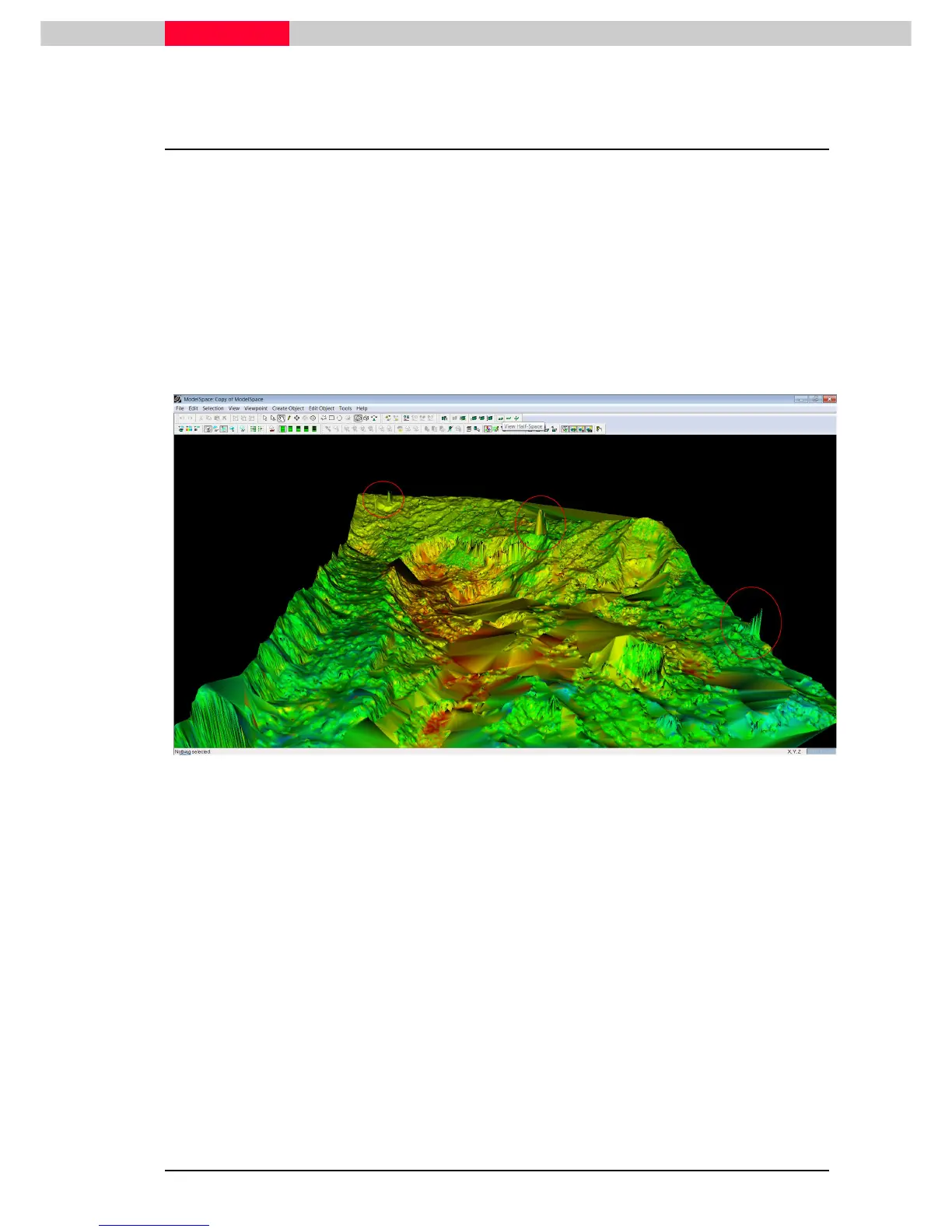
Inspecting the mesh, there are a few undesired spikes caused mostly by people either standing
in the area or walking through it during the scan. Refer to Figure 3 for their location.
Figure 3
Spikes in the mesh have to be deleted and re-filled based on surrounding mesh information one
by one. The example is shown on the middle spike shown in Figure 3.



 To Next Page