Excurse: Filter Settings after importing P30 data into Cyclone
There is the Advanced import tab in Cylcone available only for ScanStation Pxx series.
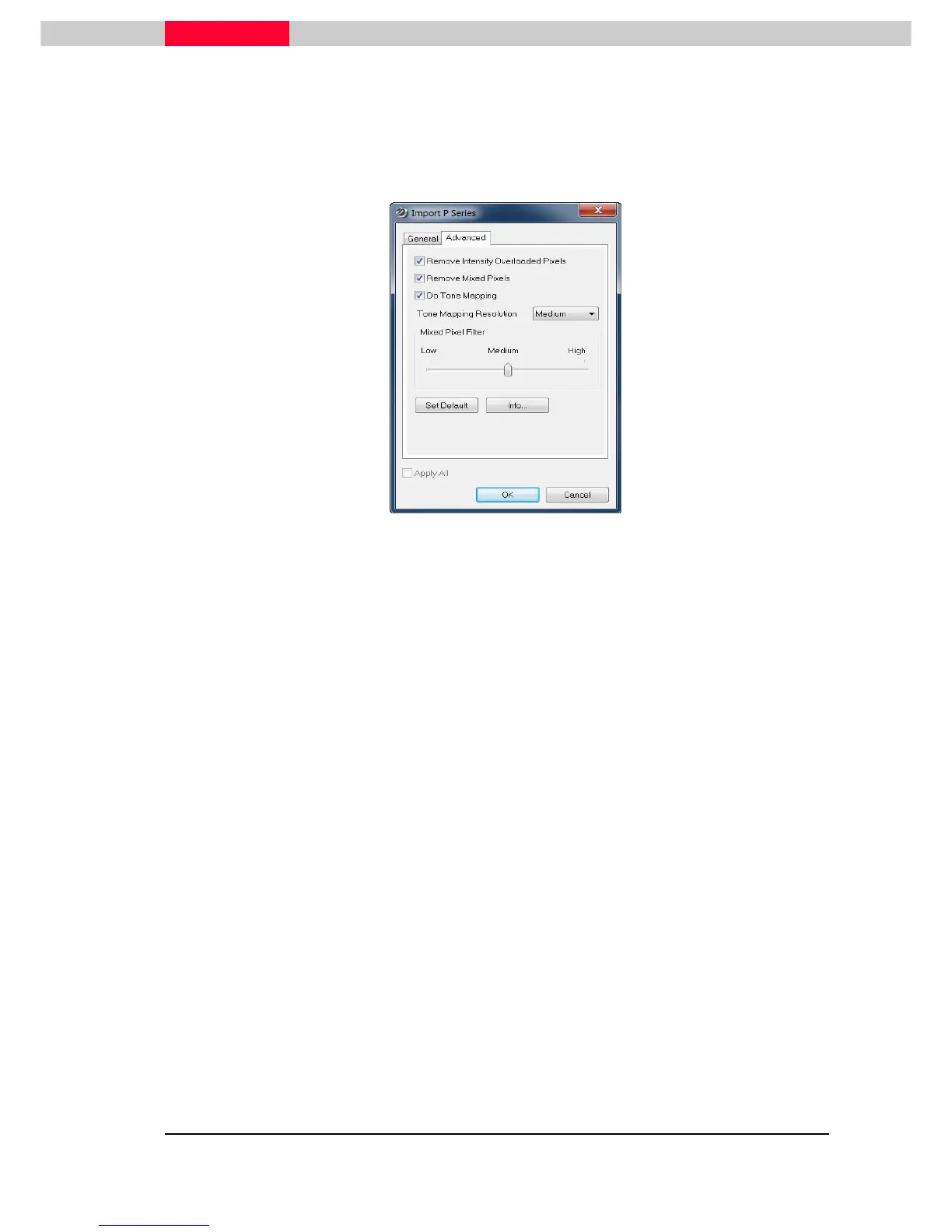
While importing P30 data into Cyclone (from version 9) this Window appears:
Figure 62
The General tab was always there, but the Advanced tab contains filters that apply several filters
directly to the point cloud of P30 data. There are three main checkboxes:
Remove intensity overloaded pixels:
•
Scan points measured from highly reflective surfaces (retro-reflective) can be removed by
setting the “Remove Intensity Overloaded Pixels” check box. As such points are often range
distorted, this filter is engaged by default.
Remove Mixed Pixels:
•
As the measurement laser beam crosses edges and other discontinuities, the laser is
reflected from at different surfaces at the same time, resulting in a measured range which is a
mixture of the observed ranges. Scan points with such add-mixture ranges, called mixed pixels,
can be removed by setting the “Remove Mixed Pixels” Checkbox.
•
You may adjust how many mixed pixels are removed by setting the Mixed Pixel Filter Slider to
either Low, for a small rate of removal, Medium, the default, or High, for a high rate of mixed
pixel removal. Depending on the circumstance and user preferences, retaining more (or fewer)
mixed pixels can help resolve the geometry of some objects, particularly at edges.
Do Tone Mapping:
•
This CheckBox (set by default) converts images to cube mapped HDR, and tone maps them.
The default setting is Medium which will result in 2k x 2k images, while setting to High will result
in 4k x 4k images.
•
Note: setting this to High, requires approximately four times the memory required for
Medium, so if your system lacks sufficient memory (lower than 32 GB) selecting this setting can
take very long to process.



 To Next Page