10 - 32 Module 4.1 – Texture Mapping Organization/Visualization Pointcloud
1.5 How to remove selected points
•
Single-Pick:
o
Texture Editor (Image):
Select the points again, the other pick will disappear.
o
ModelSpace View
: When Pick Mode is active select the points
again, the other pick will disappear.
•
Multi pick mode:
o
Texture Editor (Image):
Right-click on the image and click Remove Last Pick”
o
ModelSpace View
: When Multi-Pick Mode is active select the point to
be removed again and the pick will disappear.
1.6 Add constraints
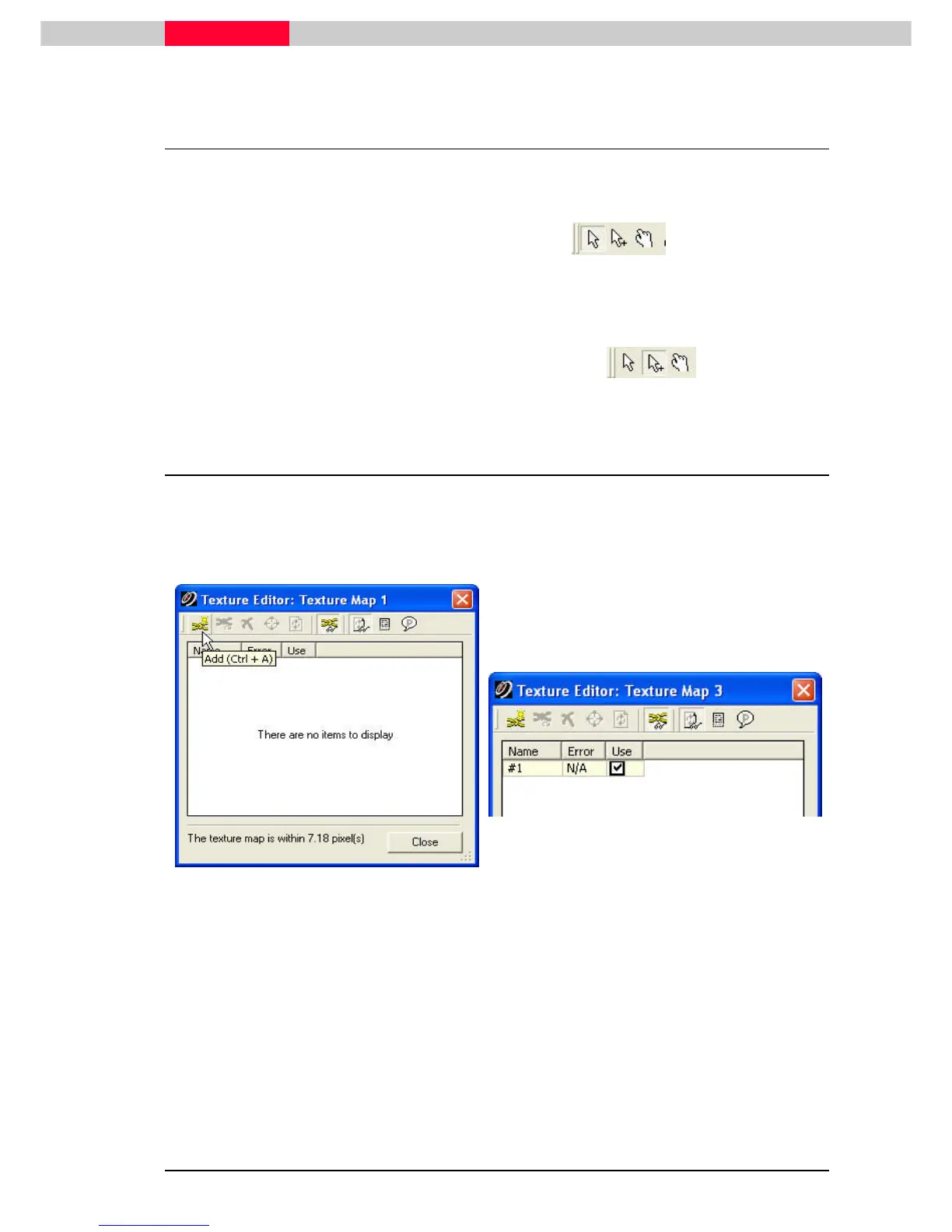
If you have selected one pick on the picture and one in the point cloud continue:
•
Click the Add
AddAdd
Add
button in the
constraint dialog
(Texture Editor)
Figure 17
Repeat the last steps for six more features.Pick features that are easy to identify such as
corners.
•
It is possible to multi-pick the features in the
Texture Editor (Image)
and
the Modelpsace
View
, if the picks are made in the same order.



 To Next Page