9 - 32
•
Continue with picking
pickingpicking
picking a point in the
Texture Editor (Image)
.
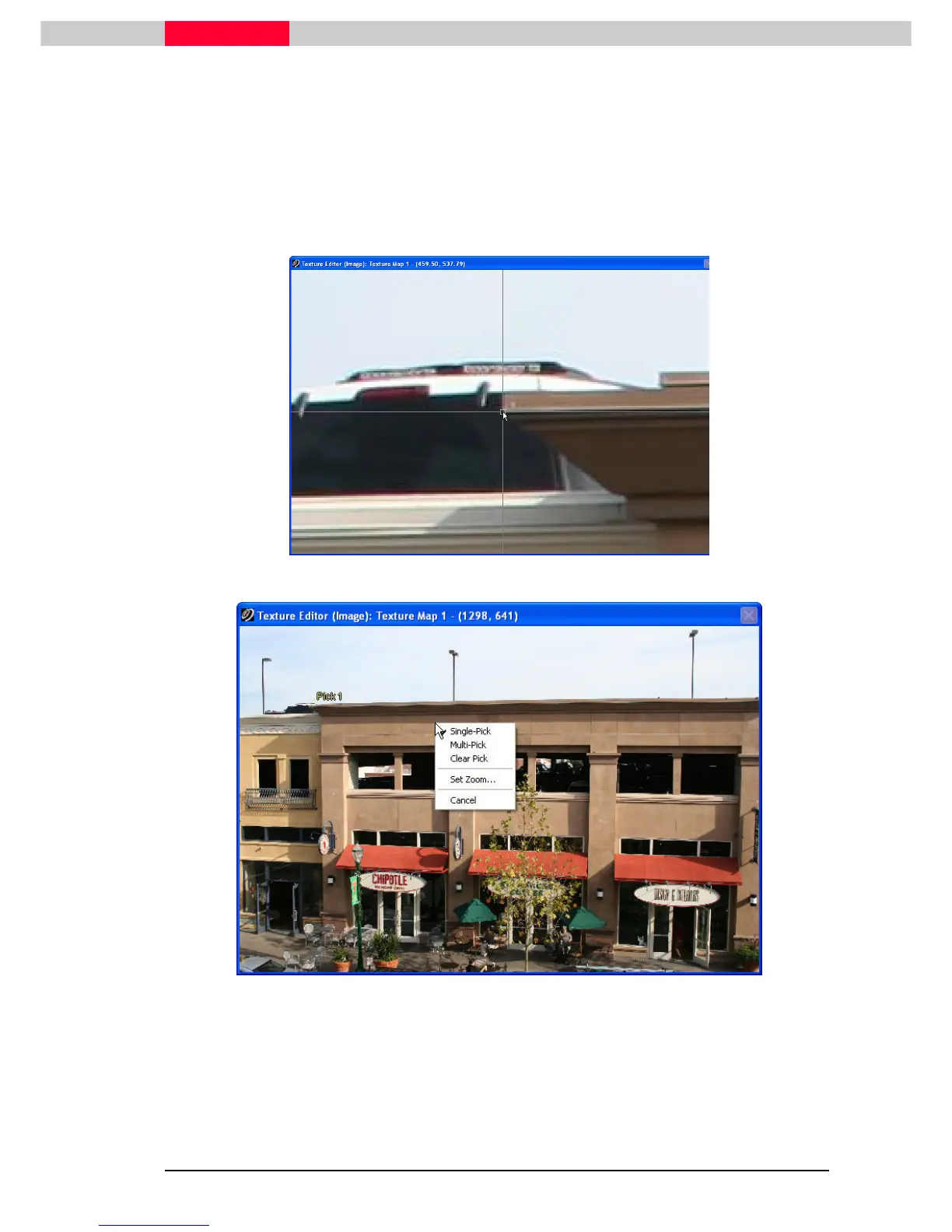
Single Clicking and holding down left mouse button on picture automatically
zooms in. Upon releasing mouse button the left mouse button, the view zooms
out with the pick made.
•
In the
Texture Editor (Image),
left
leftleft
left-
--
-click
clickclick
click pick a feature such as the roof of the building.
•
Choose the right area and release the left mouse button.
Figure 14
Figure 15
Right
RightRight
Right-
--
-Click
ClickClick
Click on the image opens a menu to adjust the settings
Single-Pick: Select one point in the
Texture Editor (Image)
and one in the
ModelSpace View
.
Multi-Pick: Select all points in the
Texture Editor (Image)
and then all in the
ModelSpace View
.



 To Next Page