20 - 22 Module 2.0 – Navigator & Navigator’s Objects Introduction to Cyclone
Pick Mode and Multi-Pick Mode
Pick mode is used to select objects in the
ModelSpace View
.
•
Pick a point in any point cloud in a
ModelSpace View
.
•
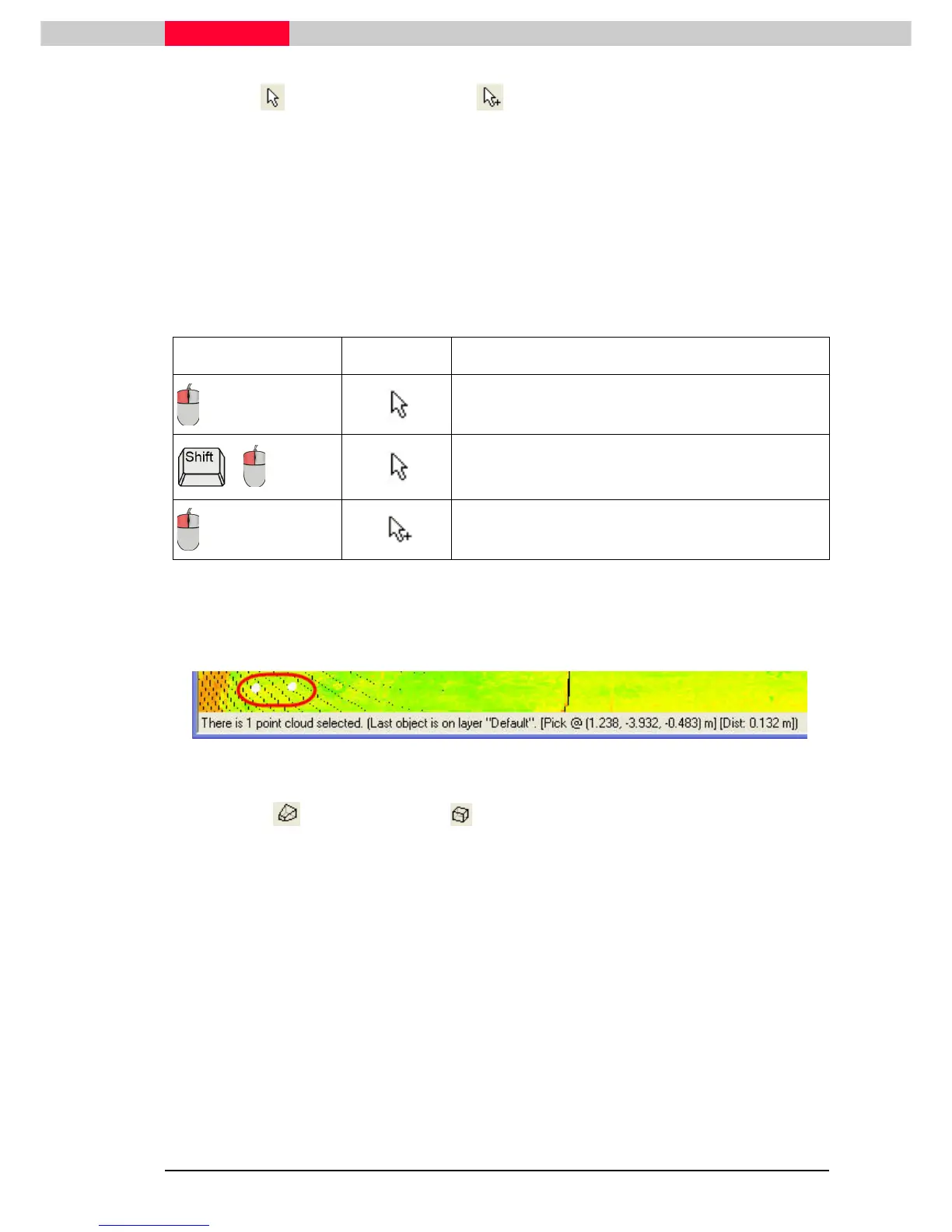
Note how the picked point is marked with a white pick point and the cloud which that point
belongs to is highlighted. Other clouds become dim.
•
Note the coordinates of the picked point on the status bar at the bottom of the
ModelSpace
window.
•
Press the spacebar to deselect the pick and return all point clouds to a similar viewing
brightness.
Action Cursor Description
Selects an object with a pick point described in the
status bar.
+
Multi-picks object(s) with a pick point at each pick.
Multi-picks object(s) with a pick point at each pick.
Note that the distance between multi-picked points updates in the status bar at
the bottom of the
ModelSpace View
. This is useful for getting quick
measurements in the
ModelSpace View
. (Figure 29)
Figure 29
Perspective and Orthogonal Projection
The user is able to toggle between orthographic and perspective projections in a
ModelSpace
View.
•
In perspective projection, parallel lines may converge and relative depth may
be easier to visualize. The real world is viewed in perspective.
•
In orthographic projection, parallel lines remain parallel, though perceived
angles may change. It may be difficult to determine relative depth, but this
view is often preferred by architects and engineers in top-down or side views.



 To Next Page