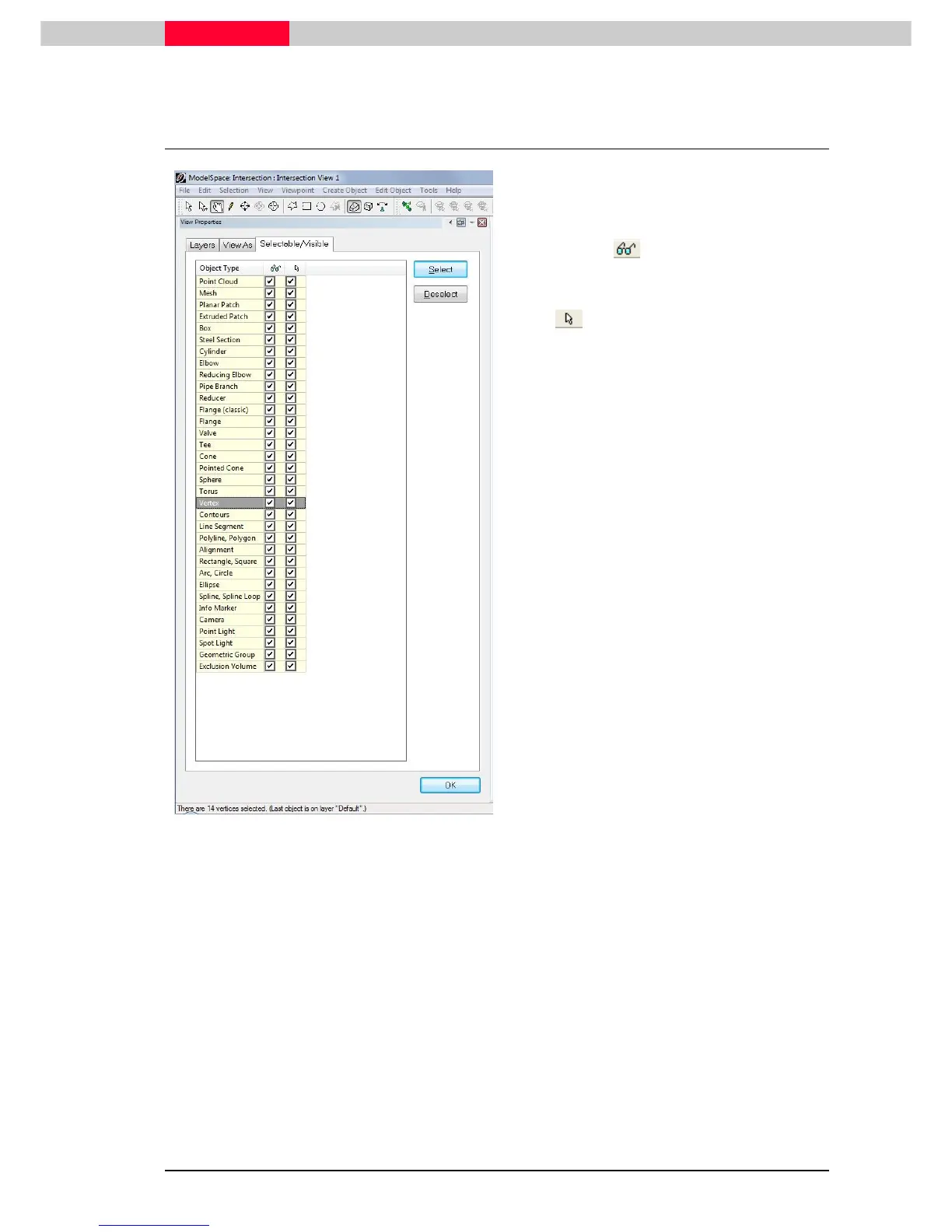
the Selectable/Visible tab.
On activation / deactivation a box in the
visibility column the objects are
shown / hidden in the
ModelSpace View
.
When un-checking the box in the selectable
column the objects are still visible but can
no longer be selected.
Specific object types can be selected/
deselected via highlighting this object type and
pressing the
Select / Deselect
button.
•
Highlight the vertex row and click the
Select
button on the upper right side. Afterwards
check the status bar which should state that
14 vertices are selected.
•
Deselect again via pressing “Escape” or
highlight vertex row and press
Deselect.



 To Next Page