3 MMI (Man Machine Interface) - Overview
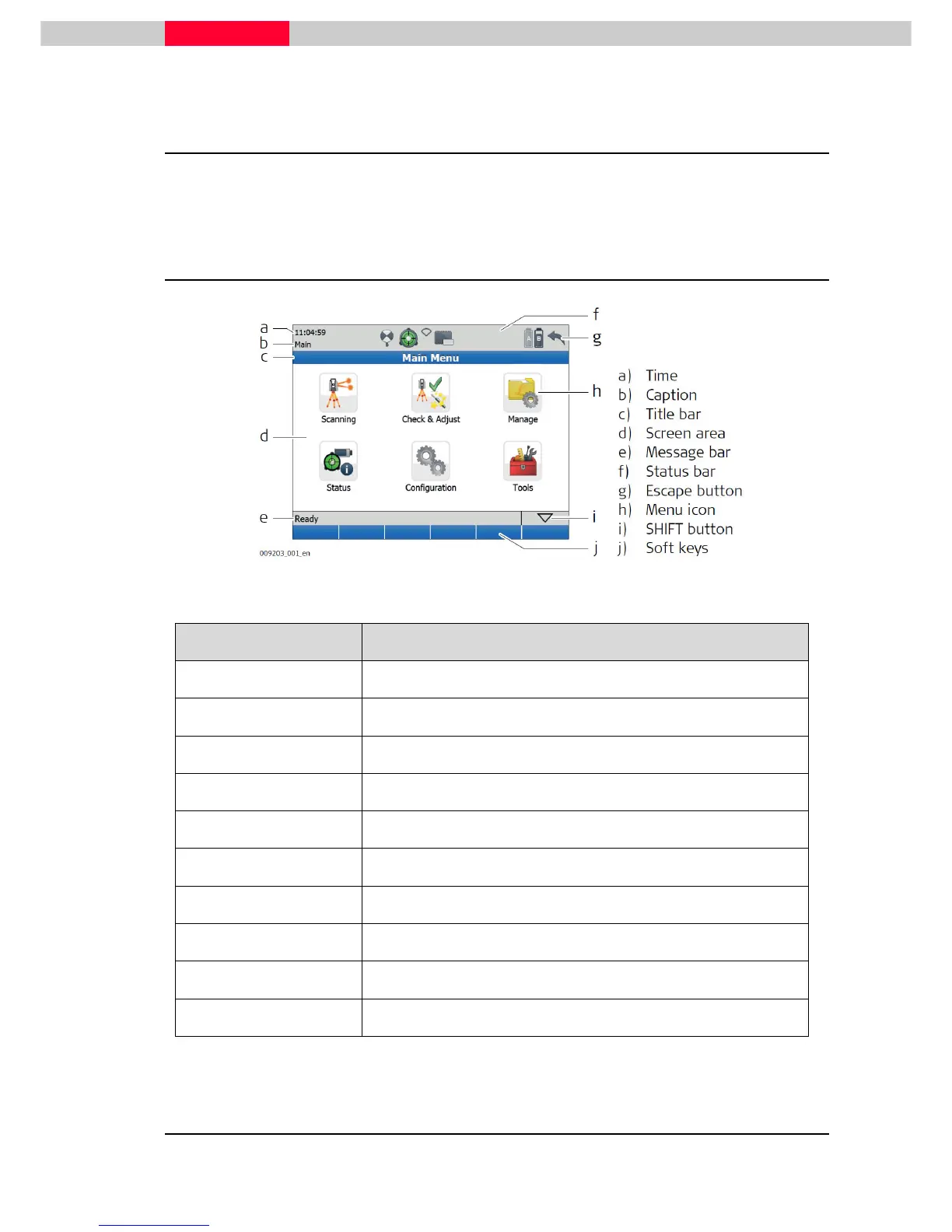
When the scanner is correctly set up and completely booted the following MMI-Screen (Man
Machine Interface) appears in the graphical onboard display.
3.1 Main Screen
Figure 11
Element Description
Time The current local time is shown
Caption Shows location in menu system
Title bar Shows name of current screen
Screen area Working area of the screen
Message bar Shows messages
Status bar Shows current status information of the instrument
Escape button Returns to the previous screen
Menu icon Selecting menu icons opens submenus
SHIFT button Displays the second level of soft keys
Soft keys Commands can be executed with the soft keys



 To Next Page