target. However by default any target scans are visually switched off in a ModelSpace. We will
therefore first make this fine-scan visible and then extract the vertex.
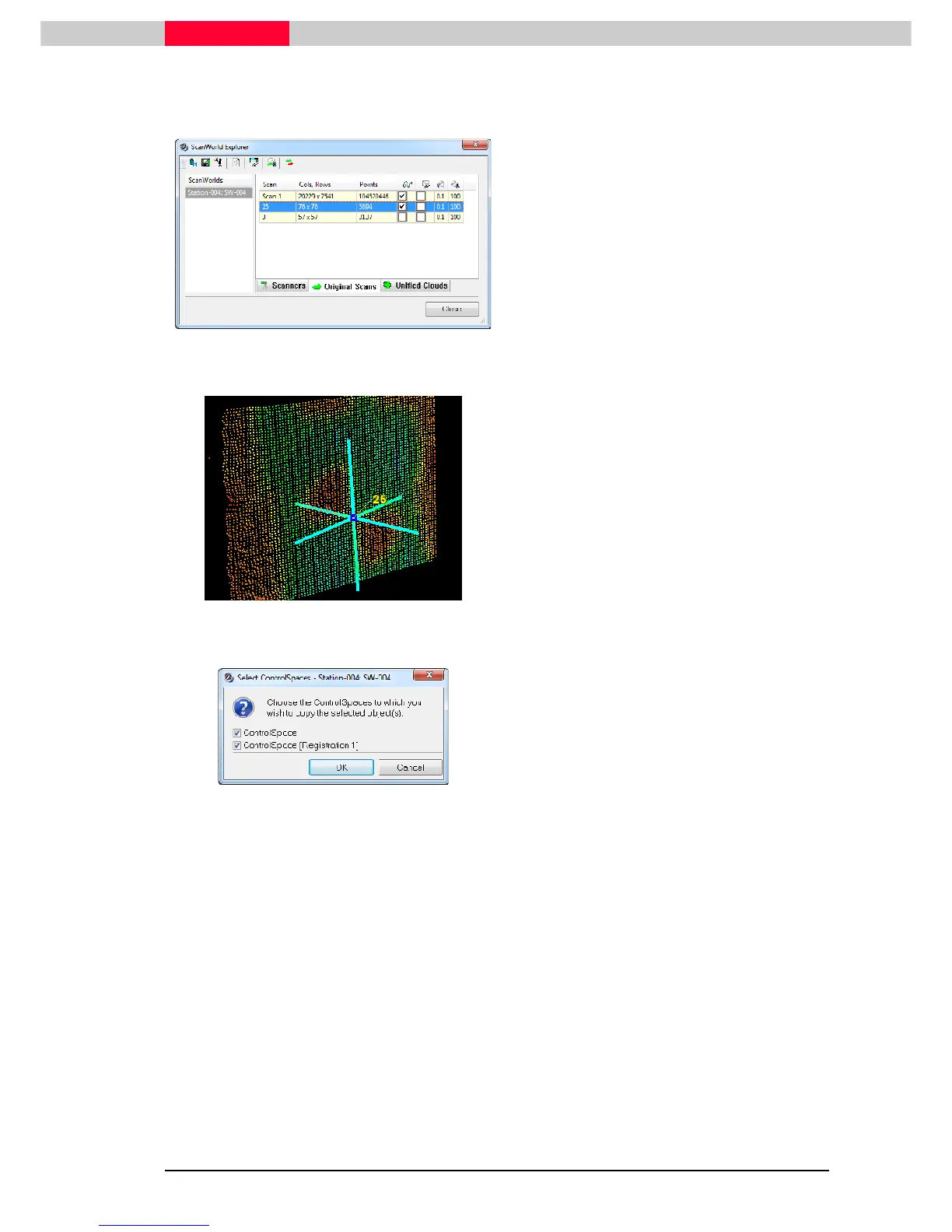
Figure 16
•
Open
Tools | Scanner | ScanWorld Explorer
•
Set the visibility checkmark behind Scan 25
to switch on the fine-scan
•
Close
Figure 17
•
Now pick the center of the target scan
•
Go to
Create Object | Fit to Cloud |
Black/White Target…
•
Enter
TargetID 25
.
•
Exit with
OK.
Figure 18
•
In the
Select ControlSpaces
window
confirm that the vertex shall be copied to
both ControlSpaces
•
Exit with
OK
•
Open up the corresponding ControlSpaces to verify target 25 is now present in
both.
Edit a TargetID in ModelSpace
Remaining in the same ScanWorld, we will edit target 33 to be accurately named to TargetID 3.



 To Next Page