3 - 14
1 Open and View a TruSpace
In this chapter the opening of a TruSpace from different locations and the representation is
explained.
1.1 Open a TruSpace
You can only open a TruSpace from a ScanWorld from a single scan position (registered
ScanWorld’s are not supported). A TruSpace is opened from a KeyPlan or an individual
ScanWorld.
Note: In some cases, e.g. after importing an ACSII file to create a ScanWorld, you
may have to navigate down to the imported ScanWorld in order to open a
TruSpace.
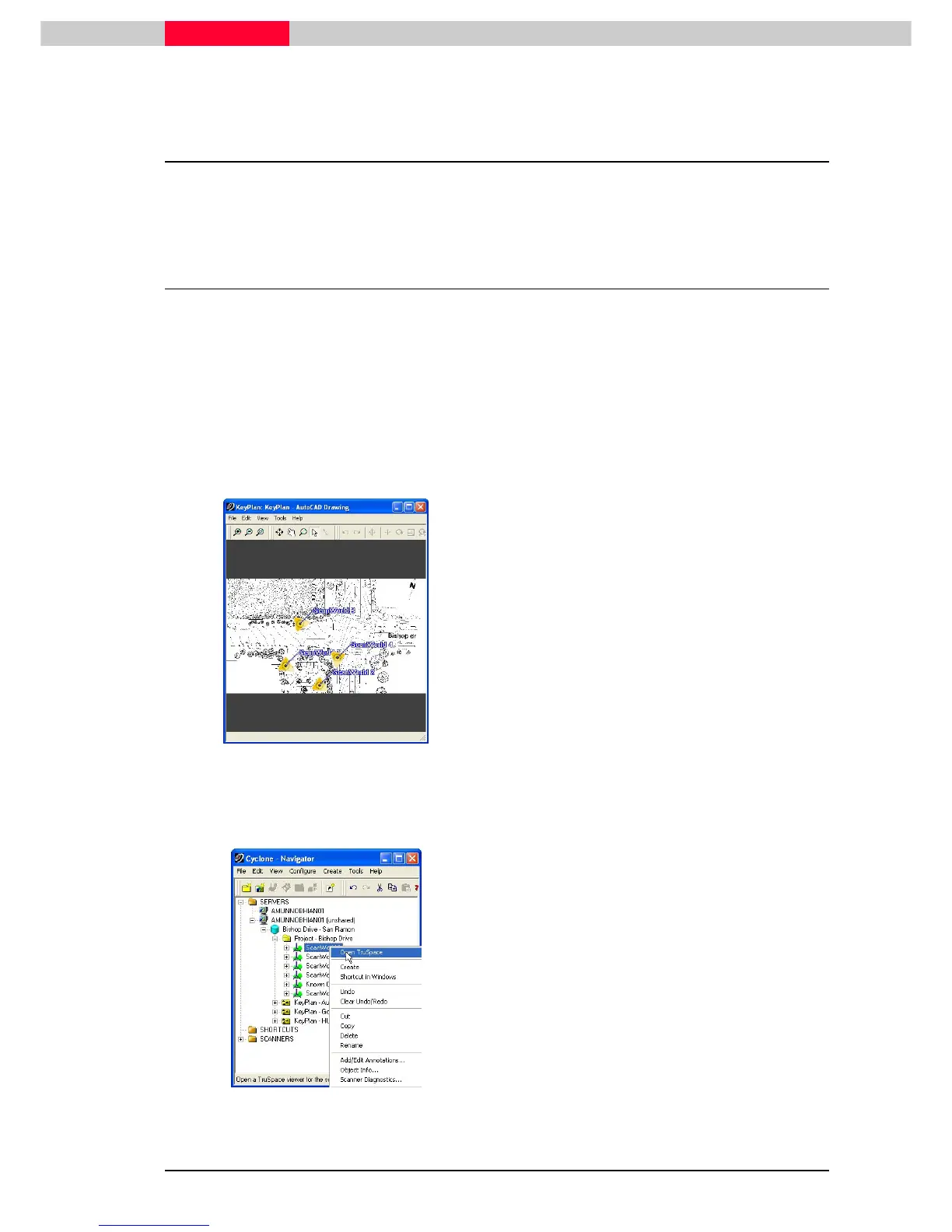
Open from a KeyPlan
Figure 1
Double click on the yellow scanner location
icon in a KeyPlan to open the respective
TruSpace.
Open from a ScanWorld
Figure 2
•
Browse in the Cyclone Navigator to a
ScanWorld and highlight it.
•
Then go to File | Open TruSpace
File | Open TruSpaceFile | Open TruSpace
File | Open TruSpace.
•
Or ri



 To Next Page