Data Extraction Module 5.3 – Alignments&Sections
15 - 18
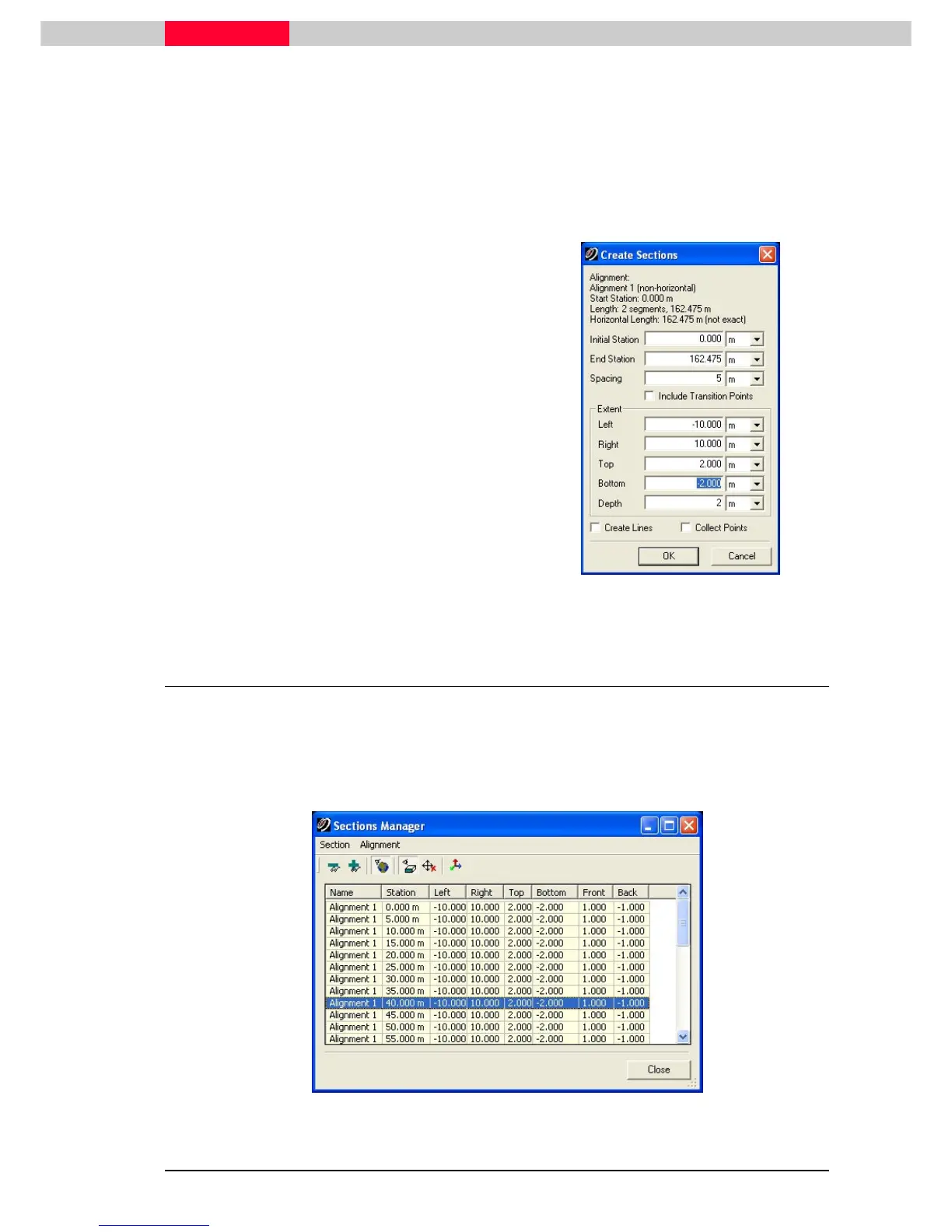
Create sections along the alignment object:
1) Select the alignment created in the previous section.
2) Click Tools | Alignment and Sections | Create Sections…
3) Click Yes in the
Check Horizontal Alignment Arc
dialog. The
Create Sections
dialog opens. The
Create Sections
dialog contains fields in which to enter appropriate criteria for creating
sections.
•
Enter 0 in the Initial Station
field.
•
Enter Spacing intervals of 5
meters.
•
Leave all extents at the default
except for the Depth. Set this
to 2 meters. We will adjust this
in the next section.
•
Ensure that
Points, Create Lines, and
Collect Points are unchecked.
The Sections Manager appears.
Figure 22
5 Sections Manager
The Sections Manager lists the stations along the alignment. First, we will adjust the extents of
the Limit Box within which is contained the points related to that section.
We will adjust the values for one station, and then use the same values for the rest.
1) Double-click, in the
Station
column, a station defined at 40.000m to make it active.
Figure 23



 To Next Page