2.2 Imported Dataset with option “Auto Align Scans”
For time-saving reason, the raw data has already been imported into “Blutenburg2.imp”.
•
File | Import ScanStation Data | Import ScanStation Project
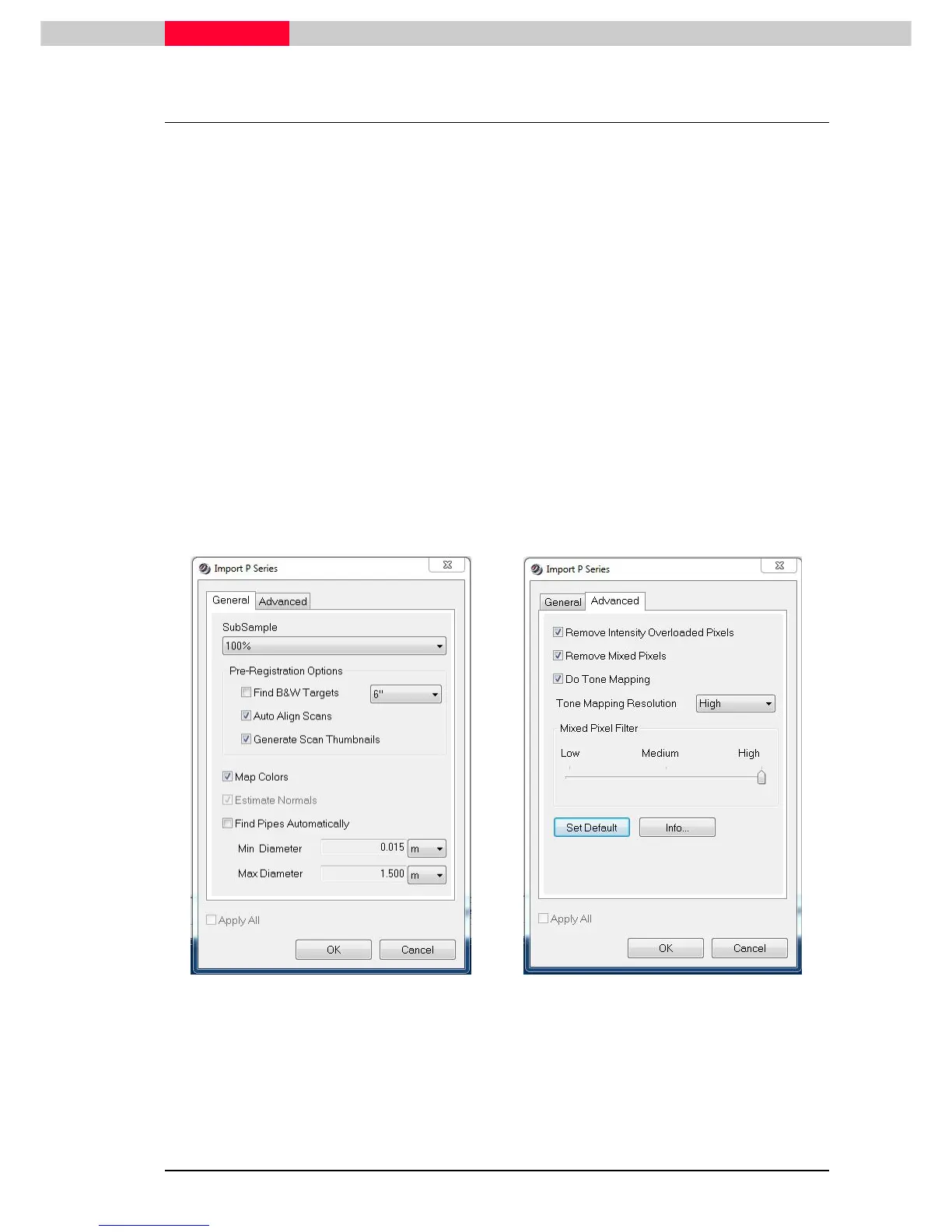
The following import settings were used in this case.
General
Tab:
•
Auto-Align Scans
(Estimate Normals is automatically checked on as well)
The pre-alignment process has been executed
•
Generate Thumbnails
Thumbnails are available for visual alignment
•
Map Colors
HDR images are already mapped onto the clouds
Advanced
Tab:
•
Do Tone Mapping > High
To show best possible HDR image quality
Figure 6
Figure 7
See “
Module 2.1 – Data Import
” for further details on the import options.



 To Next Page