5 Database Hierarchy
Understanding Objects and Objects’ Hierarchy within the Database
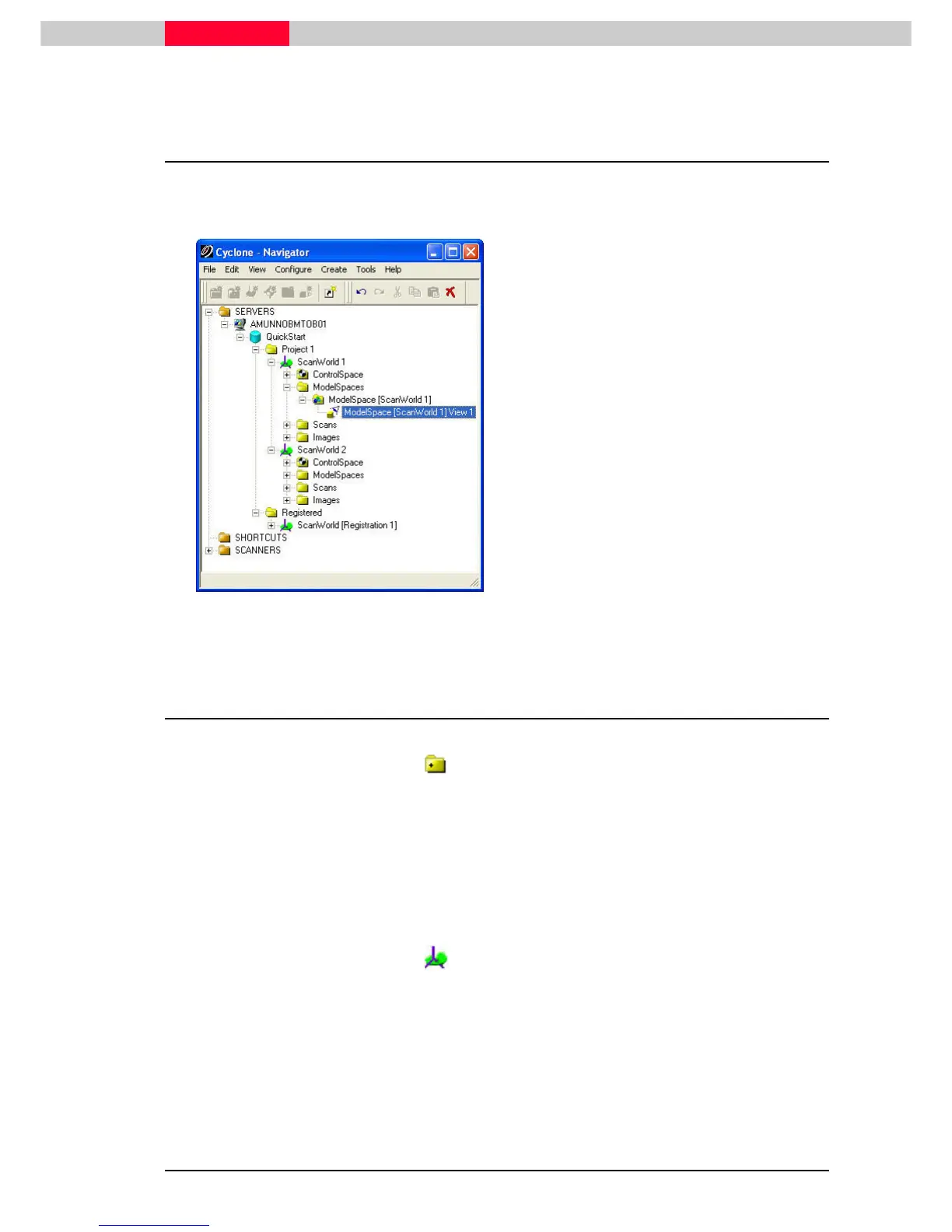
Figure 19
Expand the QUICKSTART database hierarchy.
Using the mouse, Pick the ‘+’ signs to the left
of: QuickStart
QuickStartQuickStart
QuickStart, then
•
Project 1
Project 1Project 1
Project 1
•
ScanWorld 1
ScanWorld 1ScanWorld 1
ScanWorld 1
•
Mode
ModeMode
ModelSpaces
lSpaceslSpaces
lSpaces
•
ModelSpace [ScanWorld1] View 1
ModelSpace [ScanWorld1] View 1ModelSpace [ScanWorld1] View 1
ModelSpace [ScanWorld1] View 1
Do the same for ScanWorld 2
ScanWorld 2ScanWorld 2
ScanWorld 2.
You will end up with a window that looks like
the image on the left.
5.1 Definition of the Database’s Objects
Definition of a Station
The new station object is a special type of Project folder that is used to store all the ScanWorlds
from one setup. This folder is not “hooked up” or linked to anything else (i.e. registration), for
now it is an organizational tool.
When scanning using the on-board controller with the C10 or using Cyclone Scan, ScanWorlds
from the same physical setup are collected in the same Station folder. The ScanWorlds can vary
in height and orientation – but not in X and Y direction.
Definition of a ScanWorld
A ScanWorld is a collection of scanned point sets (scans) that are aligned with respect to a
common coordinate system. If you take one or more scans without moving the position of the
scanner they can be considered to be part of a single ScanWorld since they are already aligned
with respect to each other. ScanWorlds can contain other ScanWorlds through a Registration
(covered later).
The original data associated with a ScanWorld are read-only and cannot be modified, although
entire ScanWorlds can be deleted.



 To Next Page