Scanning with ScanStation
Scanner & Scanning Features
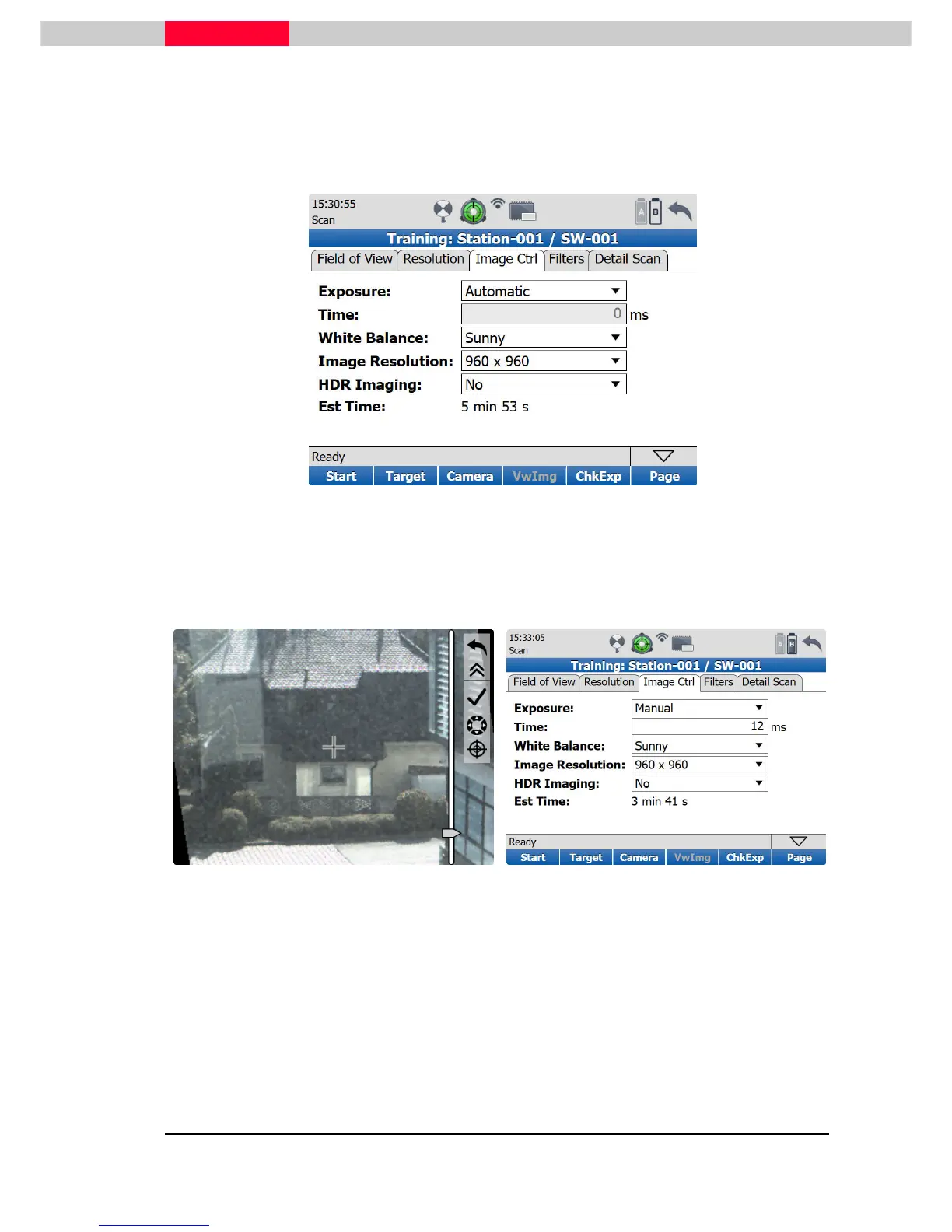
Image Control
In the
Image Ctrl
tab is the opportunity of setting the exposure time manually or using the
automatic adjusting.
Figure 37
To get a feeling for manually set exposure times the
ChkExp
soft key can be pressed and the
image from the camera is shown. Use the seek mode to navigate to the area of interest and the
slider on the right side to adjust the best exposure of the current situation. See Figure 38.
Figure 39
By pressing enter the chosen value will be entered as numerical value into the exposure time
field. See Figure 39.
From the Image Resolution pull down list the format of the taken images can be chosen. There
are 640 x 640, 960 x 960 and 1920 x 1920 pixels resolution available. Every single image has a
size of about 3.5MB and is stored in raw image format.



 To Next Page