16 - 28 Module 5.2 - Mesh Data Extraction
2.3 Contour Lines
Create Contour Lines
Contour lines can be created from any mesh object but are best created from TIN meshes due to
their watertight properties.
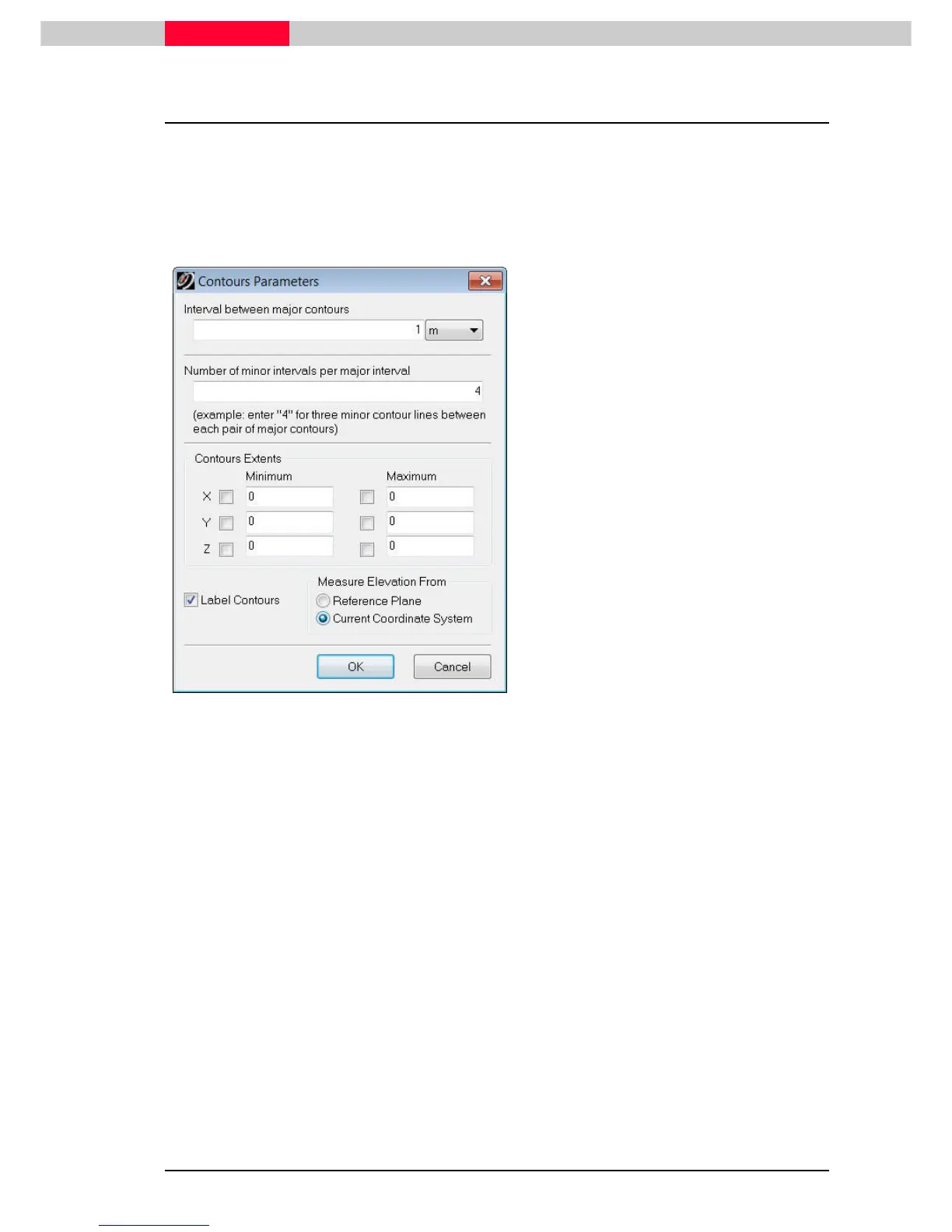
Figure 19
•
Select the mesh.
•
Go to Tools
ToolsTools
Tools
|
||
|
Contours
Contours Contours
Contours |
||
| Create
Create Create
Create
•
In the upcoming window enter values as
seen in Figure 19 to receive major contours
every 1m and minor contours every 25cm.
Ensure to checkmark “Label Contours” and
define that the elevation should be
measured from the “Current Coordinate
System”.
•
Continue with OK
OKOK
OK
to draw the contours (see
Figure 20).
Contours as well as contour
properties can be edited by
selecting the contour line, then
selecting Edit Object
Edit ObjectEdit Object
Edit Object|
||
| Edit
Edit Edit
Edit
Properties.
Properties.Properties.
Properties.



 To Next Page