15 - 28
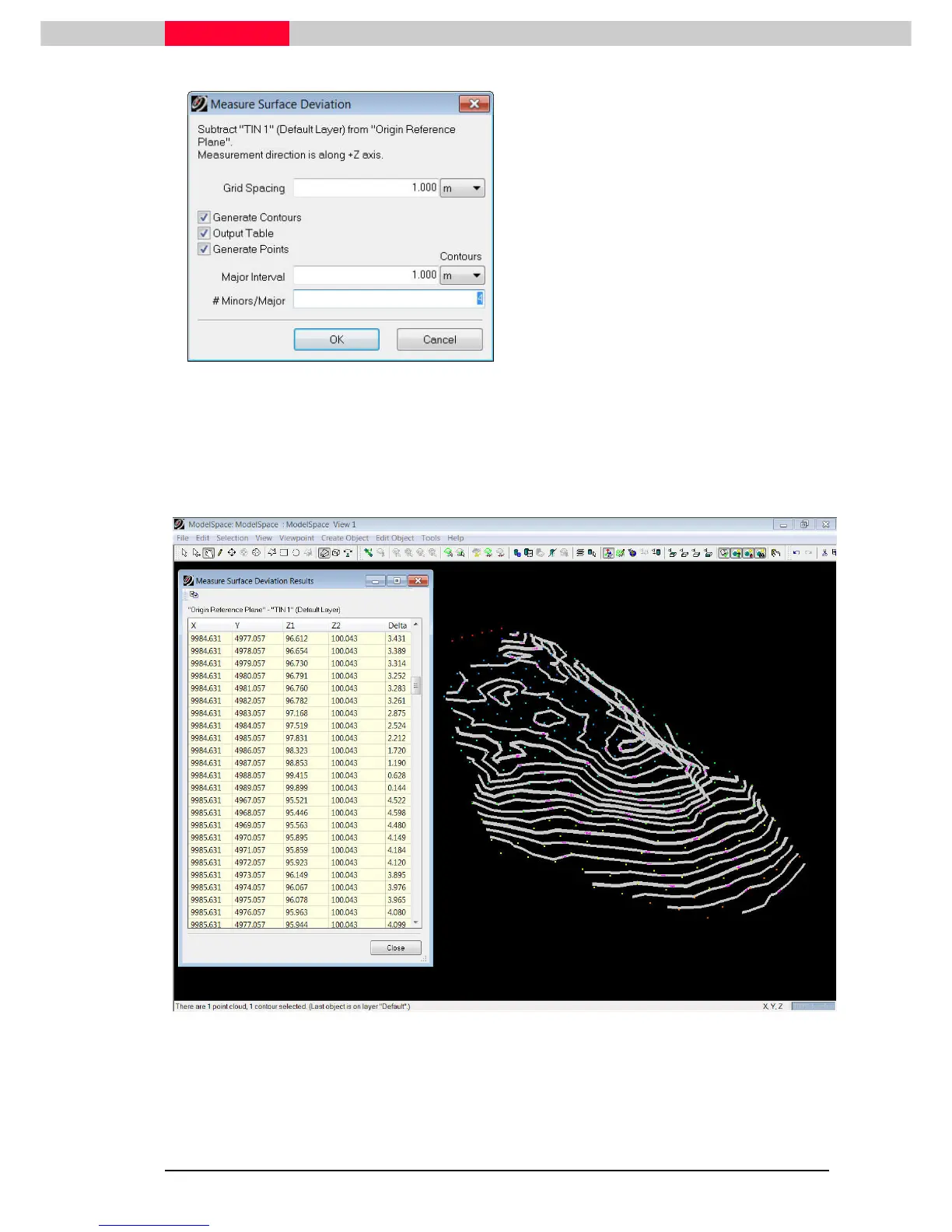
Figure 17
•
Select the mesh.
•
Go to
Tools
Tools Tools
Tools |
||
| M
M M
Measure
easure easure
easure |
||
| Surface Deviation
Surface Deviation Surface Deviation
Surface Deviation
•
Checkmark all output options and change
the intervals of the deviation contours to
1m Major Interval and 4 Minors per Major
(see
Figure 17
).
•
Press
Ok
OkOk
Ok
•
Inspect the results on the created Output Table which automatically comes up.
•
Review also the created deviation point cloud as well as the contours. As they are
positioned at the calculated vertical offsets, navigate down to the coordinate origin to
see both (see
Figure 18
.)
Figure 18
To measure surface deviation within a specific boundary, multi-select a
polyline defining this boundary.



 To Next Page