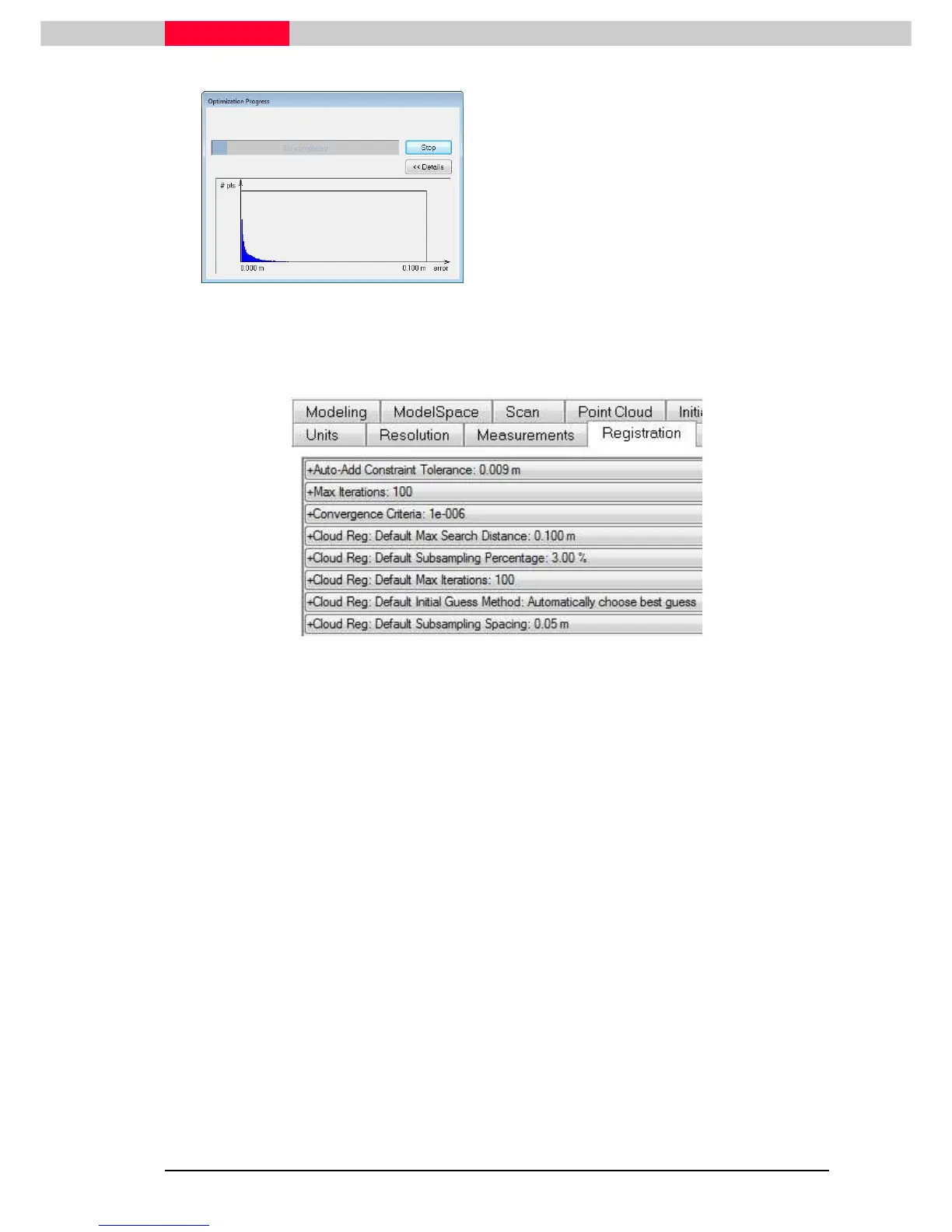
Figure 49
The half-bell curve shape indicates that the
alignment has been optimized properly. The
width (one sigma) of the half-bell curve should
be approximately matching the accuracy of the
scanner used to scan the cloud (6mm with
Leica Scanners
for the optimize alignment algorithm to align
the clouds.
Sometimes it can help to improve the cloud alignment by optimizing some cloud alignment
parameters:
In Cyclone Navigator go to
Edit | Preferences
Figure 50
•
Default Subsampling Percentage
– Specify a percentage of each cloud used with the
Optimize Cloud Alignment. The default is 3%, which is effective and efficient for typical scan
cloud sizes. In general, a value of 100% may give results up to twice as accurate as a value of
3%, but may take approximately ten times as long.
•
Default Max Iterations
– Maximum number of iterations before the process stops.
But sometimes more iterations are needed to come to a solution. In this case the value can
be changed.
Please refer to the Cyclone online help for further informations
View the Alignment
Viewing the results of the Alignment (View Interim Results) will give you a good sense of the
accuracy. If you see any gaps between surfaces that were stationary during scans, you should
optimize again or improve the Alignment.
If the alignment is underconstrained (e.g. two scans of a plane in which the
alignment could be translated along the plane without changing the quality of
the alignment) additional constraints, such as Targets, can be added. (see
section
5 Combined Registration
)



 To Next Page