10 - 14 Module 4.3 – Cyclone TruSpace Organization/Visualization Pointcloud
2.6 Measurements
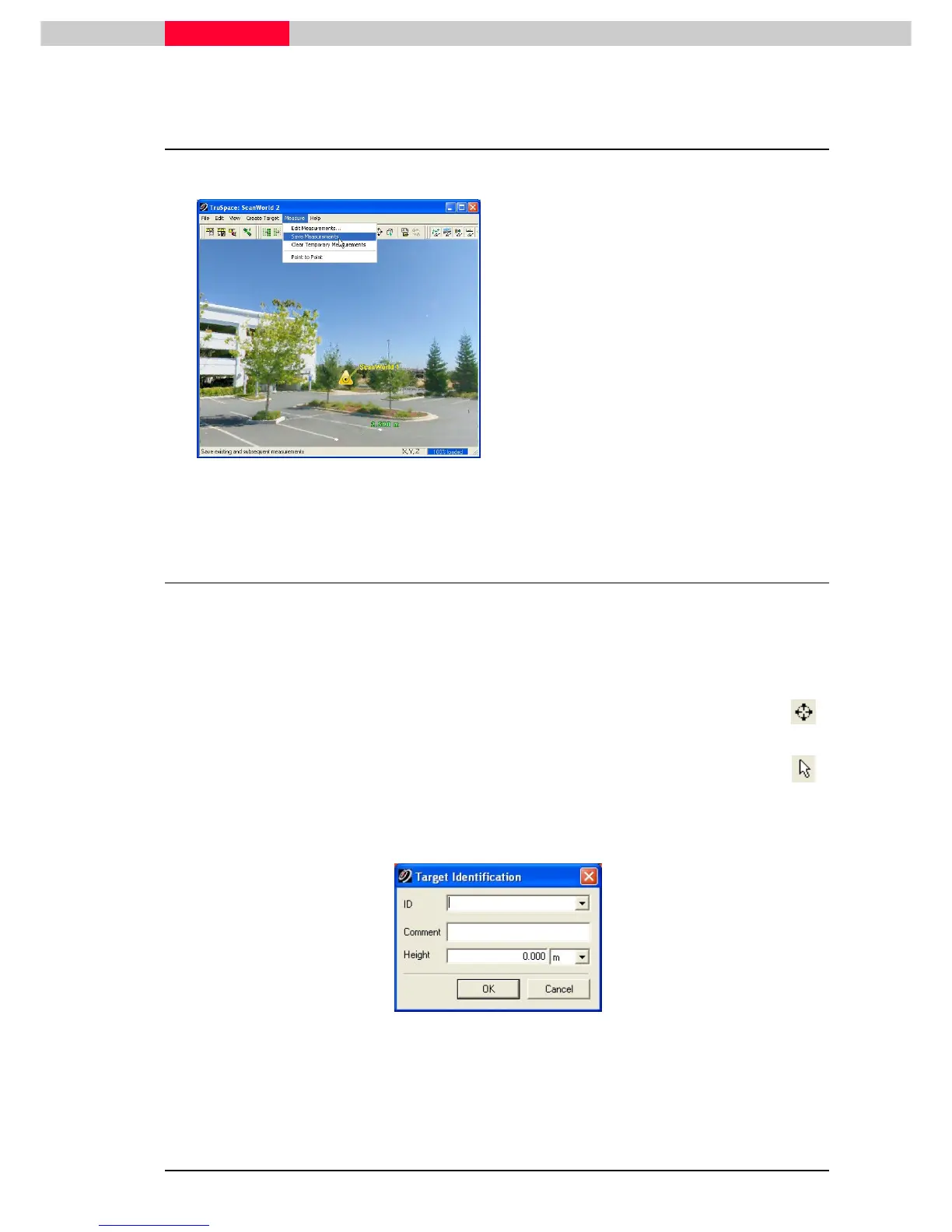
Figure 17
Point to Point measurement in TruSpace:
1) Multi-select two points and go to menu
Measure | Point to Point
Measure | Point to PointMeasure | Point to Point
Measure | Point to Point
2) The measurements will show up in the
TruSpace and can be saved by clicking
Measure | Save Measurements
Measure | Save Measurements Measure | Save Measurements
Measure | Save Measurements
2.7 Target extraction
All types of targets, HDS-targets, Black & White targets or Spherical targets, can be extracted
from TruSpace.
For the next exercise import Target Extraction.zfs
Target Extraction.zfsTarget Extraction.zfs
Target Extraction.zfs
into the database and open the TruSpace from
the newly created ScanWorld.
1) Select the center of the target with the seek mode function. Notice how the target
is centered and zoomed in.
2) Switch to select mode and select a point near the centre of the target.
3) Go to menu Create Target
Create TargetCreate Target
Create Target and select the type of target to extract.
4) Fill the Target ID and other information into the appearing dialog box and click OK
OKOK
OK.
Figure 18
5) If there are already targets in this area a new options box appears:



 To Next Page