16 - 32 Module 4.1 – Texture Mapping Organization/Visualization Pointcloud
2 Texture Mapping with Cube-Maps
After scanning, a camera, fitted to a special bracket, replaces the scanner. The bracket is placed
on the same tribrach the scanner used. A fish eye lens mounted on the camera is positioned on
the bracket so that the focal center of the lens matches the optical center of the scanner (this is
important for accurate image-to-point cloud texture mapping). The captured images are joined
using special third party software to form Cube-Map images (required by Cyclone).
2.1 Rename Cube-Map files
A Cube-Map is a special set of images that correspond to the six faces of a cube, with the
camera placed at the center of the cube. The six images are: Up, Down, Front, Back, Left, Right.
A Cube-Map in Cyclone consists of one to six of these Cube-Images. Because of the nature and
arrangement of the images, Cube-Maps provide a complete and convenient mapping of the full
field-of-view.
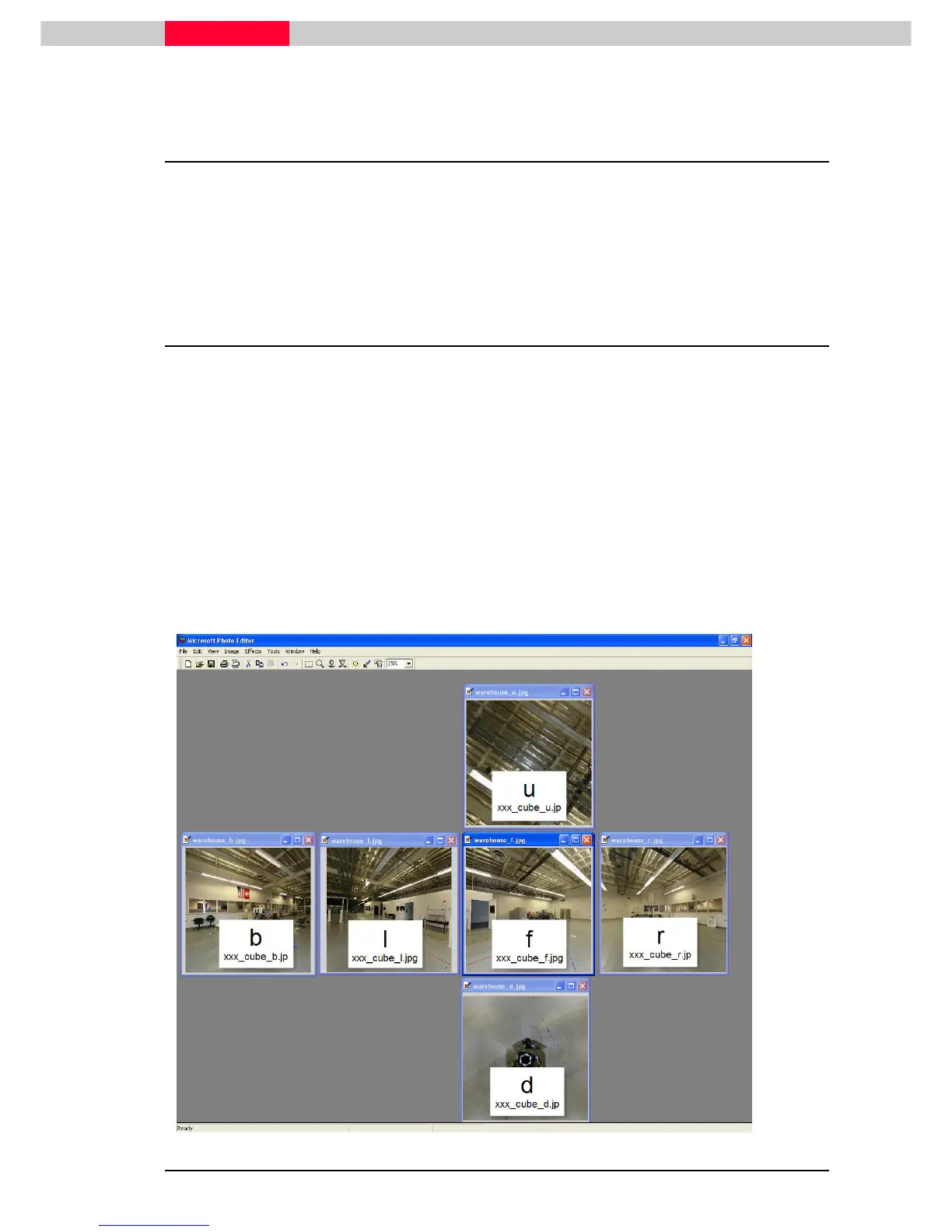
To import the Cube-Map-Images into Cyclone each Cube-Map-Image needs to be renamed so
Cyclone knows which one is front, back, right, left, up and down. Open up the images in a
windows viewer and manually align the Up or U image with the one that aligns with the Up
image’s lower side. This will be the front or f image. (See image below)
Make sure that the Up image or U image fits with the correct front image, THEN
rename the others to match.
The screen shot below shows the images aligned within a viewer (e.g. Microsoft Photo Editor).
u=up
b=back
l=left
f= front
r= right



 To Next Page