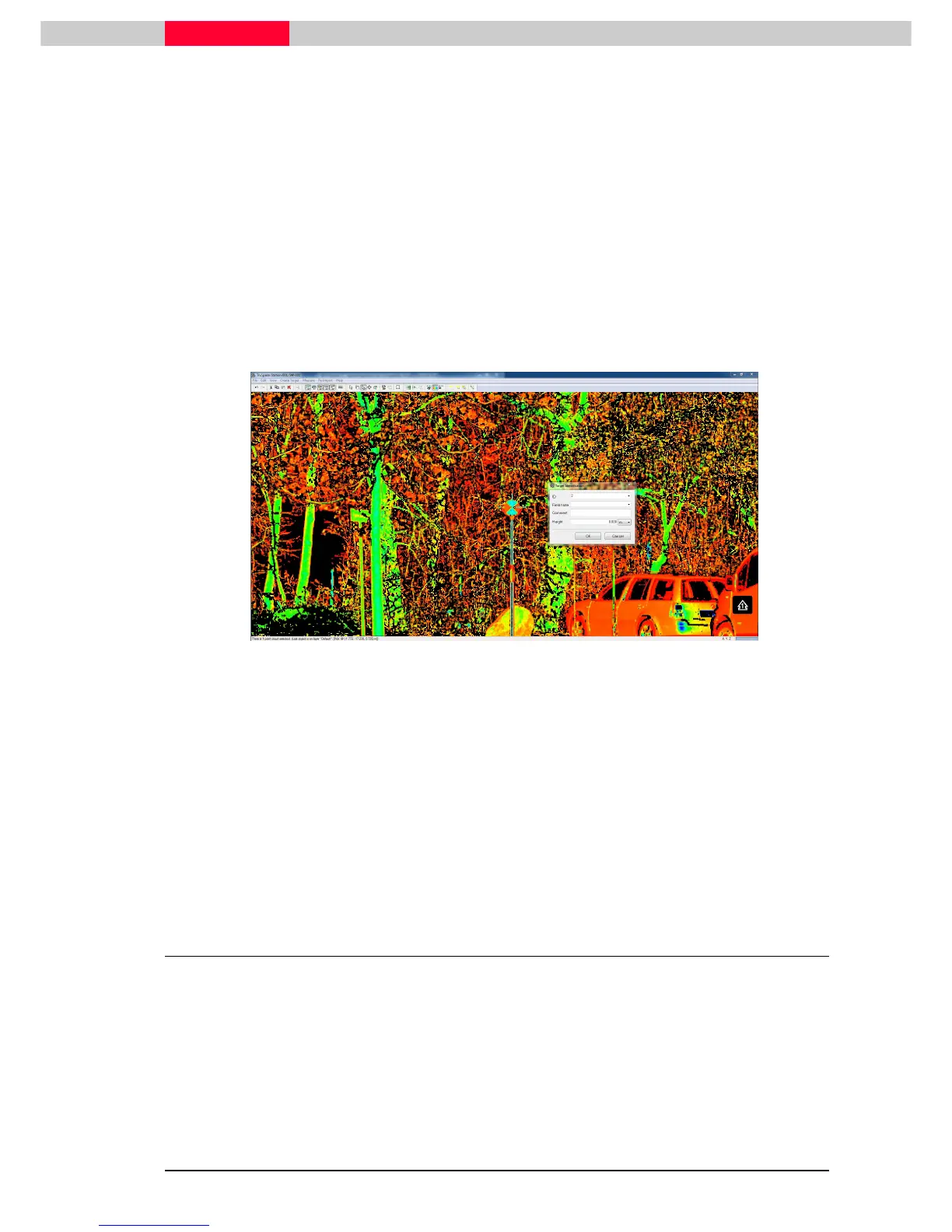
Figure 11
Within the TruSpace we can then search for the target 2. Use the project layout drawing on
Figure 2 for reference.
From the TruSpace menu, use:
•
Seek mode
to point the black & white target
•
Zoom in
to the target to have a better view
•
With
Pick mode
choose a point near the target center
•
Choose
Create Target | Black/White Target…
command from the menu
Figure 12
An algorithm is searching for a right angle in the near of the picked point. With the intensity
change between black and white on the target, Cyclone is able to best fit a vertex in the center
of the target.
•
Visually inspect to vertex position to see if you are happy with the fitting
•
Enter “2” as
TargetID
in the
Target Identification
window
•
Press
OK
The target is then stored in all corresponding ControlSpaces as well, which is essential to be able
to use it in our further registration process.
3.2 Acquiring Targets in the ModelSpace
Target ID 3, which is a mounted 4 ½ inch black & white target must be manually acquired from
ScanWorld “Station-003:SW-003”. This time we will use the ModelSpace View to achieve this.



 To Next Page