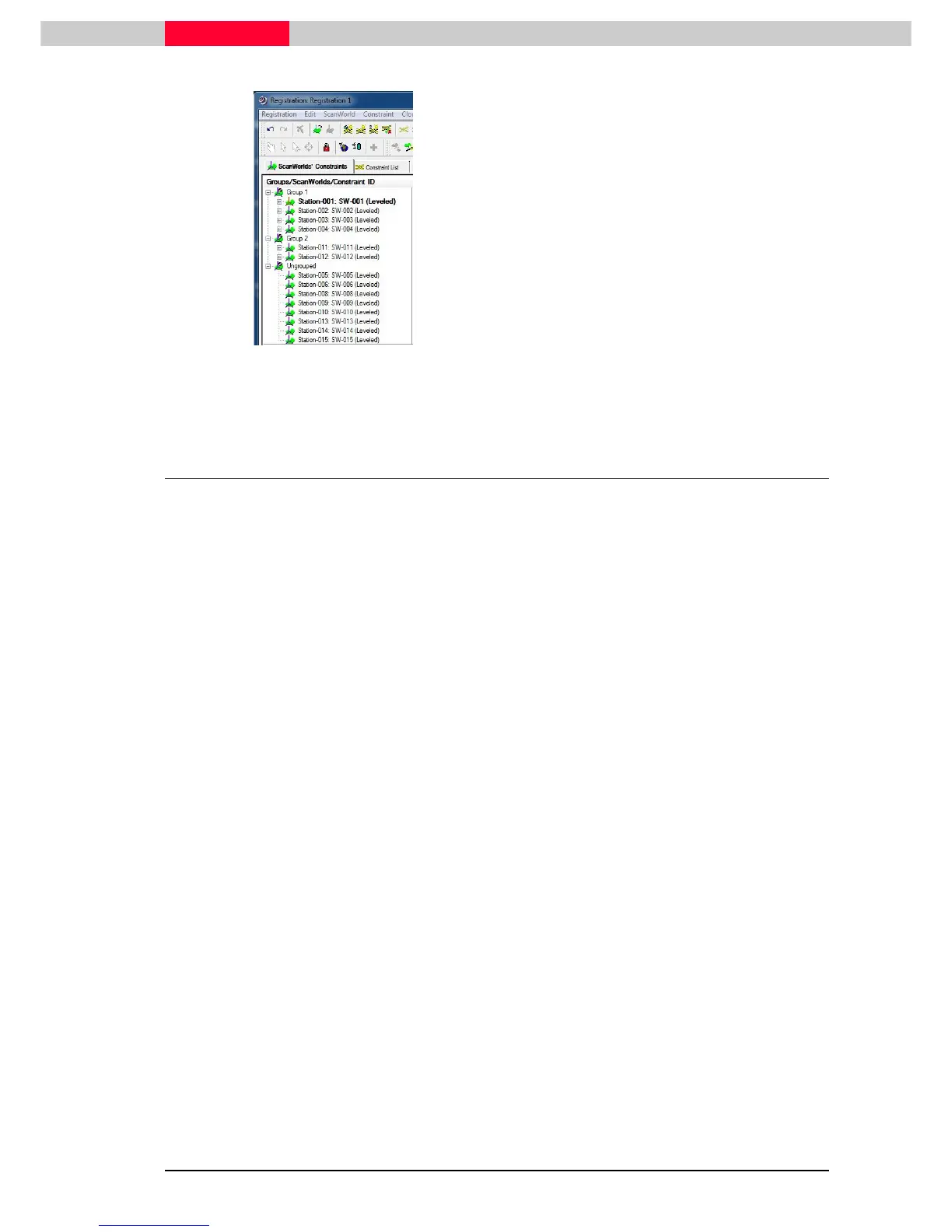
Figure 24
•
From the Cyclone Navigator open
Registration 1 via double-click
•
There are 2 Groups which are pre-aligned
and ready for optimization.
Group 1 contains Stations 1 to 4
Group 2 contains Stations 11+12
•
All ScanWorlds which have no constraints
between each other remain in the
Ungrouped section.
4.3 Registration via Visual Alignment
Group 1
already contains Stations 1-4. The remaining Stations belonging to the inner courtyard
of Blutenburg castle are Station 5 and Station 6.
Looking at our field notes will show that they have only one common target between them
(target 124), which is not sufficient to connect them. We will therefore create a cloud constraint
between Station 5 and Station 6 and then later on merge them with the ScanWorlds already part
of
Group 1
.
Create a Visual Alignment
•
From the Cyclone Navigator open registration object
Registration 1
via double-click
•
Go to
Visual Registration | 2D Thumbnails



 To Next Page