8 - 10 Module 4.2 – Cyclone Keyplan Organization/Visualization Pointcloud
2 Working with a KeyPlan
2.1 Viewing the KeyPlan
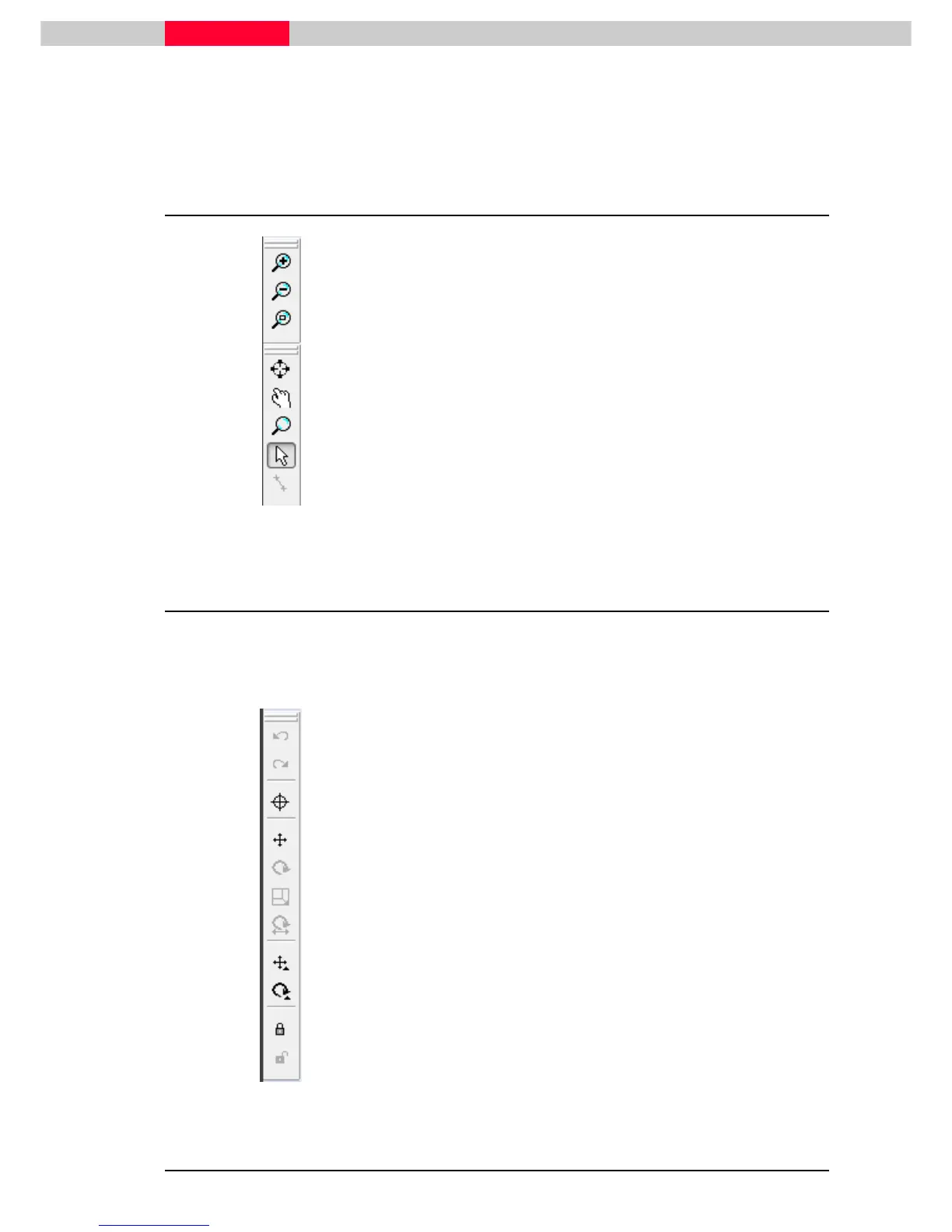
Figure 10
Predefined step zoom-in and out
Zoom whole scene
Centred on clicked pixel when zoomed in
Pan after zoomed in
Photoshop styled center on clicked pixel and zoom
Pick mode
Align mode
2.2 Editing a KeyPlan
There are several Icons on the top of the KeyPlan dialog to assist you in changing the location of
the Icons on the KeyPlan.
These icons will be grayed out if you created the KeyPlan from perspective view.
Figure 11
Reference Mode
Move Mode
Rotate Mode
Scale Mode
Rotate & Scale Mode
Single Move Mode
Single Rotate Mode
Lock KeyPlan
Unlock KeyPlan



 To Next Page