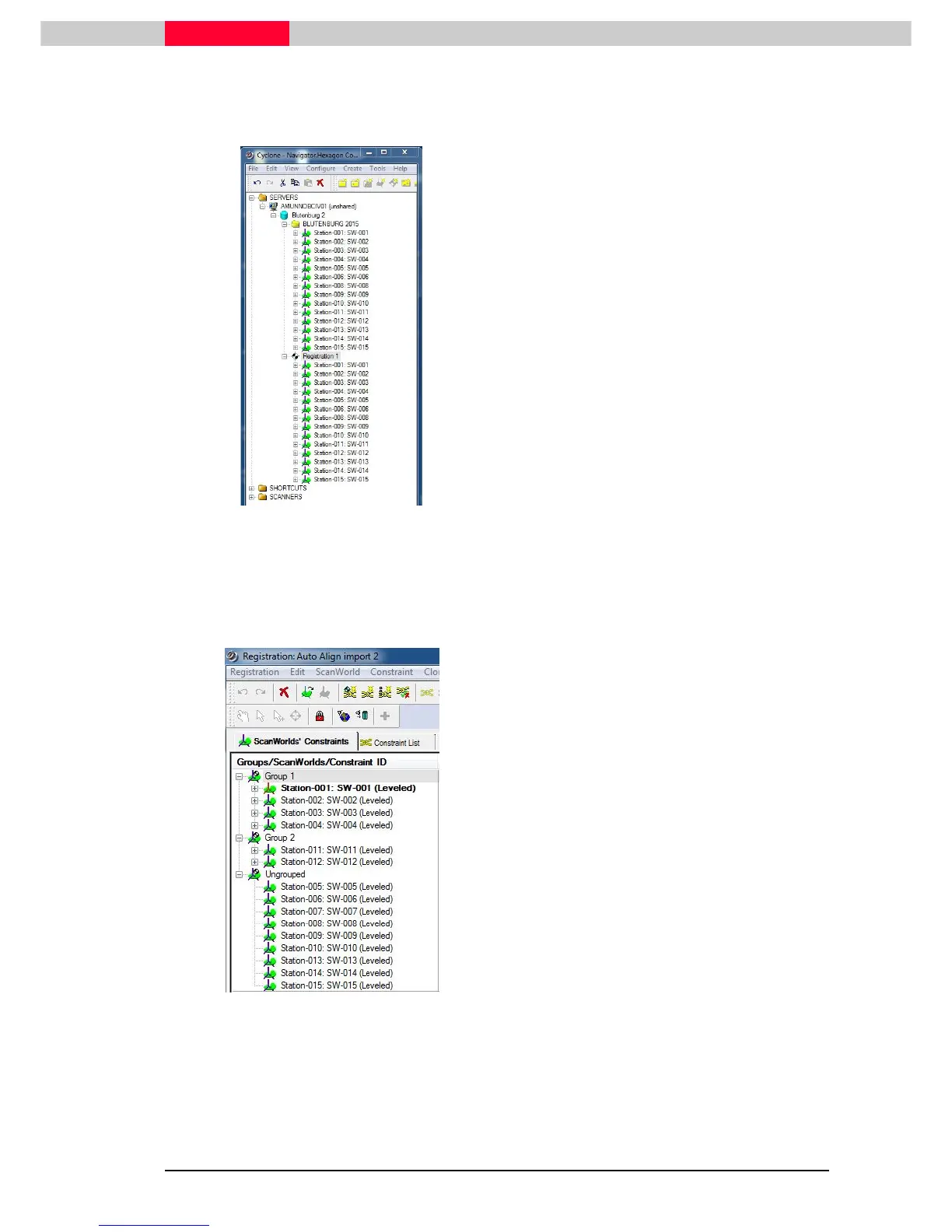
Import Results
Figure 8
During import two steps have taken place.
•
All ScanWorlds have been imported into the
database
Blutenburg 2
.
•
In addition a registration object
Registration 1
has been created and all
ScanWorlds are added automatically.
Figure 8 shows the structure in the
Cyclone
Navigator
after import.
Once the import has finished two windows will open up: The Registration interface and the 2D
Thumbnail window.
Figure 9
Initial results in the
Registration 1
due to the
“auto-alignment”:
•
All ScanWorlds are all part of the registration
•
Some auto-alignments were found and
created
•
Scanworlds which are connected via auto-
alignments are put into respective groups
(
Group 1
and
Group2
)
•
ScanWorlds with no connections to others
are stored under
Ungrouped
The 2D Thumbnail window has been closed in this example, but can always be re-opened from
the Registration window under
Visual Registration | 2D Scan Thumbnails
.
See “
Module 3.0 - Basic Registration
” for further details on 2D Thumbnails options and
commands.



 To Next Page