5 - 8
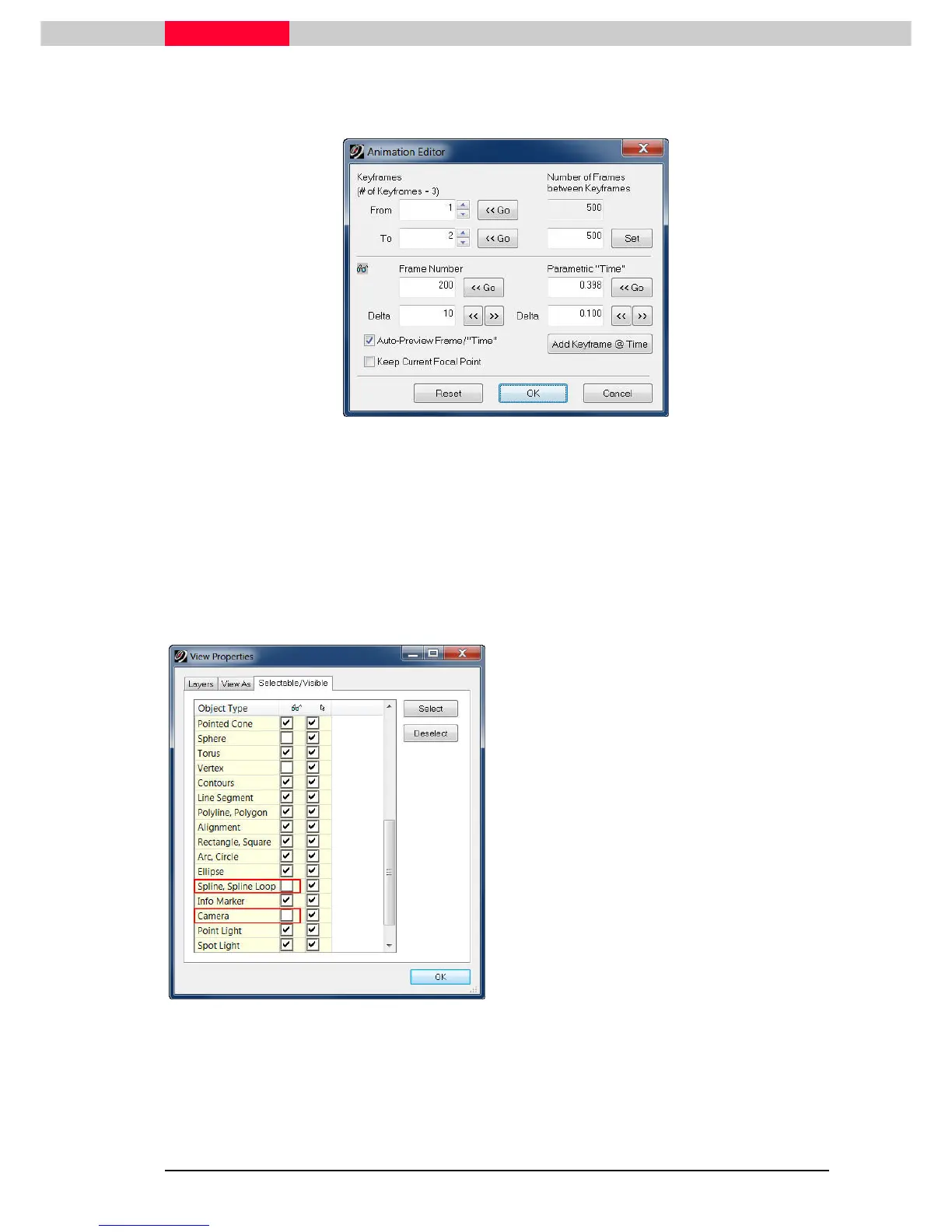
In the Number of Frames between Keyframes, enter the number of frames you want in the
animation and then click the Set
SetSet
Set button. Try 500.
Figure 4
The keyframes are originally taken from each vertex in the spline used to set the
path, but can be changed as done in step 2. Keyframes can be kept or inserted
to change the speed of the animation between different keyframes. To insert a
keyframe, go to the frame where the keyframe is to be inserted, then click the
Add Keyframe @ Time button.
3) Turn off the visibility of the cameras and the animation spline so they will not be rendered in
the animation
Figure 5
Select Selection | Set Selectable to invoke the
Selectable/Visible dialogue.
Uncheck the boxes in the visibility column next
to
•
Spline, Spline Loop
•
Camera
Also you can switch off additional unwanted
objects like
•
Sphere
•
Vertex
Select OK.



 To Next Page