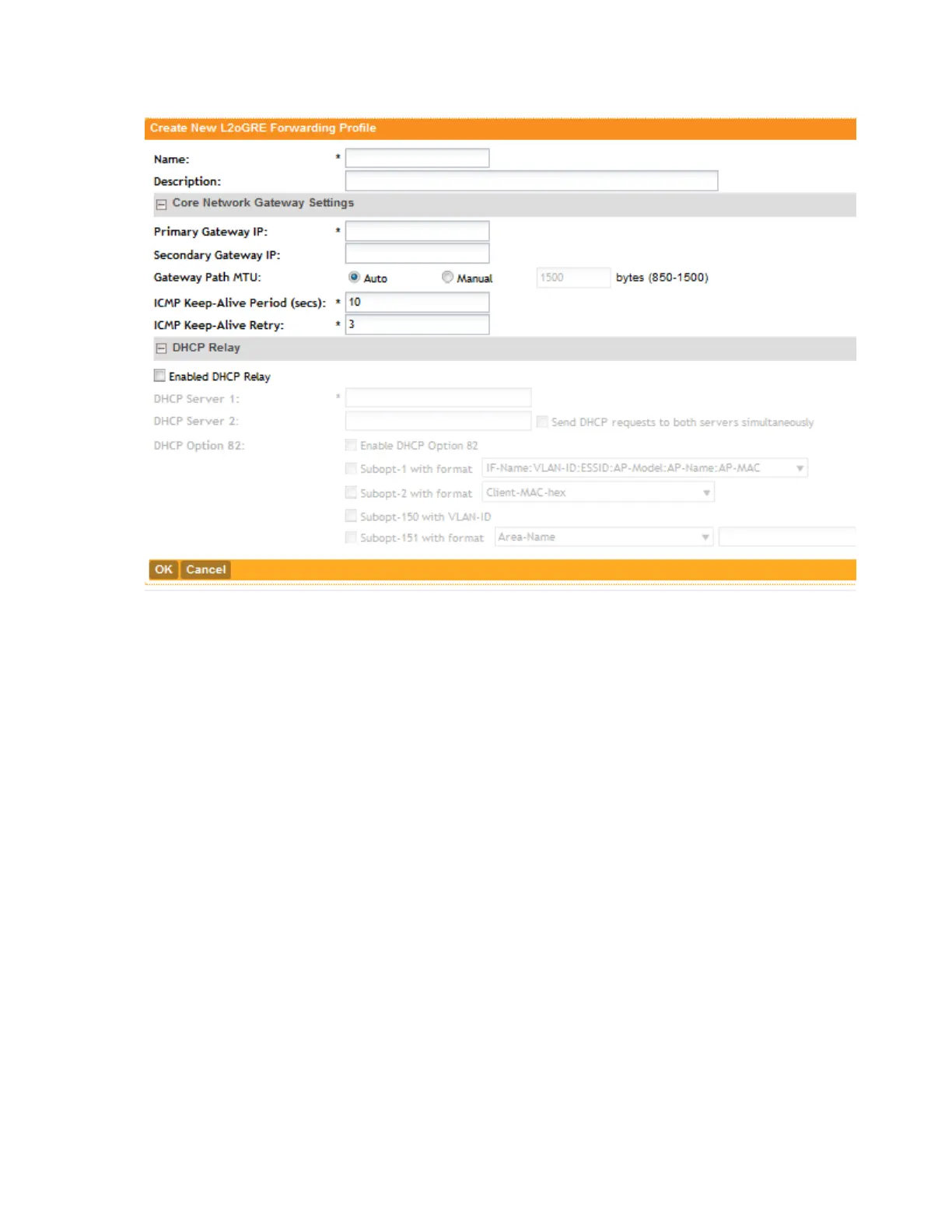
Figure 89: The Create New L2oGRE Forwarding Profile form
About Keep-Alive Settings
The tunnel keepalive mechanism enables, extends, and implements an interface-specific
command for tunnel interfaces, and provides the ability to bring down the line protocol of a
tunnel. The tunnel keepalive mechanism also addresses these additional requirements:
• The tunnel keepalive mechanism functions even if the far tunnel endpoint does not support
keepalives.
• The tunnel keepalive mechanism originates keepalives.
• The tunnel keepalive mechanism processes keepalives.
• The tunnel keepalive mechanism replies to keepalive packets of the far end, even when the
line protocol of the tunnel is down.
Viewing L2oGRE Profiles
Follow these steps to view a list of L2oGRE profiles that have been created.
NOTE: If you have not created a profile, see Creating an L2oGRE Profile.
1. Go to Configuration > Services & Profiles.
2. On the sidebar under Profiles > Forwarding, click L2oGRE. The L2oGRE Forwarding
Profiles page appears and displays the L2oGRE profiles that have been created.
SmartCell Gateway 200/Virtual SmartZone High-Scale for Release 3.4.1 Administrator Guide
191
Configuring Services and Profiles
Working with Profiles



 To Next Page