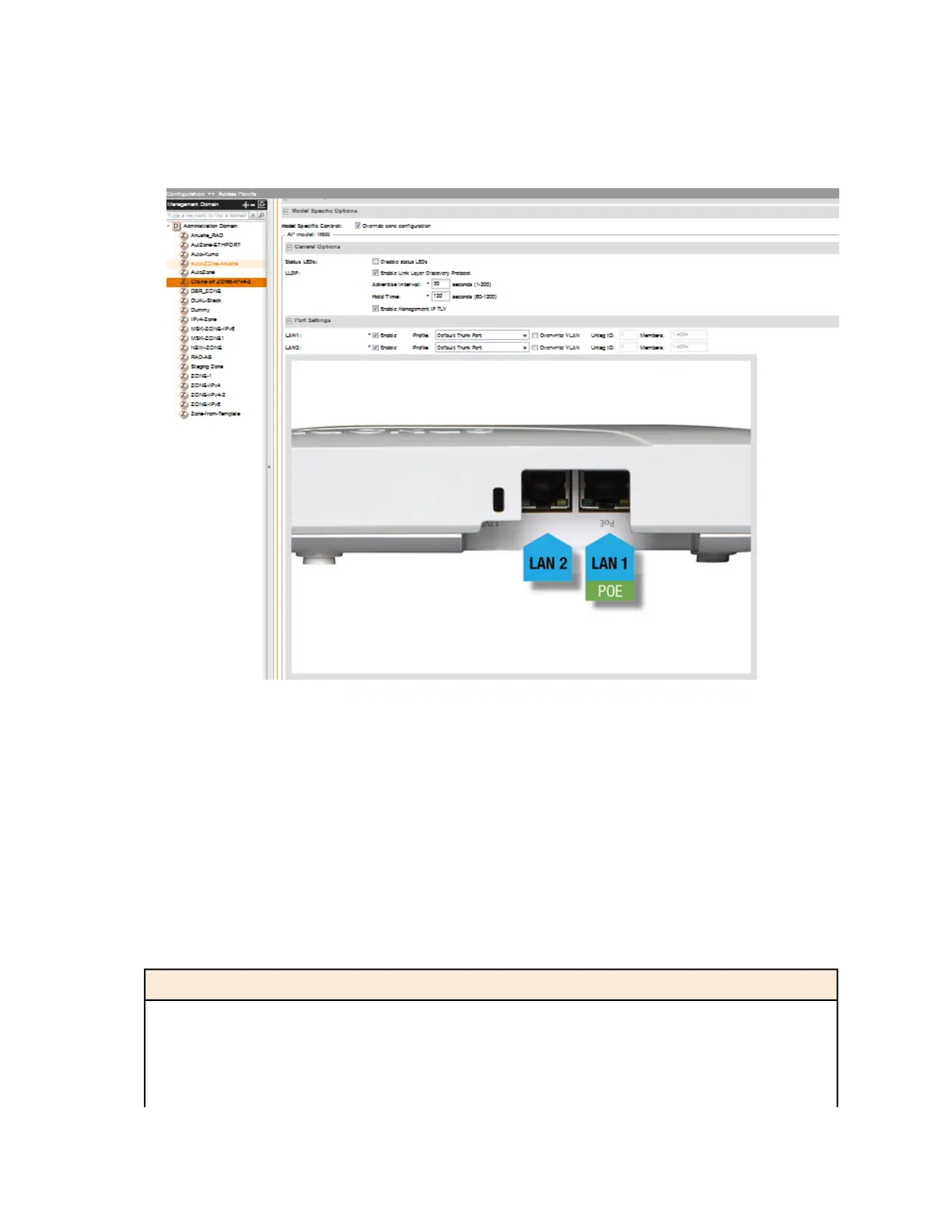
7. Click Apply.
The message Please wait... appears. When the message disappears, you have
completed configuring the settings of the selected AP model.
Figure 16: Options for configuring AP model specific settings
Supported LLDP Attributes
The Link Layer Discovery Protocol (LLDP) is a vendor-neutral Layer 2 protocol that allows a
network device (for example, a Ruckus Wireless AP) to advertise its identity and capabilities on
the local network.
LLDP information is sent by devices from each of their interfaces at a fixed interval (default is 30
seconds), in the form of an Ethernet frame. Each LLDP Ethernet frame contains a sequence of
type-length-value (TLV) structures starting with Chassis ID, Port ID and Time to Live (TTL) TLV.
Table 2 lists the LLDP attributes supported by the controller.
Table 5: LLDP attributes supported by the controller
DescriptionAttribute (TLV)
Indicates the MAC address of the AP’s br0 interfaceChassis ID
Identifies the port from which the LLDP packet was sentPort ID
Same as LLDP Hold Time. Indicates the length of time (in
seconds) that a receiving device will hold the LLDP information
Time to Live
SmartCell Gateway 200/Virtual SmartZone High-Scale for Release 3.4.1 Administrator Guide
50
Managing Ruckus Wireless AP Zones
Working with AP Groups



 To Next Page