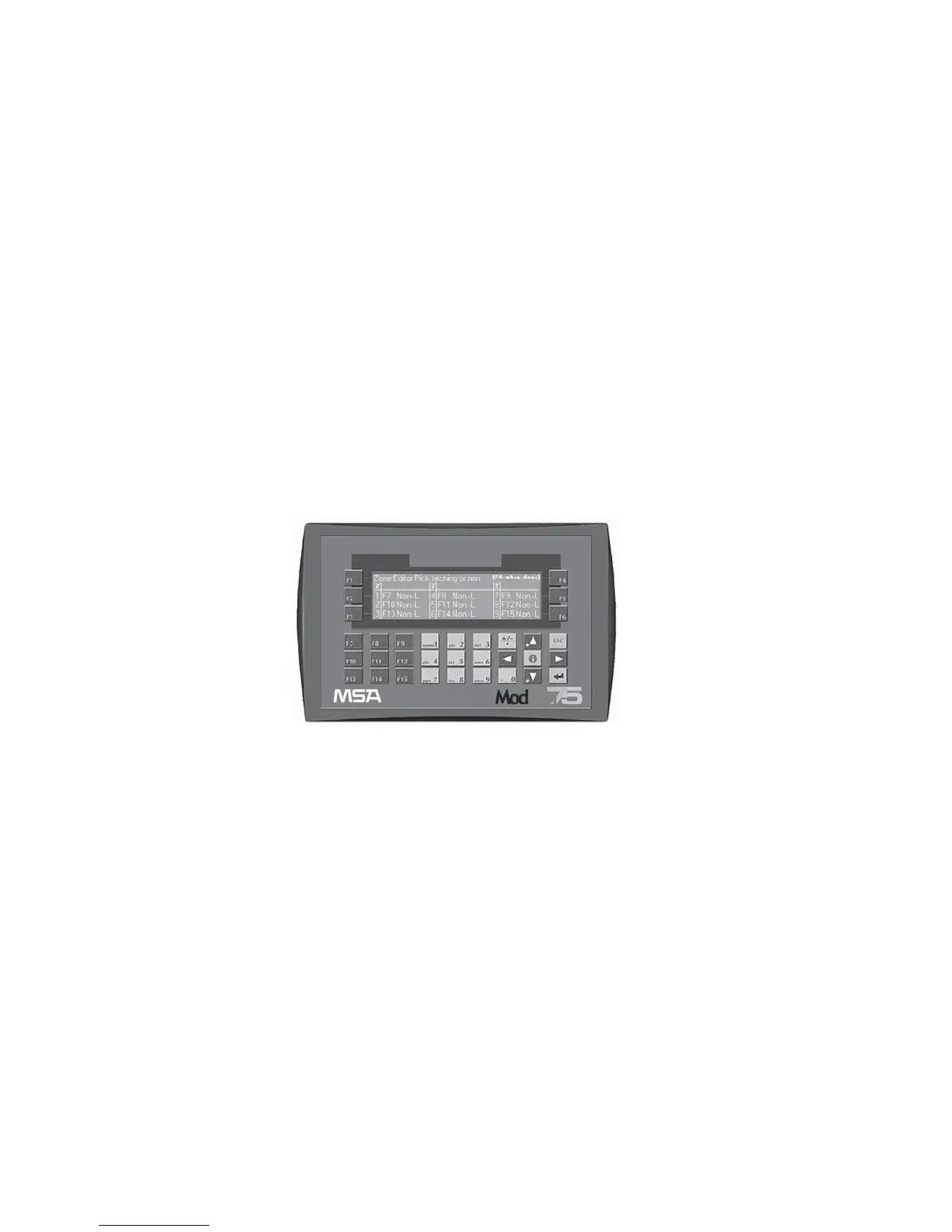
F8- Zone Editor
• The specific zone is selected under F2 - Add Setpoints.
• This screen enables user to program zone relays for a latched or
unlatched function.
• If latched function is selected, relay is unlatched by supplying a
closed contact to the corresponding input or by pressing the up
arrow (▲) key.
I0- Unlatch Zone 1 I5- Unlatch Zone 6
I1- Unlatch Zone 2 I6- Unlatch Zone 7
I2- Unlatch Zone 3 I7- Unlatch Zone 8
I3- Unlatch Zone 4 I8- Unlatch Zone 9
I4- Unlatch Zone 5 I11 -Ultima X3 monitor
acknowledge
I12- Horn silence
• F6- Skips to next screen
• When zone relays are set as unlatched, then Zone relays can be
set to On-Delay or Off-Delay.
• On-Delay:relay activates only if alarm exists for the set time.
• Off-Delay (Typically used for fan control): relay stays energized
for the set delay time after the alarm condition clears.
NOTE: Selecting latching disables ON delay, OFF delay, and delay
time settings.
Times are adjustable from 0 seconds to 15 minutes.
After entering time delay, press enter
.for data to display.
Figure 6-22. Zone Editor - Set Relays as Latched or Unlatched
6-18



 To Next Page