8 RV0xx Series Routers Quick Start Guide
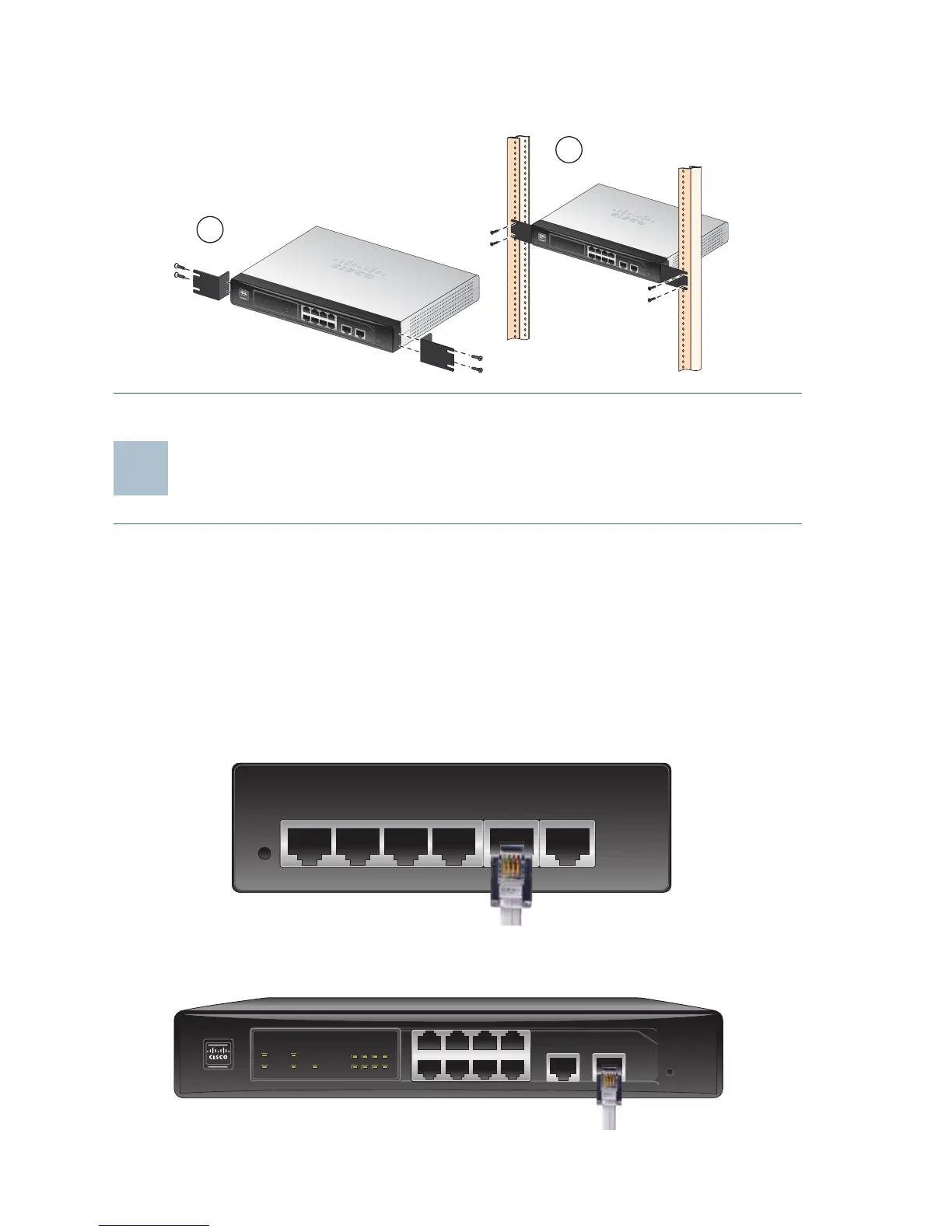
STEP 4 Use suitable screws to securely attach the brackets to any
standard 19-inch rack.
Connecting the Equipment
STEP 1 Make sure that all network devices are powered off, including the
router, PCs, Ethernet switches, and broadband network device
(DSL or cable modem).
STEP 2 To connect to your Internet service:
• RV042, RV042G, and RV082: Connect an Ethernet cable from
the broadband network device to the Internet port of the router.
RV042 and RV042G Internet Port
RV082 Internet Port
1
2
34
5
6
7
8
D
MZ
/In
t
ern
e
tIn
t
e
rn
e
t
1
2
3
4
5
6
7
8
DI
AG
S
y
s
t
e
m
I
nt
e
rne
t
D
M
Z
I
n
t
e
r
n
e
t
D
M
Z
M
o
d
e
C
i
s
co
S
ma
ll
B
u
si
n
es
s
R
V
0
82
1
0
/
10
0
1
6
-P
o
r
t
V
P
N
R
o
u
t
er
12
3
4
56
78
DM
Z/Int
e
rnet I
nte
r
net
1
23
4
5
6
7
8
D
I
A
G
Sy
s
t
e
m
I
n
te
rn
e
t
D
M
Z
I
n
t
e
r
n
e
t
D
M
Z
M
o
d
e
C
isc
o
S
m
a
l
l
B
u
s
in
e
s
s
R
V
0
8
2
1
0
/1
0
0
16
-
P
or
t V
P
N
R
o
u
t
e
r
199619
DMZ/Internet1 2 3 4 Internet
DMZ/Internet Internet
1234
5678
DIAG
System
Internet
DMZ
Internet
DMZ
Mode
Cisco Small Business
RV082
10/100
16-Port VPN Router



 To Next Page