Sixnet Slim Line Switch Installation Guide Page 25 of 30
Serial
Console Port
Wiring
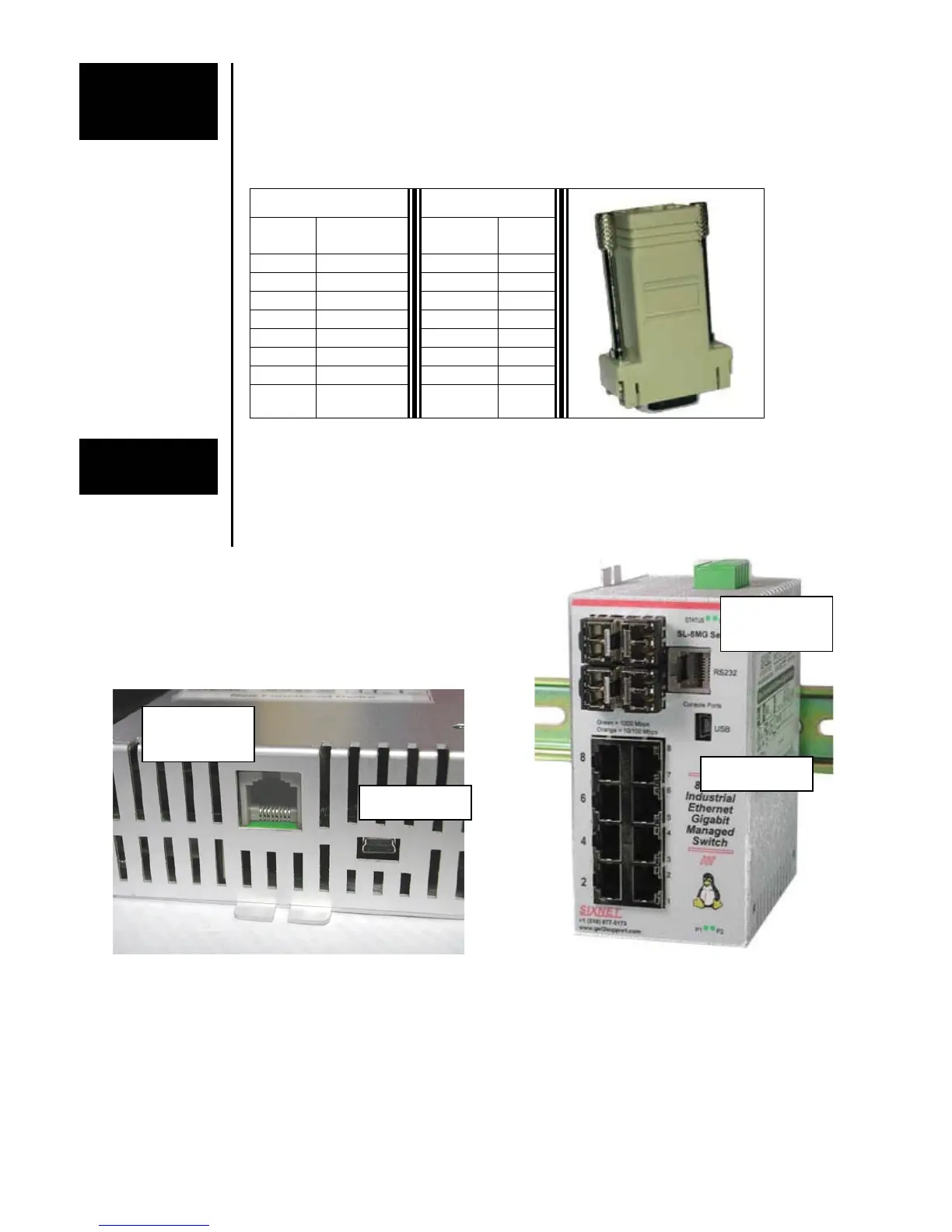
An optional way to configure the switch is through the RJ45 console RS232 port. Use a
DB9F to RJ45F adapter along with a RJ45 male to RJ45 male straight-thru-wired patch
cable to make a connection between a com port on your PC (DB9 male) and the RS232
port of the Managed Switch (RJ45 female). Contact Sixnet or your switch vendor to
purchase this adapter as an accessory.
A typical DB9F to RJ45F adapter should be wired as follows:
Switch Adapter
RJ45F
Pin #
Signal
Name
Signal
Name
DB9F
Pin #
1 RI/DSR in DTR out 4
2 DCD in N/C n/c
3 DTR out DSR in 6
4 GND GND 5
5 RXD in TXD out 3
6 TXD out RXD in 2
7 CTS in RTS out 7
8 RTS out CTS in 8
USB Console
Port Wiring
Newer models of these switches may also have an USB port instead of or in addition to the
RS232 port. Use a standard USB cable with a mini-USB plug on one end and an A-type-
USB plug on the other end. The A-type plug goes into a standard USB port on a computer.
The mini-USB plug goes into the USB port on the switch.
Refer to the software user manual for how to use this USB port.
The RS232 and/or USB ports may located
on the bottom edge or front face of the switch
RS232
RJ45F
Mini-USB
RS232
RJ45F
Mini-USB



 To Next Page