30 - 32 Module 4.1 – Texture Mapping Organization/Visualization Pointcloud
•
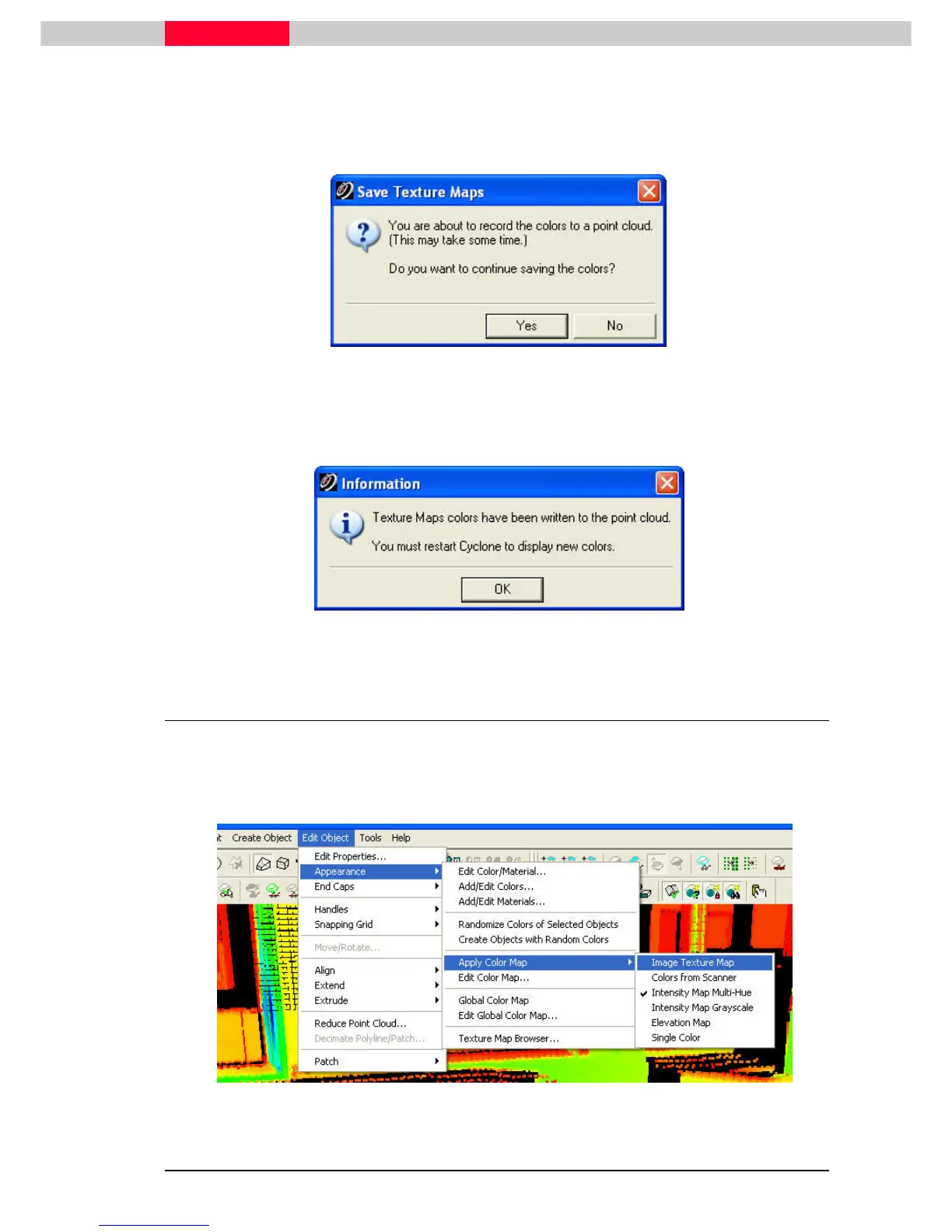
Click Yes
YesYes
Yes to accept Recording of colors to point cloud.
CAUTION: Colors from Scanner will be lost once cloud takes the colors from
photograph.
Figure 56
•
Click OK
OKOK
OK on next message
•
RESTART Cyclone
RESTART CycloneRESTART Cyclone
RESTART Cyclone
Figure 57
2.11 Change Cloud to New Colors from Cube-Map
•
Select point cloud.
•
Go to Edit Object
Edit ObjectEdit Object
Edit Object
|
| |
| Appearance
Appearance Appearance
Appearance |
| |
| Apply Color Map
Apply Color MapApply Color Map
Apply Color Map
|
| |
| Image
ImageImage
Image Texture Map
Texture Map Texture Map
Texture Map to see the new colors
from the Cube-Map.
Figure 58



 To Next Page