Data Extraction
The elbow inserted from the pipe run region grow may need adjustment. To adjust the elbow
bend ratio of an elbow while maintaining the connectivity to the pipes, use the following
method:
1) First, launch the modeled pipe run to its own ModelSpace to better visualize this process by
selecting the pipe run objects then clicking File | Launch | Copy Selection to New ModelSpace.
2) In the new ModelSpace, select the objects again and click Create Object | Insert Copy of
Object’s Points.
Notice how the inserted elbow needs an adjustment to the “elbow bend ratio” to
better match the points.
3) Select, in order, a pipe, the elbow, and then the other pipe.
4) Click Tools | Piping | Edit Elbow Bend Ratio…
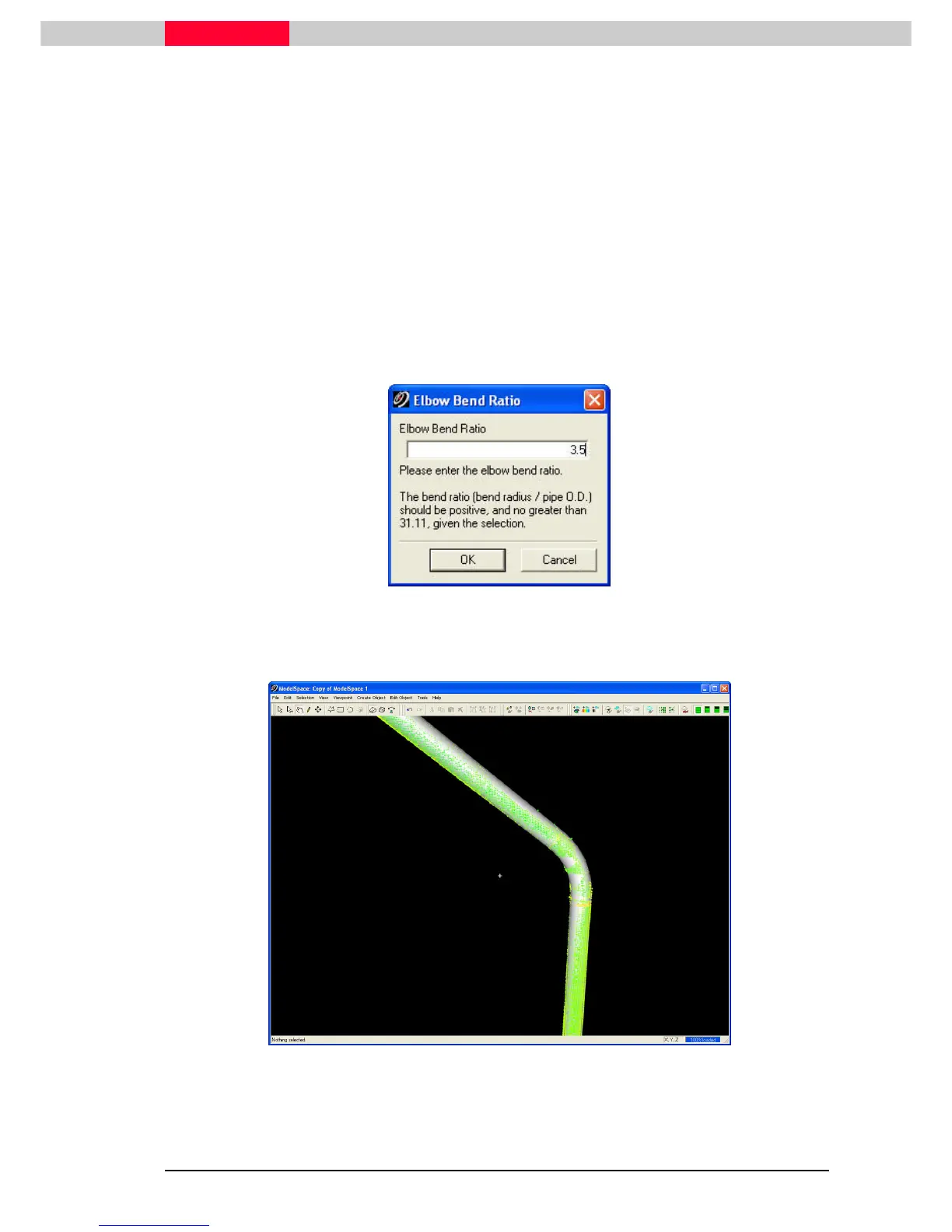
5) Enter a value of 3.5.
Figure 37
6) Click OK to accept the value. The elbow bend ratio of the elbow is adjusted, while
maintaining the connectivity to the pipes on each end.
Figure 38
The elbow bend ratio is typically found visually. Compare how the modeled elbow
fits to the point cloud when trying different elbow bend ratios.
7) Close the ModelSpace and choose the option Merge into Original ModelSpace.



 To Next Page