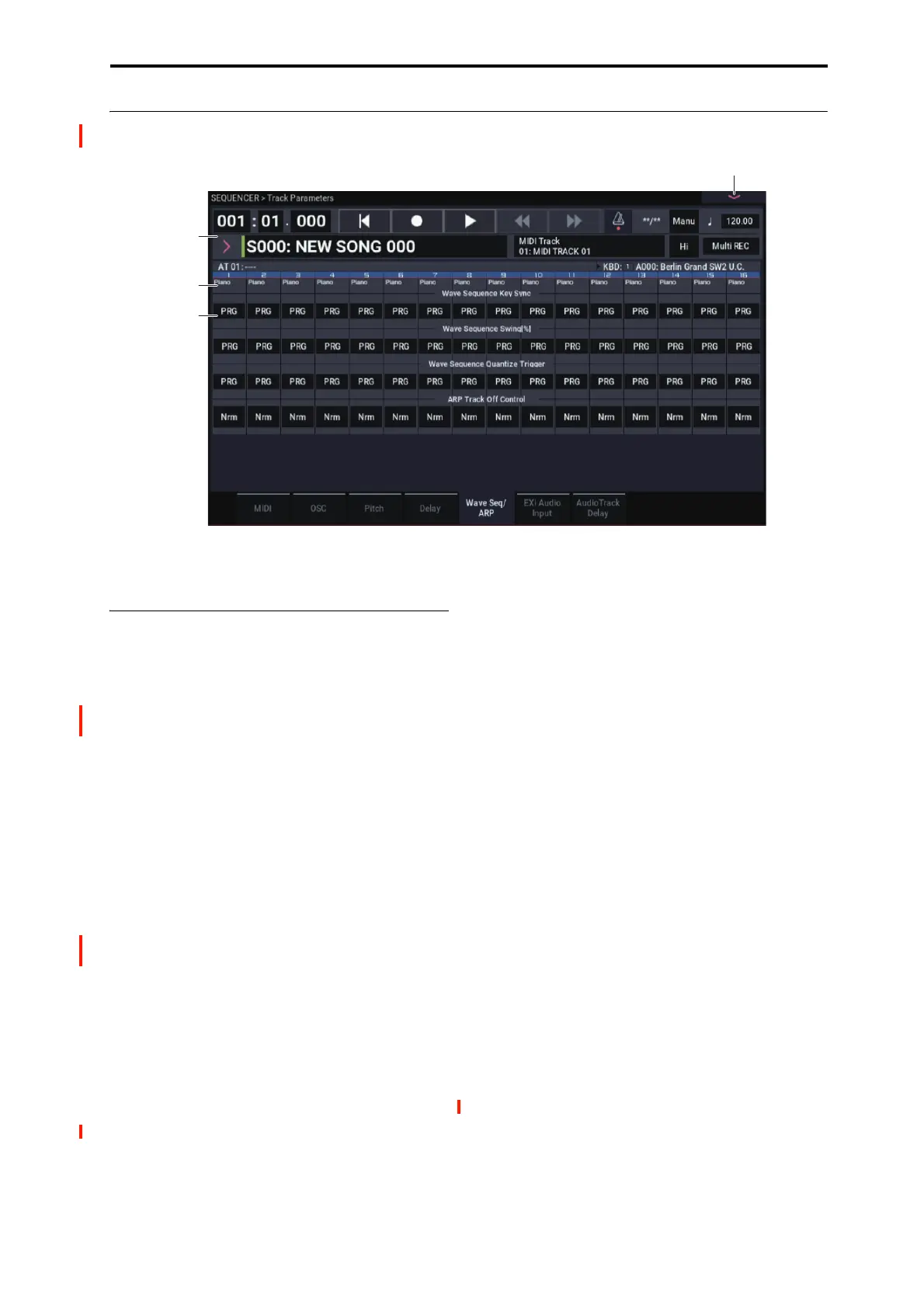
SEQUENCER > Track Parameters 2–5: Wave Seq/ARP
485
2–5: Wave Seq/ARP
Here you can make settings related to wave sequence and
Arpeggiator functionality for each MIDI track.
2–5a: Wave Sequence/ARP
Track 01 (Track Number)
Wave Sequence Key Sync [PRG, Off, On]
Specifies the wave sequence Key Sync setting (PROGRAM
1–1e) of the program selected for the MIDI track. This
setting is valid if the program uses a wave sequence.
PRG: The setting of the program is used.
Off: Key Sync is forced off. The wave sequence of each
note will synchronize to the same step.
On: Key Sync is forced on. The wave sequence will start
each time you press a key. If the wave sequences have
differing steps or rates, they will proceed independently.
For more information, please see “Key Sync” on page 39.
Wave Sequence Swing% [PRG, –300….+300]
Specifies the wave sequence “Swing” setting (PROGRAM
1–1e) of the program selected for the MIDI track. This
setting is valid if the program uses a wave sequence.
PRG: The setting of the program is used.
–300…+300: The Swing% specified here is used regardless
of the program’s “Swing%” setting.
For more information, please see “Swing” on page 39.
Wave Sequence Quantize Trigger [PRG, Off, On]
This allows you to override the Program’s Wave Sequence
“Quantize Trigger” setting (PROGRAM 1–1e). If you’re
using multiple Programs with rhythmic Wave Sequences,
you can use this to synchronize all of the Wave Sequences at
note-on.
Note that Quantize Trigger applies only when the Wave
Sequence’s Mode is set to Tempo. For more information, see
“Mode” on page 662.
PRG: The setting of the program is used.
Off: “Quantize Trigger” is forced off. The wave sequence
will trigger immediately after note-on.
On: “Quantize Trigger” is forced on. The wave sequence
pattern will synchronize to eighth-note timing of the
currently-sounding wave sequence; i.e., the trigger will be
quantized.
For more information, please see “Quantize Trigger” on
page 39.
ARP Track Off Control [Normal, Track Off by ARP
Off, Track Off by ARP On]
Nrm (Normal): The ARP ON/OFF button will not control
whether the track will sound. Usually you will use the
Normal setting.
by Off (Track Off by ARP Off): The track will sound as
usual when the ARP ON/OFF button is on.
The track will not sound when the ARP ON/OFF button is
off.
Use this when you want a specific track of multiple tracks
set to the same MIDI channel to be silent only when
Arpeggiator is off.
by On (OSC Off by ARP On): The track will not sound
when the ARP ON/OFF button is on.
The track will sound as usual when the ARP ON/OFF button
is off.
Use this when you are using an apreggiator to control
multiple tracks that are set to the same MIDI channel, and
want a specific track to be silent only when Arpeggiator is
on.
For example you can use this to play a two-track layer from
the keyboard when Arpeggiator is off, and use one track to
sound the phrase when Arpeggiator is on.
0–1a
1–1b
2–5PMC
2–5a


 To Next Page
 Loading...